
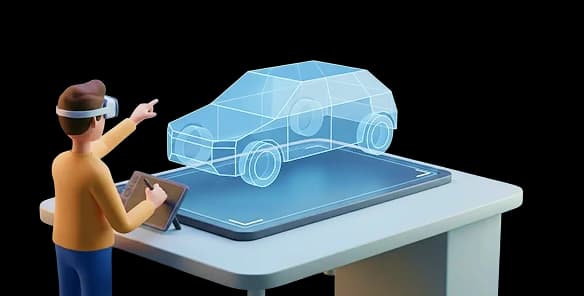
Travel Animator suits phone-based route videos built around recognizable vehicles and custom models. AvoMap suits browser-based route visualization with camera controls and elevation charts. Both support planned journeys: AvoMap is not restricted to recorded GPS tracks. Choose according to your editing workflow and whether you prefer Pro access or paying for renders.
Travel Animator vs AvoMap: feature comparison
| Feature | Travel Animator | AvoMap |
|---|---|---|
| Free plan | Free — full core creation, no ads | Free editor; each export uses a render credit |
| 3D vehicle models | 300+ (cars, planes, trains, boats, balloons, more) | Markers & segment icons |
| Map styles | 30+ flat, satellite & 3D styles | 7 map styles with 4 light presets |
| Camera control | Manual scene & zoom styles | Dynamic and per-segment camera controls |
| Video export quality | HD & 4K | HD & 4K (60fps) |
| Watermark-free export | ✓ Yes | ✓ Yes |
| Elevation & terrain view | ✓ Elevation via satellite & 3D terrain maps | ✓ Elevation chart |
| Map markers / points of interest | ✓ Yes | ✓ 100+ presets |
| GPX / KML import | ✓ GPX | ✓ GPX & KML |
| Fitness app import (Strava, Garmin, Komoot) | ✕ No | ✓ Strava connection; GPS-file imports |
| Custom logo / branding | ✓ Yes | ✓ White-label |
| Video length | No limit | Adjustable segment duration |
| Pricing model | Free + Pro subscription | One-time render-credit packages |
| Platforms | iOS & Android app | Web browser (no native app) |
See the full 3D model library, map styles and Pro pricing.
Travel Animator creative tools
See how these Travel Animator controls work, then compare them with the workflow you need for your project.
Scene styles
Move the camera through your journey like a film, not a flat map. Scene (zoom) styles frame each moment so the animation feels alive and cinematic.
Place labels
Label every stop along the way so viewers always know where the journey is heading — perfect for multi-city trips and long road-trip routes.
Cover image
Open your video with a custom cover frame — a polished title card that makes your travel story feel like a real production from the very first second.
300+ 3D models
Choose from over 300 animated vehicles — cars, planes, trains, cruise ships, hot-air balloons and more. Can't find the exact one? Add your own custom model and drive it across the map.
30+ map styles
Switch between 30+ flat and 3D globe map styles to set the mood — from clean and minimal to rich, cinematic terrain that makes every route look its best.
A quick look at each tool
Travel Animator
A mobile-first travel animation app for iOS and Android. Plot a route by hand or from a Google Maps link, choose from 300+ 3D vehicles (or add your own custom models), style the scene, add place labels, highlights and a cover image, then export an HD or 4K video for social media.
- 300+ models plus custom vehicle models
- Scene (zoom) styles, place labels & highlight tool
- Markers, POIs & satellite / 3D terrain maps
- HD & 4K export; no video-length limit
- No-ads free tier; custom logo branding
AvoMap
AvoMap is a browser-based route-video editor. It accepts GPX and KML files and also lets you build routes without a recorded track. You can combine transport segments, adjust camera settings and visualize elevation before paying for a finished render.
- Draw routes or import GPX/KML and Strava activities
- Automatic dynamic camera & elevation profile
- HD & 4K, white-label branding
- Web only — no iOS or Android app
- No 3D vehicle models or custom models
- Exports use paid render credits
The differences that matter
Vehicle storytelling and route visualization
Travel Animator puts a 3D vehicle or custom model at the centre of a route video. AvoMap emphasizes route visualization and includes both a dynamic camera and per-segment camera adjustments. It is not accurate to imply that its camera is only automatic. Consider what viewers need to understand: the specific vehicle used, the shape of the route, the terrain, or the sequence of destinations. For a cruise recap, a recognizable ship may be central to the story. For a race briefing, the course shape and elevation chart may deserve more attention than the moving marker.
Built for your phone, free to start
Travel Animator runs on iOS and Android and offers free creation and export, with Pro features available separately. AvoMap lets you work in a browser and preview before spending render credits. Its calculator accounts for options such as 4K and white-labeling. Compare the cost of the actual deliverable, including branding and resolution, rather than the cheapest headline option. A browser editor may be convenient when a route file already lives on your computer; a phone app may be easier when the pictures and trip notes are on your phone.
Where AvoMap shines
AvoMap offers an elevation chart, which is different from showing mountains through a terrain map style. Travel Animator can display terrain, but that should not be presented as an equivalent elevation graph. AvoMap also supports hand-built routes, so you do not need a GPS recording to try it. To compare the tools fairly, use a short uphill route and inspect what each makes visible. Check whether the viewer can understand the climb, identify important stops and follow the camera without losing context. Choose the presentation that serves the audience, rather than assuming both outputs communicate the same information.
Which should you choose?
Choose Travel Animator if…
Choose Travel Animator for a phone-based editing workflow, 3D vehicles, custom models and scene composition. It is useful when the visual identity of a car, boat or plane matters to the story, and when you want to build the video where your trip photos are stored.
Choose AvoMap if…
Choose AvoMap for browser-based editing, elevation charts and camera control over planned or recorded routes. It is useful for route briefings and adventure recaps. Preview the project and check the credit calculator before paying for the export.
Travel Animator vs AvoMap FAQ
What is the difference between Travel Animator and AvoMap?
Travel Animator emphasizes mobile editing and vehicle-led route videos. AvoMap emphasizes browser-based route visualization, camera controls and elevation charts. Both can work with planned journeys; AvoMap is not limited to recorded activities.
Is Travel Animator better than AvoMap?
The better choice depends on your output. Travel Animator suits custom vehicle storytelling on a phone. AvoMap is worth considering for elevation-focused route visualization and browser editing. Try a representative route before paying.
Is AvoMap free, and does it add a watermark?
AvoMap provides a free editor and preview, then charges render credits for exports. Logo removal or custom branding affects the credit cost. Travel Animator has a free plan, with watermark removal and 4K available through Pro.
Can Travel Animator and AvoMap both export in 4K?
Both advertise 4K output through paid options. AvoMap uses render credits, while Travel Animator includes 4K with Pro. Check the cost with your required branding and output settings selected.
Does AvoMap have 3D vehicle models like Travel Animator?
AvoMap documents markers, custom symbols and an uploaded avatar. These are not the same offering as Travel Animator’s 300+ vehicle models and custom-model service. Preview the moving object you need before choosing a tool.
Which is better for Instagram and TikTok travel videos?
Either can support social travel videos. For a vehicle-led story, try Travel Animator. For an elevation-focused route recap, try AvoMap. Review the final crop and label size on a phone before publishing.




