How to Edit Location Names in Travel Animator
To edit location names in TravelAnimator, open your project, tap Preview and go to Place Labels. Turn labels on, choose Edit Labels and tap the pencil beside a location. Enter the new name, confirm it and tap the blue tick to apply your changes.
 Jaseel S6 min read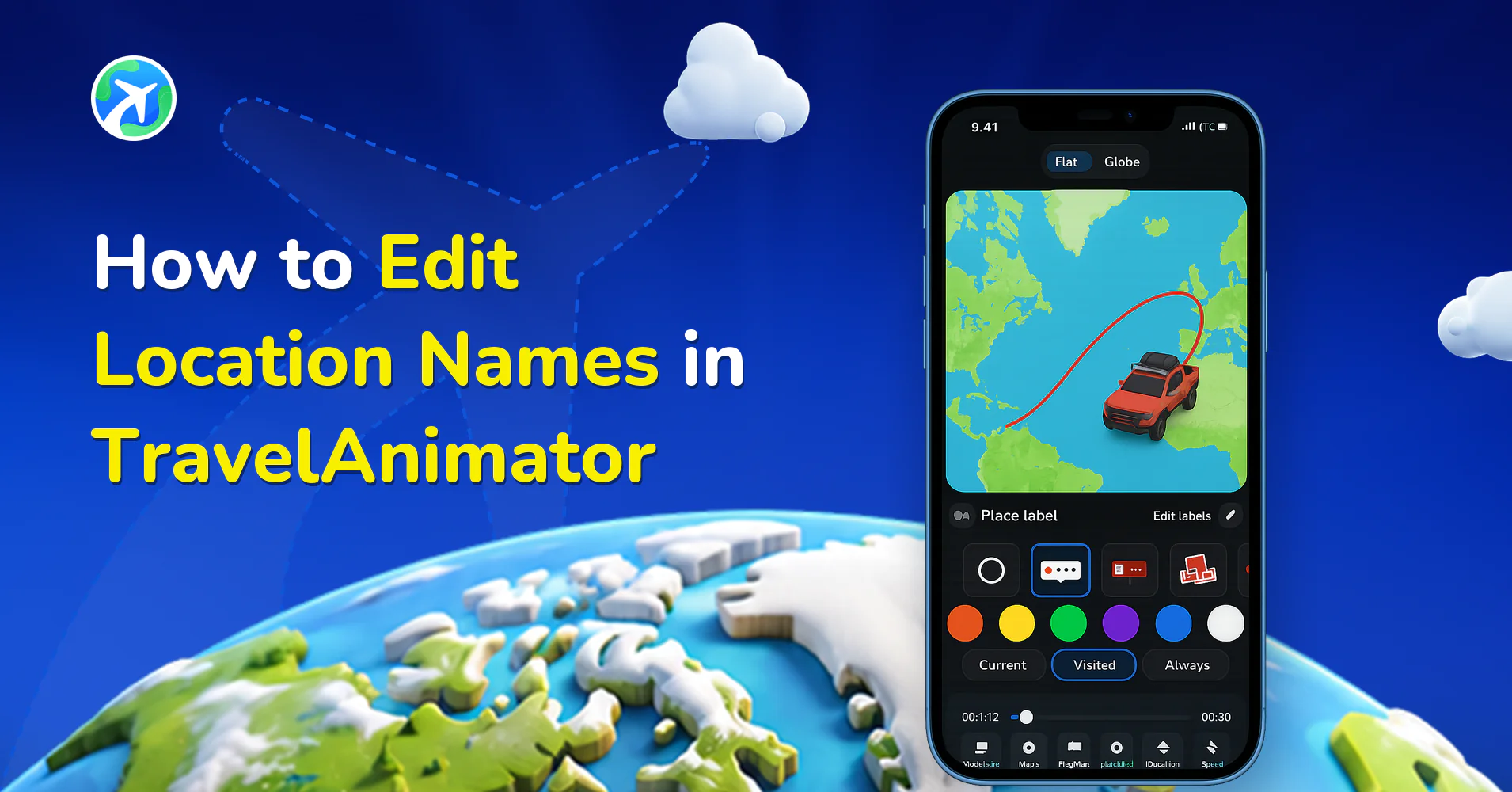
In this article 6 sections
Travel Animator now gives you the flexibility to edit location names added through the search bar, imported GPX files, or Google Maps links, so your map labels look as good as your animation.
Imagine you’ve created a beautiful travel animation, but the location name includes long numbers, street details, or technical map terms. While the location is accurate, the label feels cluttered and doesn’t match the clean, cinematic look of your video. You still want to show exactly where you travelled, but in a way that feels clear, meaningful, and visually appealing. That’s exactly where editing location names in Travel Animator becomes essential.
In this guide, you’ll learn how to edit location names step by step and see how refined labels improve travel storytelling without interrupting your animation flow.
What Are Location Labels in Travel Animator?
Location labels are text markers on the map representing the places in your animation. They’re created automatically when you search for a place manually, import a GPX file with waypoints, or add locations via a Google Maps link, helping viewers understand where the journey starts and ends, and how the route progresses geographically.
By default, Travel Animator uses the official place name or a coordinate-based name from map data. These are accurate, but not always ideal for storytelling — GPX waypoint names in particular are often generic or unclear, which can make a route harder to follow. Editing lets your animation speak in your voice rather than relying on raw map data.
Step-by-Step Guide to Edit Location Names in Travel Animator

- Start by opening your Travel Animator project.
- Once your route and locations are visible on the map, tap the preview button (the blue arrow at the bottom right).
- Go to the Place Labels option in the editing interface. Make sure labels are toggled on so they’re visible.
- Tap Edit Labels. This shows a list of every location label in your animation, each with its current text, a visibility toggle, and an edit (pencil) icon.
- Tap the pencil icon next to the location you want to change. Shorten the name, add context, or rename it for storytelling clarity.
- Confirm the change, and turn individual labels on or off if you want to hide less important stops without deleting them.
- Tap the blue tick mark to confirm and apply your changes. Then your updated names now appear in the animation.
Tip: Keep labels short, since long names can overlap routes and clutter the map. Avoid vague placeholders like “Stop 1,” and always preview after editing to catch any overlaps.
What Makes a Good Location Label
Viewers get maybe a second to read each name as the model moves past, so the best labels are the ones you can take in at a glance. A few before-and-after examples from typical routes:
- GPX waypoint: “WPT 014” becomes “Summit” or “Camp 2”
- Google Maps address: “Rua Augusta 24, 1100-053 Lisboa, Portugal” becomes “Lisbon”
- Coordinate-based point: a string of numbers becomes “Hidden Beach” or “Viewpoint”
- Personal stop: a street name becomes “Grandma’s House” or “Our Hotel”
Pick one naming style and stick to it across the whole route. If you shorten Porto to “Porto”, don’t leave the next stop as “Coimbra District, Portugal”. Mixed lengths look accidental, and the long ones are the labels most likely to collide with your route line.
It also helps to decide what each label is for. Place labels work best as plain place names. If you want context like “Day 2” or “Flying to Dubai”, add it as a separate custom text label at that stop instead of cramming it into the place name.
When Your Renamed Labels Don't Look Right
Most label problems show up only in preview, so play the animation after every round of edits. Here’s what to check when something looks off.
The new name isn’t showing. Make sure Place Labels is toggled on, then open Edit Labels and check that the visibility toggle for that particular location is on. It’s easy to hide a stop while tidying up and forget about it. Also confirm you tapped the blue tick at the end, since changes aren’t applied until you do.
Labels overlap the route or each other. This happens a lot on routes with stops close together, like a walking tour through one neighbourhood. Shorten the names, or hide the less important stops and keep only the start, the end and two or three highlights.
The label fits in one format but not another. A name that sits neatly in 16:9 can crowd the map in 9:16. The Place Labels panel lets you switch between Flat and Globe views and change the video ratio, so check spacing in the ratio you’ll actually export.
The text is hard to read. Change the frame style or frame colour so it contrasts with the map. Bright frames on dark maps and softer tones on light maps are a good starting point. Our guide to customising place label styles covers each option.
Make Your Travel Animations Clear and Personal
Editing location names in TravelAnimator gives you control over how your journey is understood. You’re not locked into auto-generated place names. You can personalize, simplify, and enhance every location label. Whether you’re fixing GPX waypoint names, adding emotional context, or improving readability for social media, this feature ensures your animation speaks clearly. With just a few taps, you can edit labels, control visibility, and confirm changes without disrupting your route or animation flow.
Start refining your labels and let your travel story speak for itself.
Frequently Asked Questions
Where do I rename a place label in TravelAnimator?
Open your project, tap Preview and select Place Labels. Turn labels on, open Edit Labels and tap the pencil next to the location. Enter the new name, confirm it, then tap the blue tick to apply the changes.
Can I rename labels from GPX files and Google Maps links?
Yes. Edit Labels lets you rename locations added through search, imported GPX files or Google Maps links. This is useful for replacing technical waypoint names or long addresses with readable place names.
Can I hide a label without removing the location?
Yes. In Edit Labels, use the visibility toggle beside that location. You can hide less important labels while keeping the locations in your route.
Why isn't my renamed location label showing in TravelAnimator?
Check three things. Place Labels must be switched on, the individual visibility toggle for that location in Edit Labels must be on, and you need to tap the blue tick to apply your edits. If all three are set, play the preview again, since a label can be hidden behind another one when stops are very close together.
Does renaming a label move the location on the map?
No. Editing a label only changes the text viewers see. The location, the route line and anything attached to that stop, such as a model or photo, stay exactly where they were. That makes it safe to rename messy GPX waypoints or long Google Maps addresses without rebuilding your route.