How to Change Distance Units from Miles to Km in TravelAnimator
 Jaseel S6 min read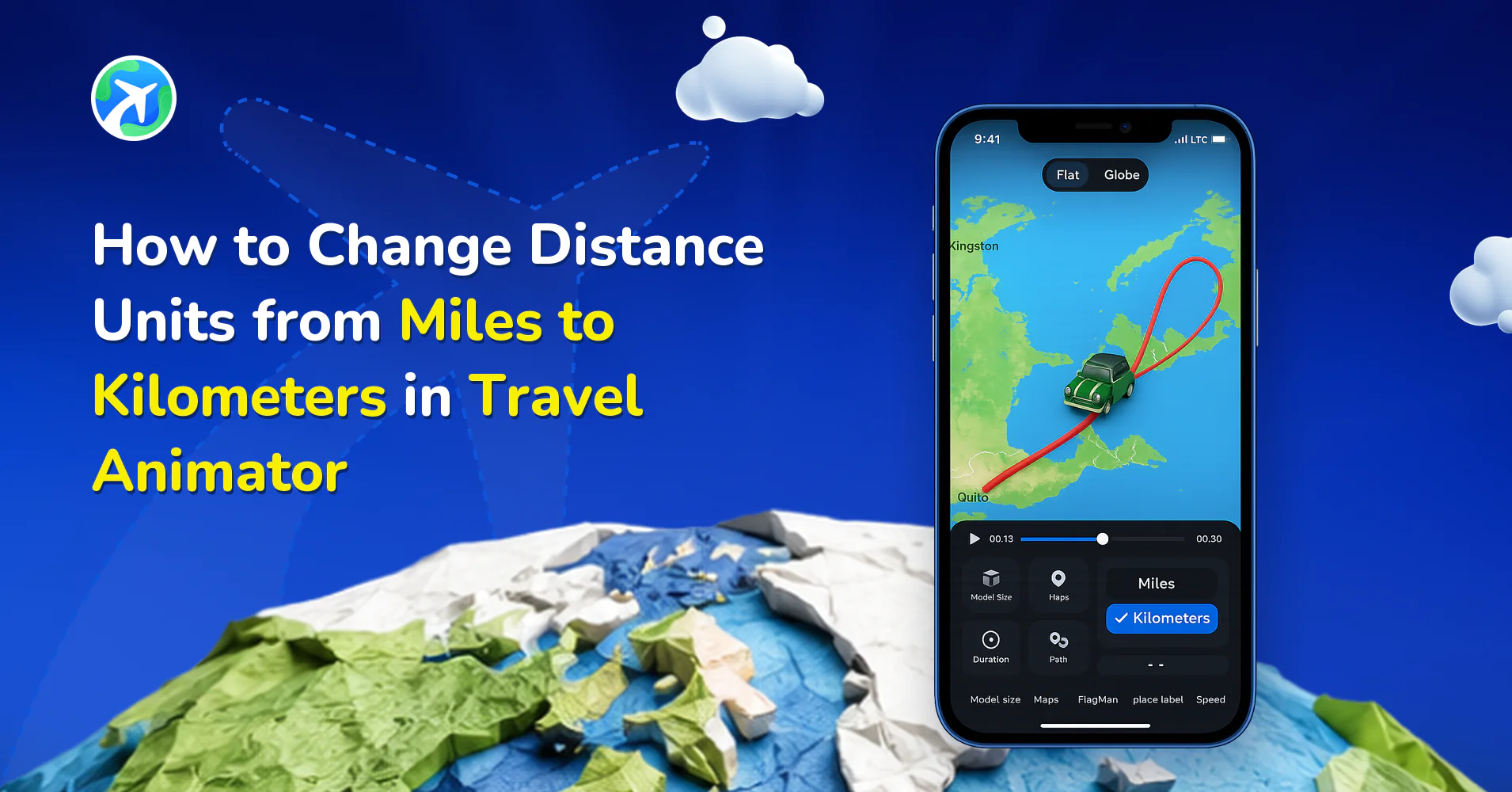
In this article 9 sections
In Travel Animator, you can easily change the distance units from miles to kilometers in just one click, helping your audience better understand your journey based on their local measurement system.
Imagine you just finished animating your dream road trip across France, Italy, and Switzerland using Travel Animator. Before exporting, you notice your units are shown in miles. Most of the viewers are from Europe, where kilometers are the standard. So you need to switch it to kilometers, and you don’t know where to change it.
In this blog, we will explore how to change distance units from miles to kilometers.
What Are Distance Units in Travel Animator?
In Travel Animator, Distance units are the distance traveled between the locations that the app calculates itself when you create a route in Travel Animator. These distances are presented in two units: miles and kilometers.
- Miles (mi) — Commonly used in the United States and a few other countries.
- Kilometers (km) — Used in most other parts of the world, including Asia, Africa, and Europe.
Why Changing Distance Units Matters
Using the correct unit can avoid confusion if your video is meant for a global audience.
Little details like the unit can affect how professional your video looks.
Distance tells a story of how far and wide you’ve traveled. Showing it in the familiar format makes the journey more relatable and understandable to your audience.
Steps to Change Distance Units from Miles to Kilometers in Travel Animator
- Open Travel Animator and select the project you need to change the distance unit from miles to kilometers.
- Preview the video and tap the Unit button from the options below the screen to show the distance. This button controls how the distance is displayed.
- The distance appears in miles by default. Tap the button again to switch it to kilometers.
- Once it is shown in kilometers, export the video in HD or 4K quality.
- You can directly share the video to specific social media platforms from the app.
Common Mistakes to Avoid When Switching Units
Travel Animator switches this in a single tap. So, always double-check before exporting the video.
Always consider your target audience. If you are creating content for a US-based audience, Miles may be more suitable. Otherwise, choose kilometers.
The Unit changing option only appears on the preview page. Some users assume it’s missing by looking for it in the main editor. So, just preview the video, and it will show up below the screen.
Why the Distance Might Not Match Your Trip Meter
The number on screen comes from the route you built in the app, so it’s only as accurate as that route. If you added Paris and Milan as two points and nothing in between, the line won’t follow the motorway you drove through the Alps, and the total won’t match your car’s trip meter.
To get closer to the real figure:
- Turn on Real Routes for road legs so the path follows actual highways.
- Import the GPX file from your tracking app for hikes and bike rides, so the line follows the track you recorded.
- On manual routes, add extra points where the road bends.
Keep the Unit Consistent Everywhere
Once the video shows kilometers, match everything around it. If your caption says “a 1,200-mile road trip” and the animation shows km, viewers notice. The same goes for any labels you add at stops: “Day 2, 180 km to Florence” reads well, but only if it agrees with the distance on screen.
Making versions for different audiences is quick. Export once in kilometers for viewers in Europe, tap Unit to switch to miles, and export a second copy for a US audience. Save the route too, so you can make another version later without rebuilding it.
If tapping Unit shows “nm”, that’s nautical miles. Newer versions of the app cycle through km, mi and nm, which is handy for flight and ferry routes.
Picking a Unit When Your Audience Is Mixed
“Most of the world uses kilometers” is a fine rule of thumb, but a few cases trip people up.
- UK viewers live with both. Road signs and car trips are in miles, so a Scottish Highlands road trip reads naturally in mi even though the UK is metric for most other things.
- Canada and Australia use kilometers on the road. Don’t default to miles just because you’re posting in English.
- Ferry, cruise and island-hopping routes are where nautical miles make sense. A Greek island ferry series in nm looks deliberate. For a general audience, though, km or mi is easier to grasp, so keep nm for viewers who’ll recognise it.
- Flights are usually quoted in km or mi in everyday talk, even though pilots use nautical miles.
When your followers are split, set the unit for the bigger group and put the other figure in your caption, like “640 km (about 400 miles)”. That keeps the video clean and heads off the “how far is that in miles?” comments. For a cruise itinerary, our guide to cruise travel animation videos covers the rest of the setup.
Ready to Switch Your Distance Units?
Changing the distance units in Travel Animator is a one-click process, but it has a significant impact on how your travel story is to the audience. Whether you’re creating videos for YouTube, Instagram Reels, or Personal use, using the right units adds clarity and professionalism.
Frequently Asked Questions
What Are Distance Units in Travel Animator?
In Travel Animator, Distance units are the distance traveled between the locations that the app calculates itself when you create a route in Travel Animator. These distances are presented in two units: miles and kilometers.
How do I change Distance Units from Miles to Kilometers in Travel Animator?
Open Travel Animator and select the project you need to change the distance unit from miles to kilometers. Preview the video and tap the Unit button from the options below the screen to show the distance. This button controls how the distance is displayed. The distance appears in miles by default. Tap the button again to switch it to kilometers. Once it is shown in kilometers, export the video in HD or 4K quality. You can directly share the video to specific social media platforms from the app.
Does switching miles to kilometers change my route?
Changing the unit changes how the distance is displayed. Keep the same route and choose the unit that is easiest for the intended audience to read.
Why does Travel Animator show nm when I tap the Unit button?
nm stands for nautical miles. Recent versions of Travel Animator let you switch between kilometers, miles and nautical miles from the Unit option on the preview screen, so keep tapping until the unit you want appears. Nautical miles suit flight and sea routes. For road trips, most viewers expect kilometers or miles.
Why doesn't the distance in my Travel Animator video match Google Maps?
The distance is based on the route as you built it in Travel Animator. A manual route with only a few points runs straighter than the roads Google Maps uses, so the totals can differ. Enabling Real Routes, importing a GPX file or pasting a Google Maps link gives you a path that follows the real roads more closely.