How to Add a Cover Image to Your TravelAnimator Video
To add a cover image in Travel Animator, open Preview and choose Cover Image. Pick a layout, enable Use cover as video intro, add optional text and confirm. Preview the opening before exporting; you can also download the cover as a separate image.
 Jaseel S5 min read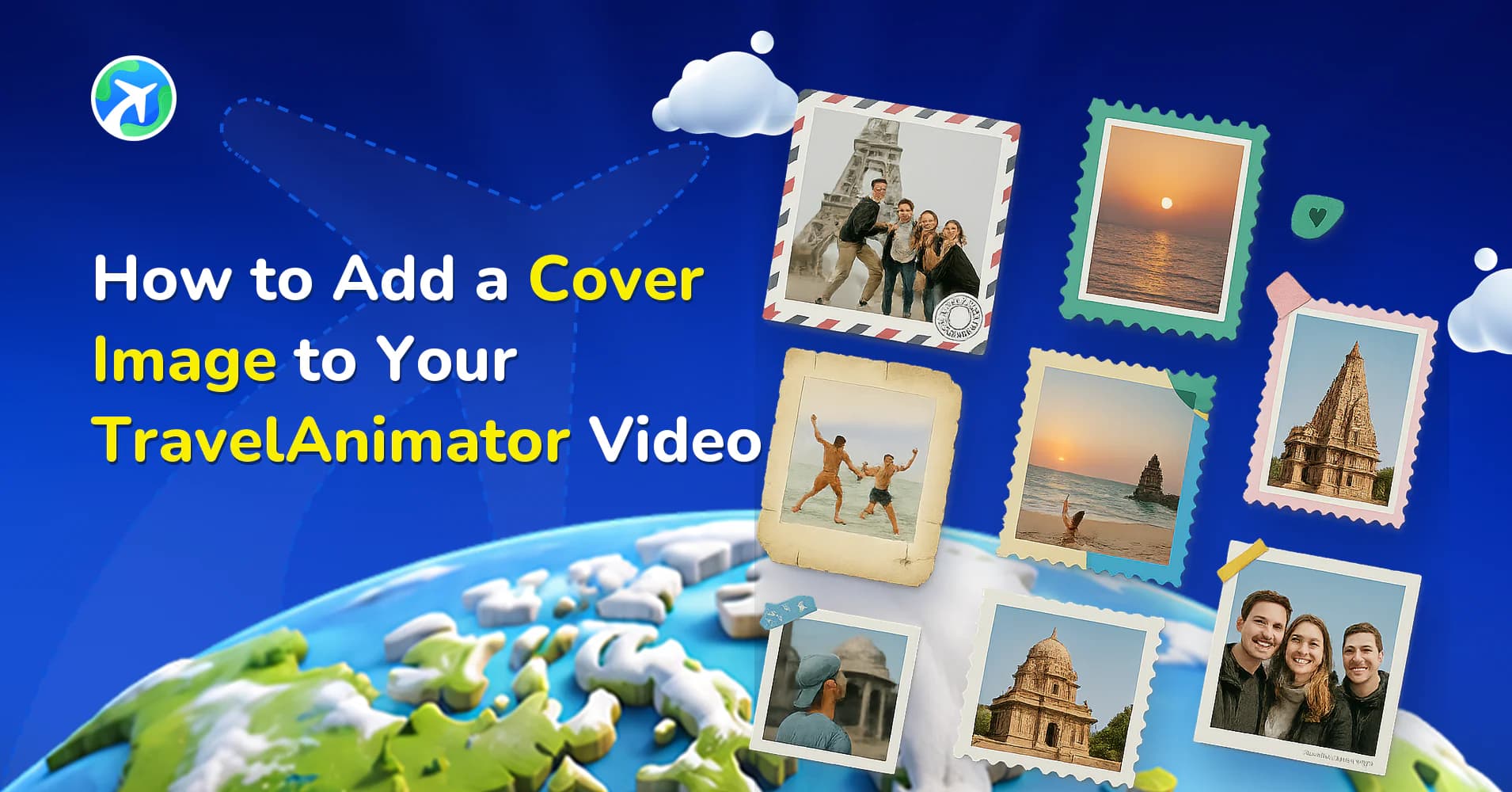
In this article 7 sections
With the latest update in the Travel Animator app, you can now add a cover image to your animation. This feature allows you to create a strong opening frame, turning your travel route into a complete story from the very first second.
Whether you’re creating travel reels, YouTube intros, or itinerary videos, using a cover image helps your content look more polished, engaging, and professional.
In this guide, we will show you how to add a cover image to your TravelAnimator video, customize it with templates, and follow best practices and creative ideas.
What is a Cover Image in Travel Animator?
A cover image in Travel Animator is the intro frame of your video that appears before the animation begins. It acts like a title screen or preview, giving viewers a quick idea of what your journey is about.
Instead of starting your animation suddenly, the cover image lets you introduce your journey, highlight key destinations, add a title or context, and set the tone for your video.
Step-by-Step: How to Set a Cover Image in Travel Animator
1.Open the Travel Animator app and complete your route animation.
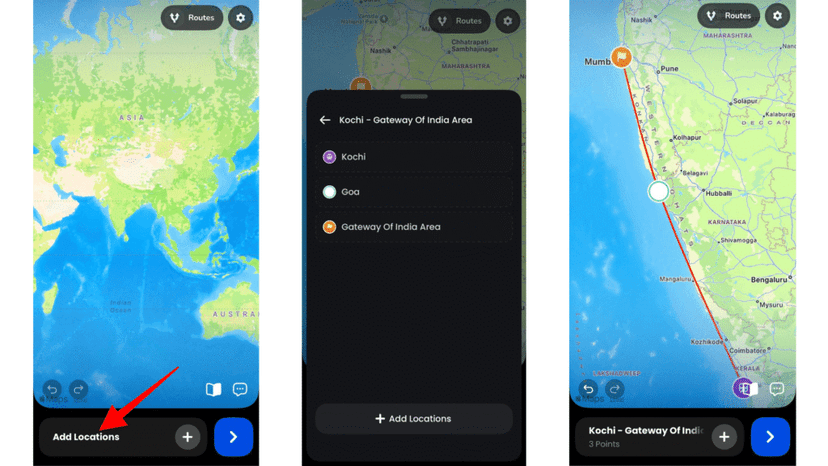
2. Go to the preview and set up your animation.
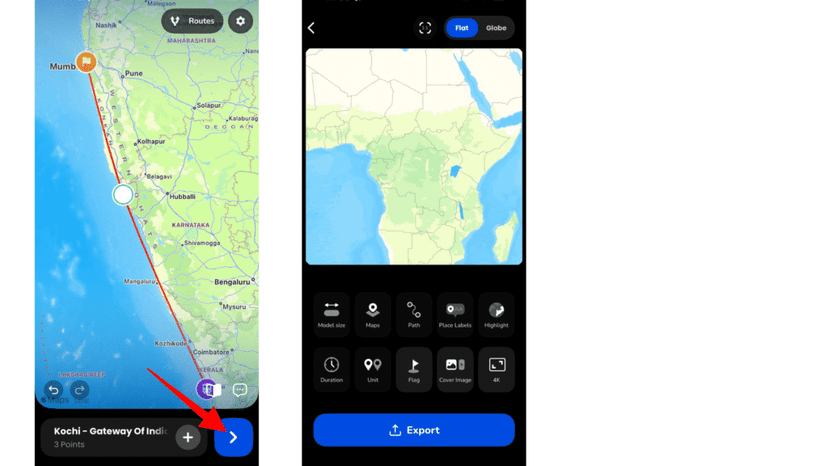
3. Tap on the Cover Image option available in the settings panel.
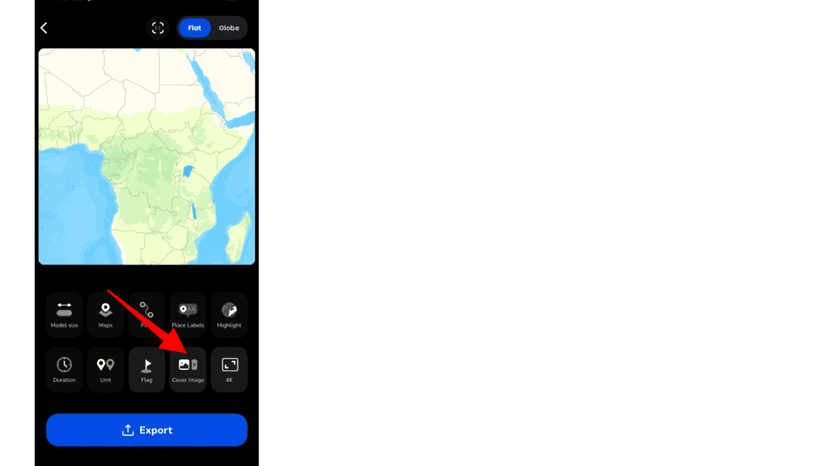
4. Choose a layout style that fits your video design.
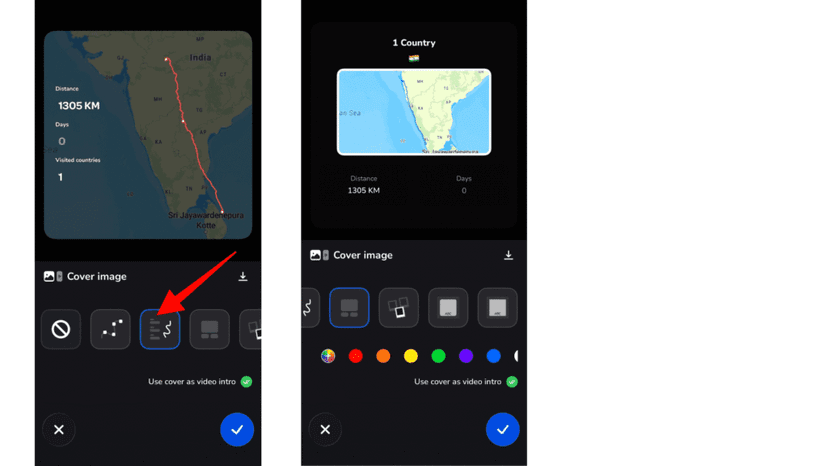
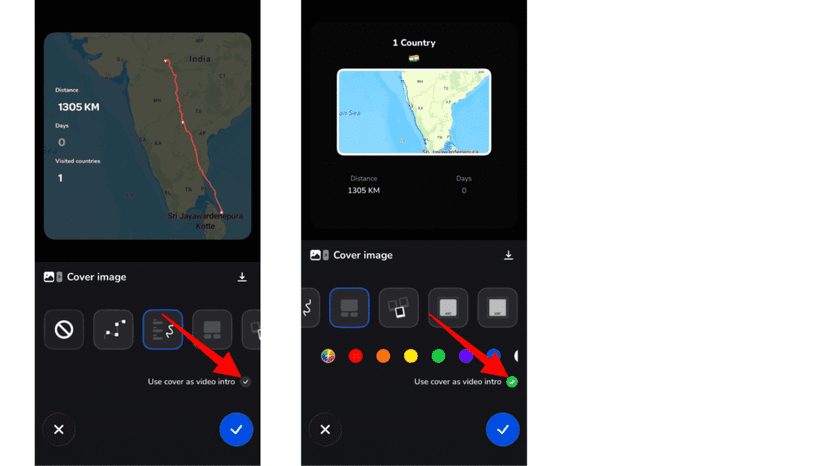
5. Enable the toggle Use cover as video intro to include it at the beginning of your video.
6. Turn on the Add Text option if you want to include a title or any text.
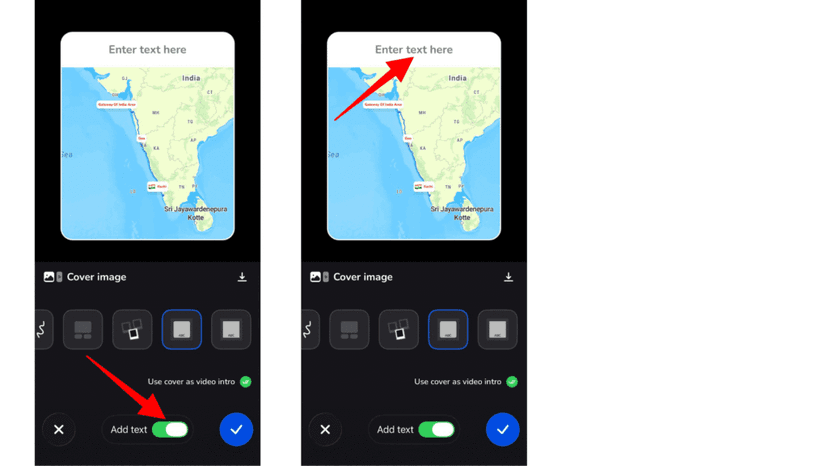
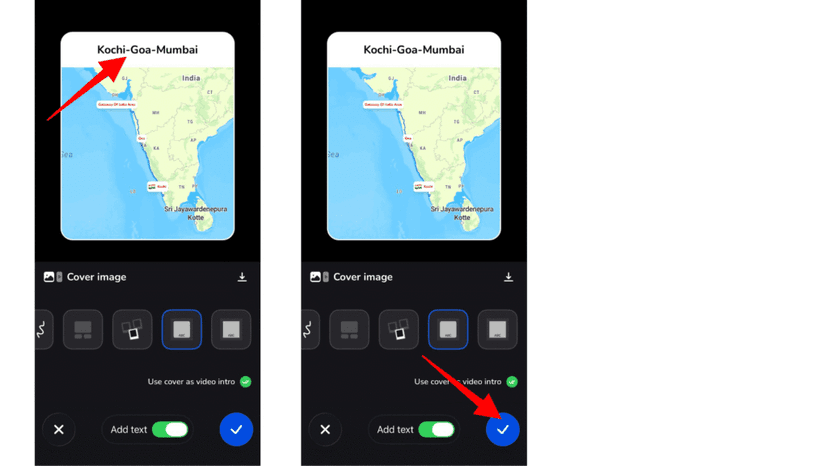
7. After entering the text, tap the confirm button to apply the cover image.
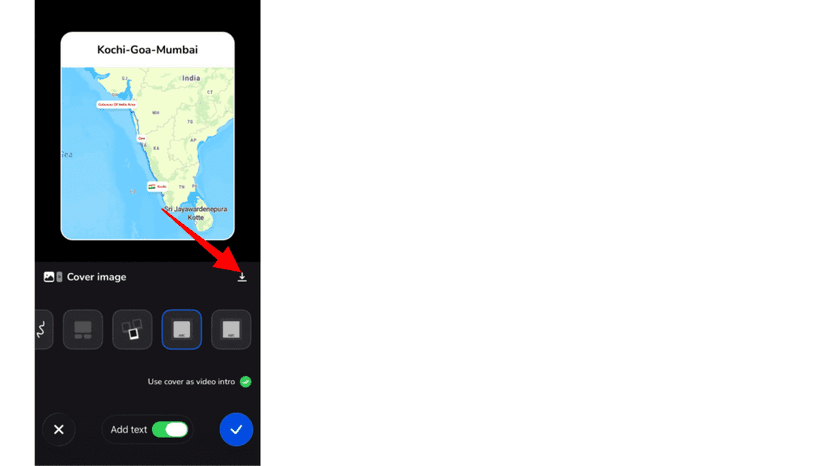
8. You can download the cover image from the options to use it as a story.
9. Preview your video to ensure everything looks perfect.
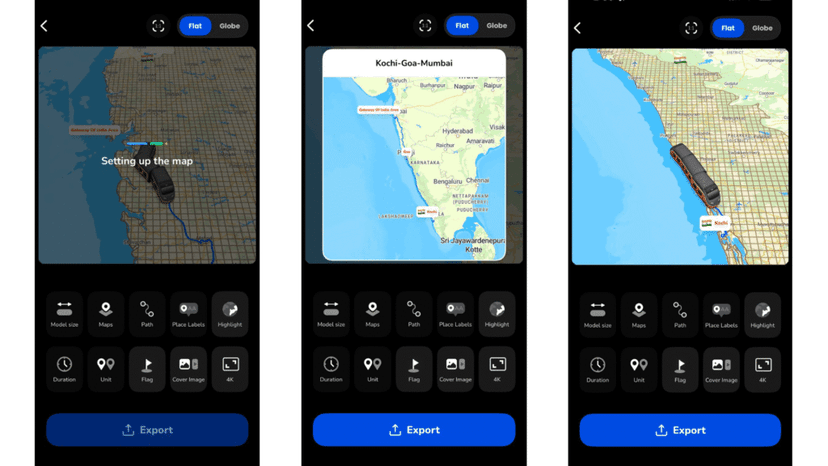
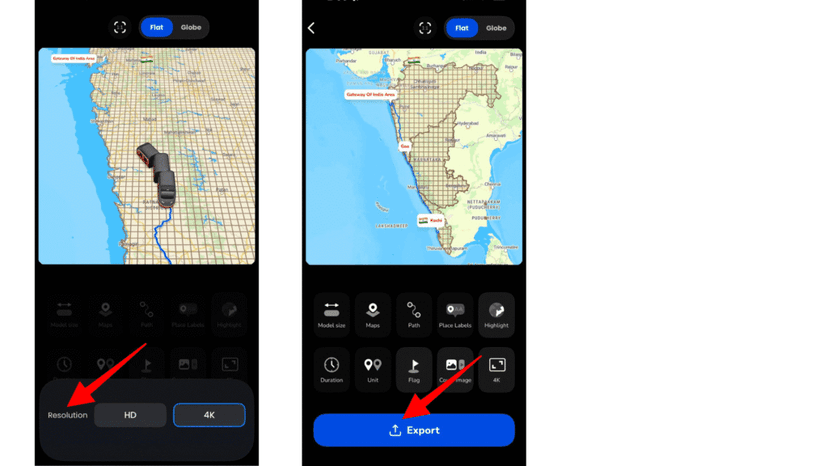
10. Export your video in HD or 4K quality.
Cover Ideas for Different Kinds of Trips
The best cover depends on where the video is going. A few setups that work well:
- A road trip or rail reel. Pick a layout that leaves room for a short title such as “Lisbon to Porto by Train”. Viewers know where the video goes before the line starts moving.
- A flight video. A cover built around a photo from the departure gate gives a long-haul route a proper opening.
- A multi-part series. If you’re splitting a long trip into parts, say a 3-day Kerala itinerary with one video per day, use the same layout for every part and change only the title. The set then looks like a series on your profile.
- A client itinerary. Download the cover and reuse it as the front page of the proposal or PDF you send alongside the video. Our guide to presenting travel plans better than PDFs shows how agencies combine the two.
Writing a Cover Title People Can Actually Read
The cover is on screen for a moment, and most people see it on a phone. Short wins. Aim for a title you can read in one glance: a place, a mode of travel, maybe a number. “Kerala in 3 Days” works. “Our Amazing Family Holiday Adventure Through Kerala, India” doesn’t.
Keep the naming consistent with the rest of the video too. If your place labels say “Kochi” and “Munnar”, don’t call it “Cochin” on the cover. Use the city name rather than the full airport name for flights, since “Singapore” reads far faster than “Singapore Changi Airport”.
Think about the frame you’re exporting in. A title that fits comfortably in 16:9 can feel cramped in 9:16, so pick your aspect ratio before writing the text, not after.
Make Your Travel Videos Stand Out from the First Frame
The cover image feature in the Travel Animator app is a simple yet powerful way to elevate your travel videos. It transforms your animation from a basic route into a complete visual story with a strong beginning. By adding a well-designed cover image, you not only improve the look of your video but also capture your audience’s attention instantly.
Download TravelAnimator now from the App Store or the Play Store and make your Travel Video stand out.
Check the cover before exporting
The cover download and the video intro serve different purposes. Enable Use cover as video intro when you want the cover to appear inside the animation. Download the cover separately when you need a still image for a presentation or thumbnail.
Preview using your final aspect ratio and check that the title is readable without covering the destination. If the cover is absent from the exported video, return to Cover Image and check the intro toggle before exporting again. A social platform may choose its own thumbnail; the in-video cover does not guarantee which thumbnail that platform displays.
For readable stop names inside the animation, follow the place-label editing guide.
Frequently Asked Questions
What is a Cover Image in Travel Animator?
A cover image in Travel Animator is the intro frame of your video that appears before the animation begins. It acts like a title screen or preview, giving viewers a quick idea of what your journey is about.
How do I set a Cover Image in Travel Animator?
In Preview, open Cover Image and choose a layout. Enable Use cover as video intro if it should appear at the beginning, add your text, confirm and preview the result before exporting.
What should I check on a cover image before exporting?
Check that the title is readable and that Use cover as video intro is enabled if you want it in the video. Downloading the cover separately and including it as the video intro are different actions.
Can I use a Travel Animator cover image outside the video?
Yes. You can download the cover from the Cover Image options and use it as a still image, for example as an Instagram story, a social thumbnail or the cover page of a travel proposal or PDF. Downloading it doesn’t add it to the video. Turn on Use cover as video intro if you also want it at the start of the animation.
How long should the title on my travel video cover be?
Keep it to a few words that can be read in one glance on a phone, such as a destination and a detail like “Kerala in 3 Days”. Long sentences get cramped, especially in a vertical 9:16 video. Match the place names you use in your labels, and preview the cover in your final aspect ratio before exporting.