How to Add Photos in Travel Animation Videos
 Jaseel S4 min read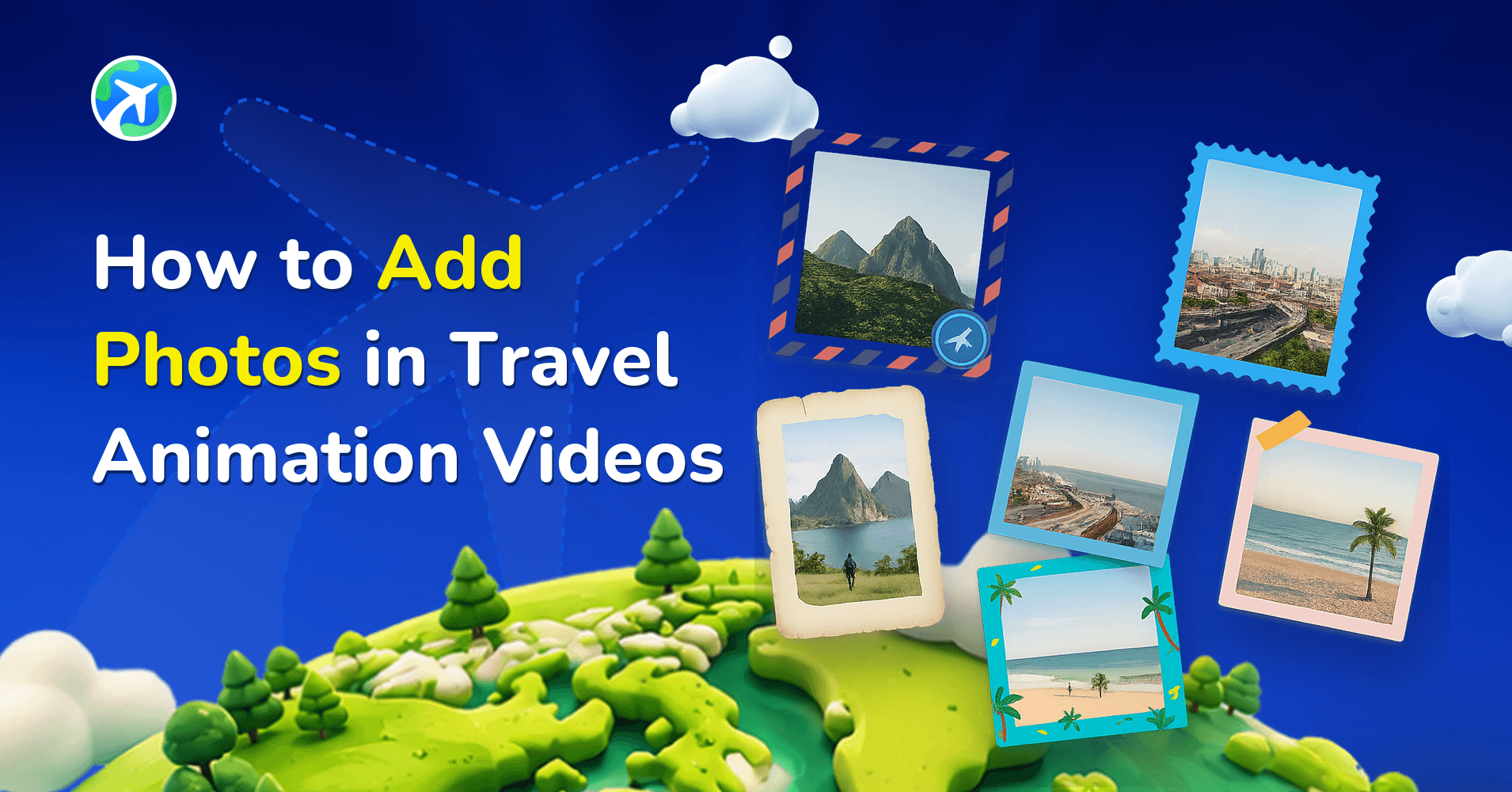
Adding photos to your travel animation video makes your journey more personal, engaging, and memorable. With the latest TravelAnimator updates, you can combine animated routes with real images from your trip, all within a clean and improved interface.
Imagine you just returned from your dream trip to Paris. You captured stunning photos of the Eiffel Tower, the Louvre Museum, and Sainte-Chapelle. Instead of posting separate images and a basic route map, you want to create one animated travel video that shows your route and displays your photos at each stop.
Look at how Travel Animator can help you add photos to your travel animation video using the latest TravelAnimator features to make it more interesting.
Why Add Photos to a Travel Map Animation?
Travel animations show movement from one place to another, but adding photos brings emotion, context, and authenticity to your journey. When you combine animated routes with real images from your trip, your audience clearly understands where you traveled and connects more deeply with your experiences.
Photos help highlight important landmarks, make the video more cinematic and engaging, and turn a simple route animation into a meaningful storytelling experience rather than just a moving line on a map.
Step-by-Step: How to Add Photos in TravelAnimator
1. Download and Sign up
- Open the Travel Animator App. If you haven’t downloaded it yet, please download it from the Play Store or the App Store.

2. Start creating your trip
- Tap Add Locations at the bottom of the screen to add the starting and end points.
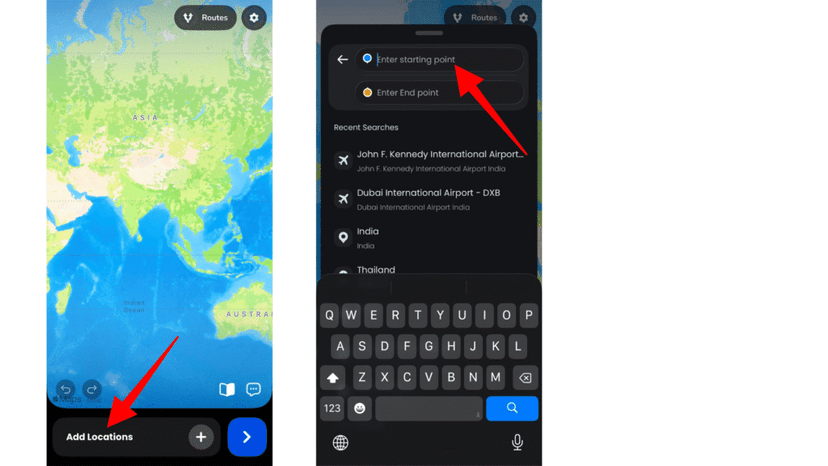
- To add multiple destinations, tap the + icon to include more places you visited.
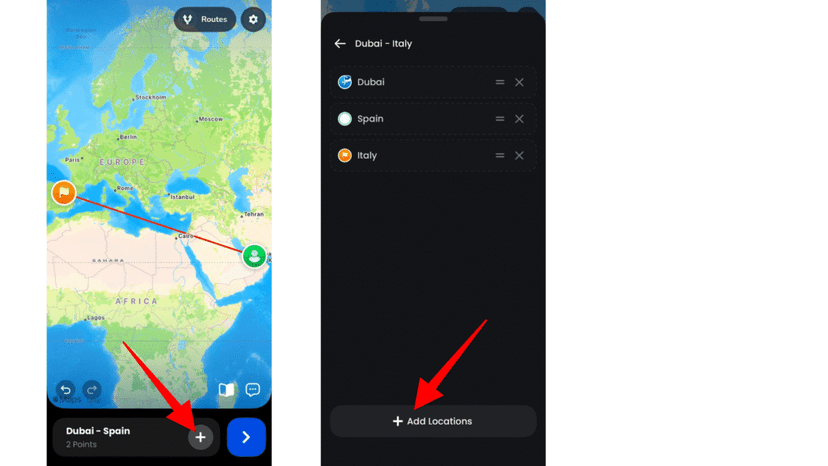
- Tap the line to add stops, then drag it to move a stop.
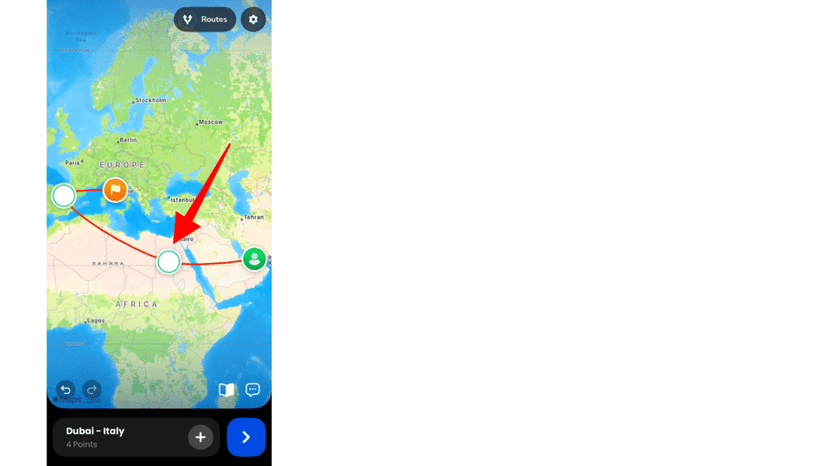
- You can also upload a GPX file or a Google Maps link to get the actual route.

- Choose the travel model that suits your trip.
3. Add photos to your travel animation video.
- Long-press the stop/point and tap the Add Image option to add an image to the animation.
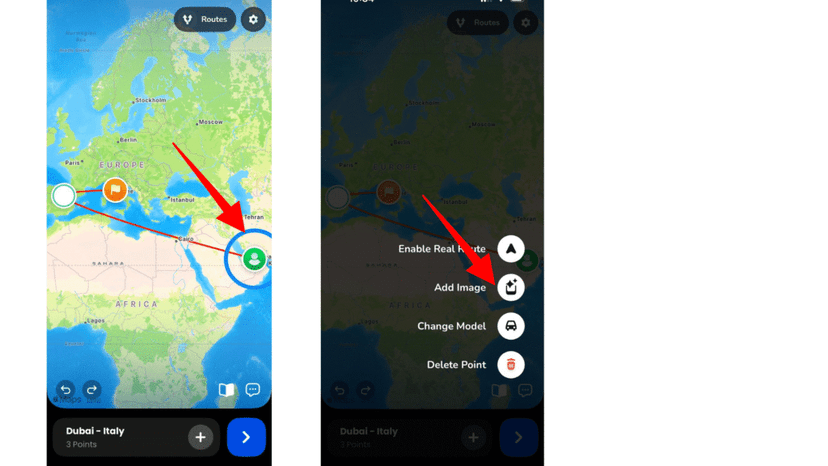
- Change the text mode to image, then tap the Add Image on the frame to add an image.
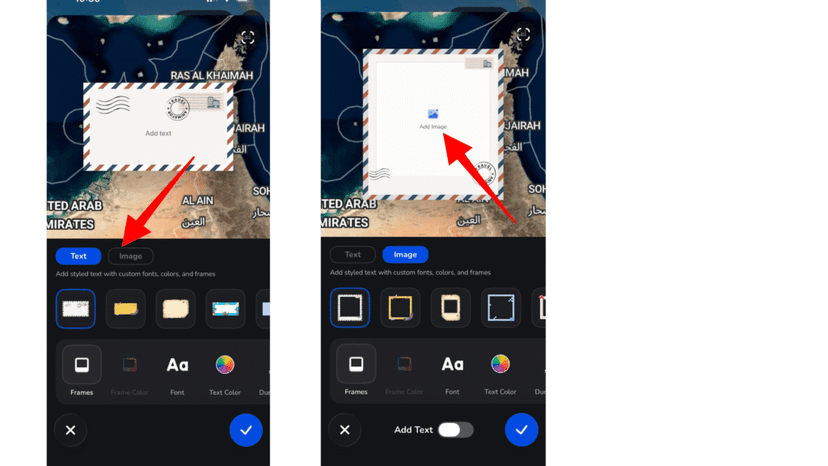
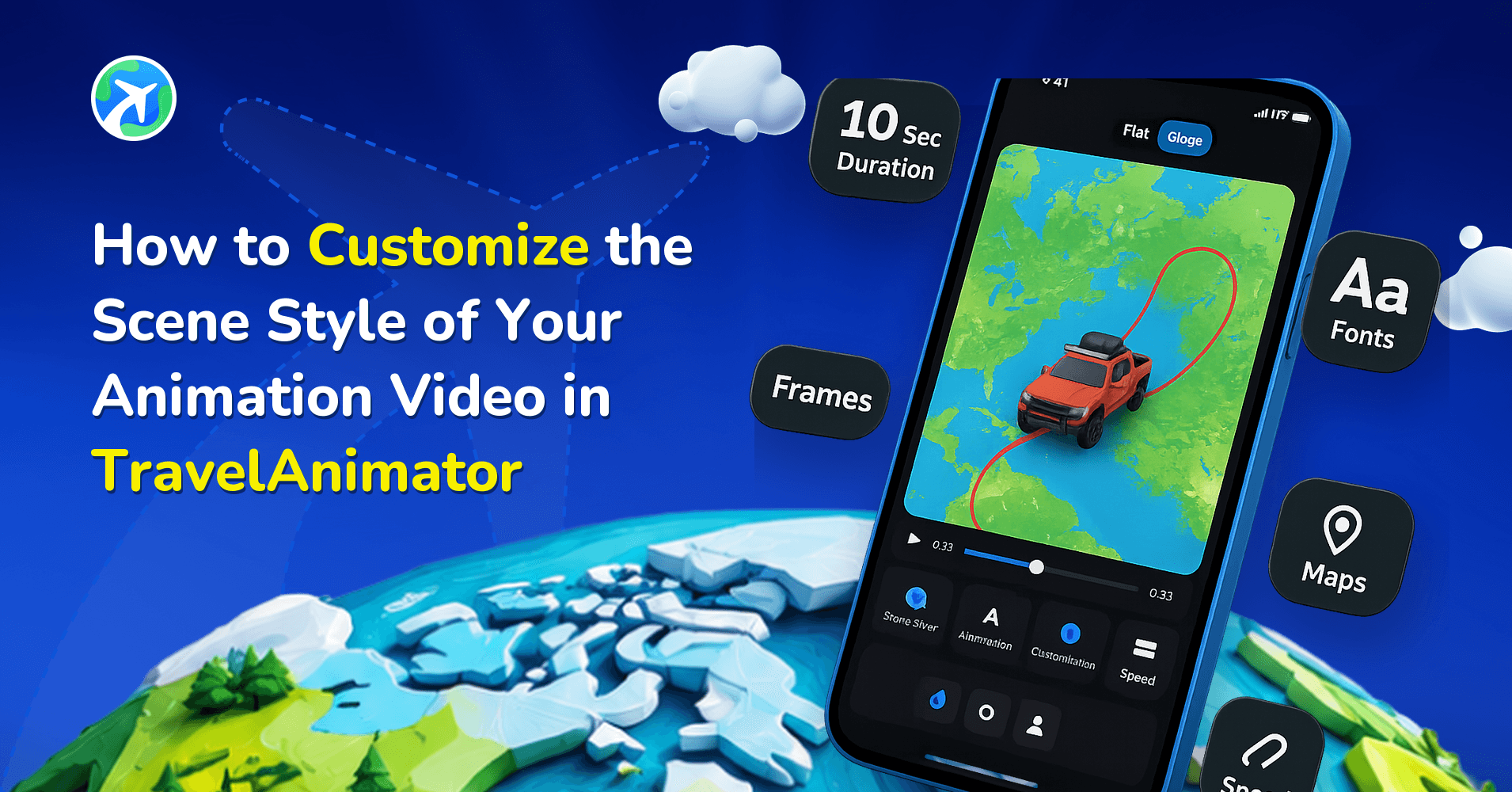
- You can customize the image’s frame, color, font, text color when text is enabled, duration, and size.
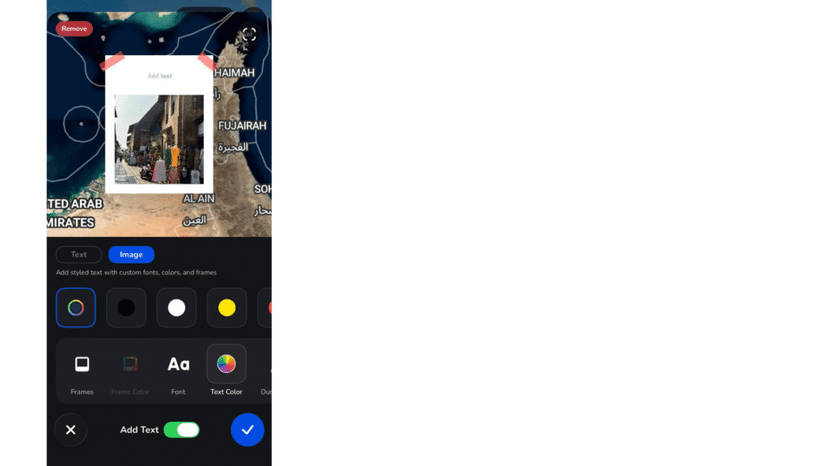
4. Preview your journey
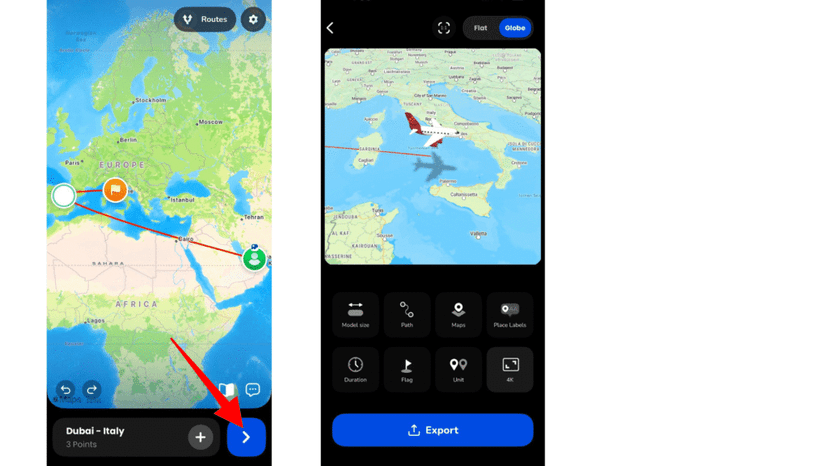
- Preview your video to see how your photos are aligned with the travel map.
- You can adjust additional features such as ratio, 3D or 4D, model size, path, maps, place labels, duration, flag, unit, and resolution from here.
5. Save and Share
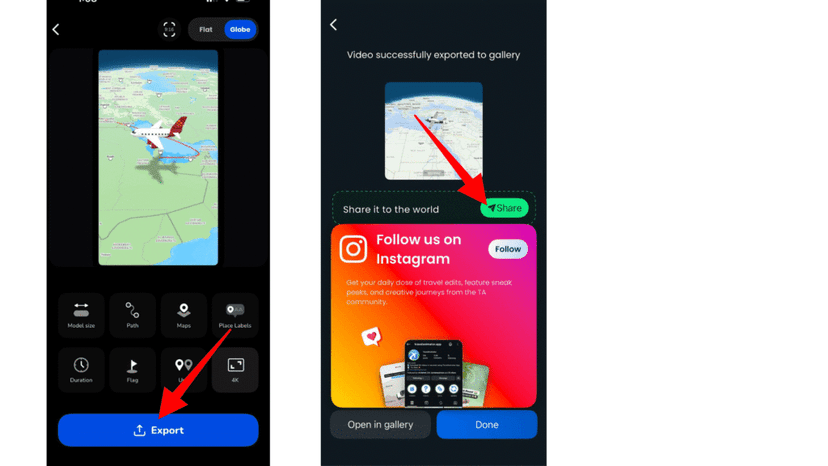
- Once satisfied, export in HD (Free version) or 4K (Pro version).
- Share directly to social media platforms or save to your device.
Additional Features That Enhance Photo-Based Travel Videos
- Google Maps Link Import – Instead of manually adding stops, paste a Google Maps link to auto-generate your travel route quickly and accurately.
- GPX File Upload – If you tracked your trip with a GPS device, upload your GPX file to recreate the exact path you traveled.
- Real Routes Feature – Enable Real Routes at each stop to have the path follow real roads or walking routes rather than straight lines.
- 250+ Models – You can choose the best suitable model from 250+ models, including real models.
- 3D Maps – Choose the appropriate map style and switch to 3D view to make hills and terrain appear more realistic and dramatic.
Benefits of Adding Photos to Travel Animation Videos
- Adding photos makes your travel animation unique and helps viewers connect with your experience.
- Photos help highlight important landmarks and moments.
- Text captions improve clarity when multiple locations are shown.
- Images act as visual markers, guiding viewers through your journey.
- Combining real-life visuals with animated routes increases social media engagement.
- Your travel recap becomes cinematic instead of just informational.
Use Cases for Adding Photos in TravelAnimator
- Travel bloggers combine route animations with destination photos to create Instagram Reels and YouTube travel recaps.
- Travel agencies add images of hotels, attractions, and destinations to make promotional route videos more convincing.
- Students use images of historical landmarks alongside animated routes for educational presentations.
- Families create memory videos combining travel routes and photos from their vacation.
- Adventure creators use hiking or trekking photos with satellite maps to create immersive journey stories.
Create Photo-Based Travel Stories with TravelAnimator
TravelAnimator makes it easy to combine animated routes with real photos, even if you have no editing experience. With features like Google Maps link import, GPX upload, Real Routes, Satellite 3D maps, and customizable preview controls, you can create professional-looking travel videos in minutes. Instead of sharing separate photos and map screenshots, turn your journey into one cohesive animated story.
Download TravelAnimator today from the App Store or the Play Store and start creating visually rich travel animation videos that bring your memories to life.
A simple guide to How to use travel animator and its features.