How to Search Airports Using IATA Codes in TravelAnimator
 Jaseel S6 min read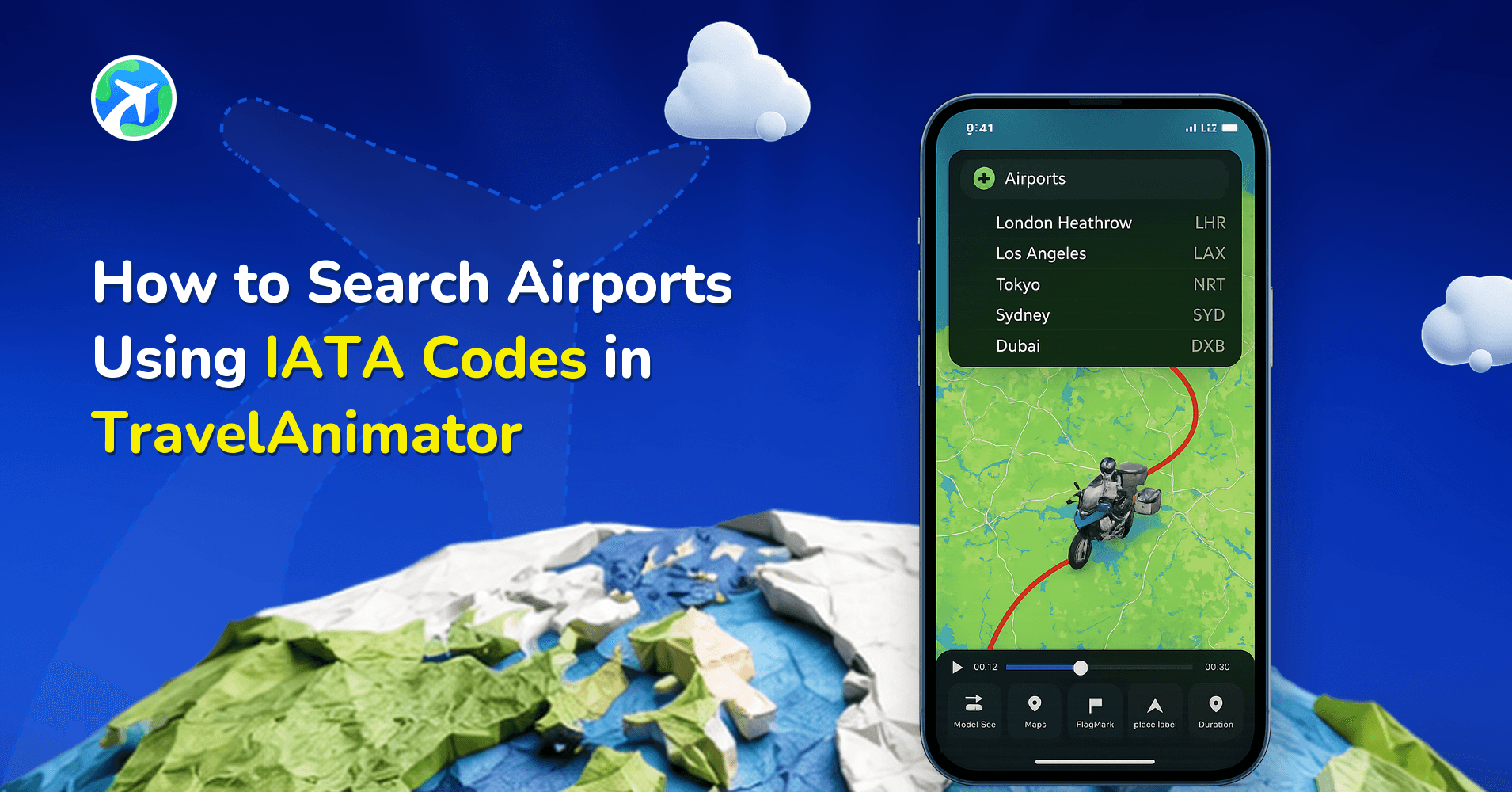
In this article 6 sections
TravelAnimator now allows you to search airports directly using their IATA airport codes, making flight route creation faster and more precise than ever before.
If you’ve ever tried to create a flight animation and had to type the full airport name like Dubai International Airport instead of simply typing DXB, you know how time-consuming that can feel. Frequent flyers, travel creators, aviation enthusiasts, and travel planners often remember airport codes more easily than full names.
With this new update, you can now enter an airport’s three-letter IATA code directly into the TravelAnimator search bar, and the app will instantly recognize and display the correct airport location.
In this guide, you’ll learn what IATA codes are, how the new airport code search works, when to use it, and how it improves your flight route animations in TravelAnimator.
What Is an Airport IATA Code?
An IATA code is a three-letter airport identifier assigned by the International Air Transport Association (IATA). These codes are used worldwide by airlines, travel agencies, booking platforms, and passengers.
For example:
- DXB – Dubai International Airport
- JFK – John F. Kennedy International Airport
- LHR – London Heathrow Airport
- SIN – Singapore Changi Airport
DEL – Indira Gandhi International Airport
These short codes are commonly seen on flight tickets, boarding passes, baggage tags, airline websites, and airport displays. Because they are short and standardized globally, IATA codes are often easier to remember than full airport names. Now, TravelAnimator supports searching by these codes directly.
Step-by-Step: How to Search an Airport by IATA Code in TravelAnimator
1.Open the TravelAnimator app and open an existing project or create a new travel animation.
2. Tap Add Locations to add a starting and an end point, or tap the + icon if it has already started and an end location.
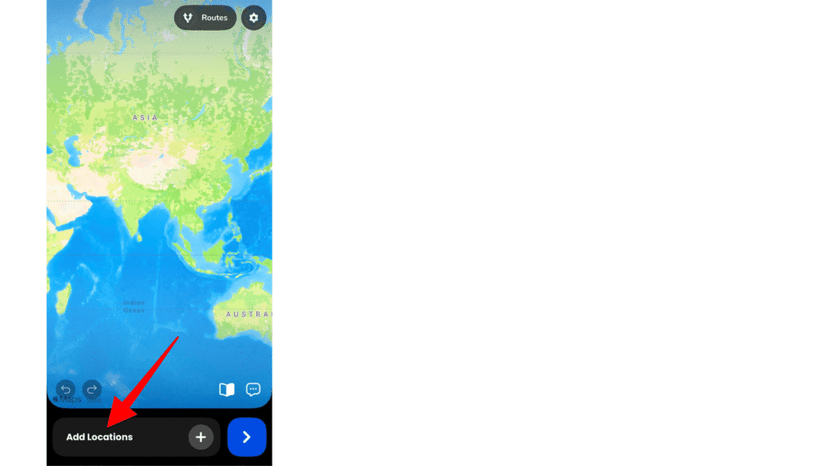
3. Tap on the Starting Point or Add Destination field. Then type the three-letter airport code (for example: DXB, JFK, LHR, SIN).
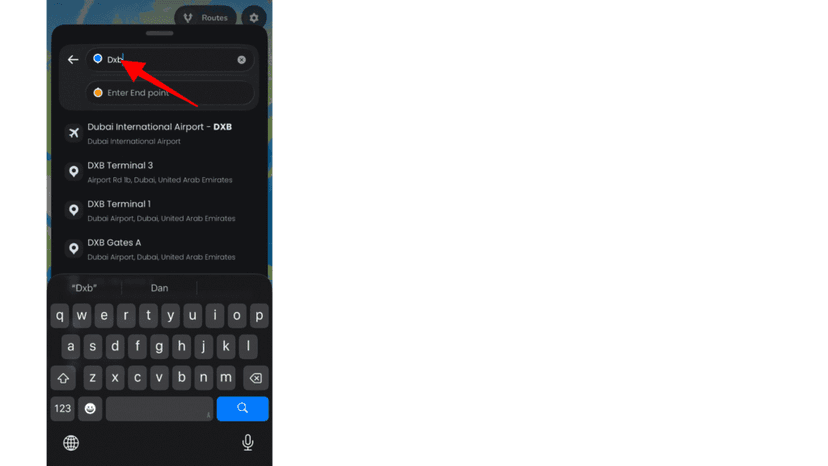
4. The correct airport will appear in the search results. Tap it to add it to your route.
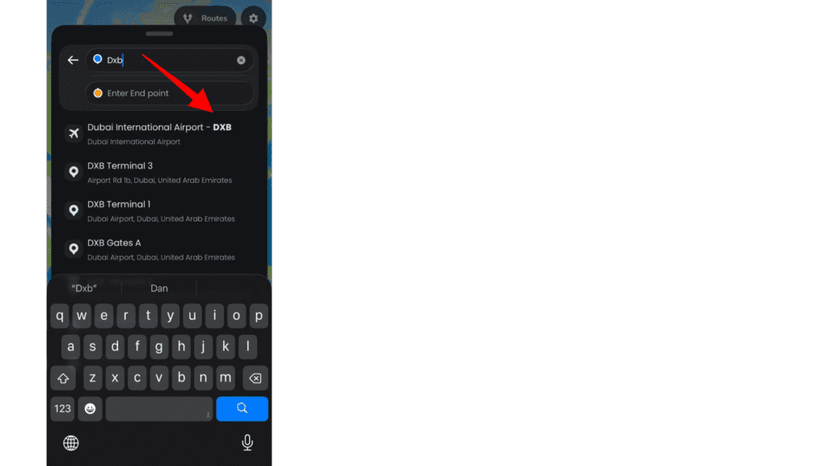
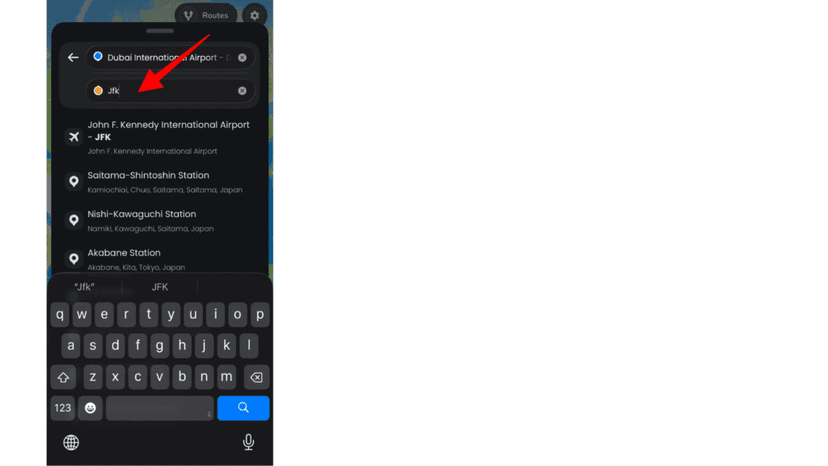
5. Continue Building Your Route by adding another airport with a different IATA code, or add cities manually.
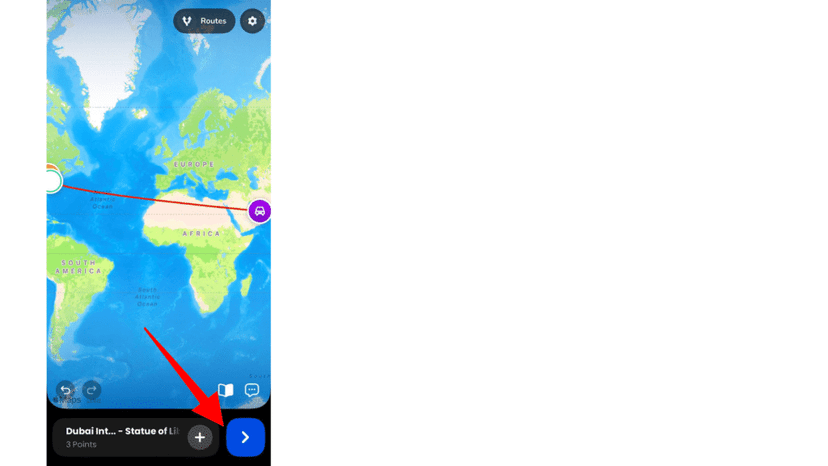
6. Tap preview to see your route animation between selected airports and cities.
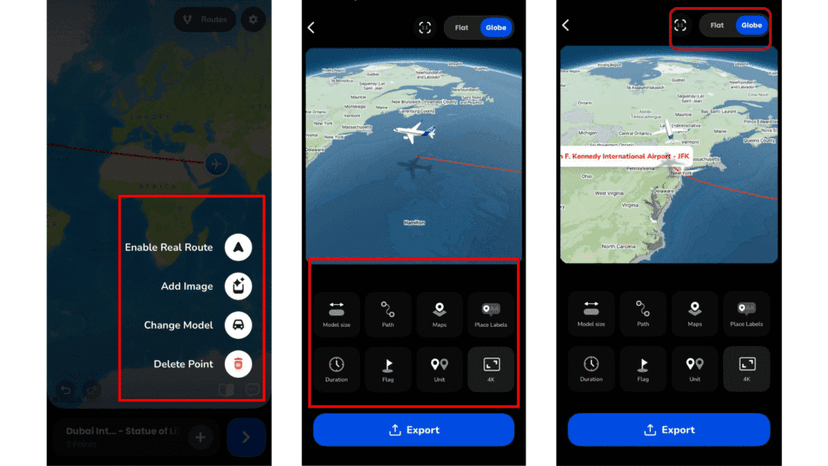
7. Customize the animation using all the available features before exporting.
You can also explore our detailed guide on how to create a travel animation video in TravelAnimator for a complete picture.
Why Use IATA Code Search in TravelAnimator?
- IATA code search is especially helpful when you already know the airport code but do not remember it, or do not want to type the full airport name.
- It’s useful when you frequently create flight animations and want to add airports quickly without manually searching for each one.
- It is ideal for users who work with airline schedules or flight booking confirmations where airports are listed only by their three-letter codes.
- It helps when you are recreating real airline routes and want your animated flight path to match actual airport connections accurately.
- It is practical when building multi-country travel recap videos that involve several international airports.
- It saves time while planning or animating international itineraries that include long or complex airport names.
- For example, if your route is DXB to SIN to SYD to LAX, typing the airport codes is much faster and more efficient than manually entering each full airport name.
- Using IATA codes also reduces spelling mistakes, especially when dealing with long international airport names, ensuring faster, more accurate route creation.
When a Code Doesn't Bring Up the Airport You Expect
Most of the time, three letters is all it takes. When a result looks off, it’s usually one of these:
- The city has more than one airport. London alone has LHR, LGW, STN and LTN, and Tokyo has HND and NRT. Use the code printed on your boarding pass, not the one you assume.
- You searched the city name instead. A city search can drop the pin in the city centre rather than at the airport, which shortens or bends the flight path. Zoom in and check each pin sits on the airport.
- The airfield is small or private. Regional strips and seaplane bases may not appear. Place the point by searching its coordinates instead.
- The name looks unfamiliar. Many airports are named after people, so DEL shows up as Indira Gandhi International. Read the full result before you tap it.
From Booking Confirmation to Animated Itinerary
Codes really pay off when you’re turning a real ticket into a video. Say you’re flying Kochi to London with a connection in Doha. Your confirmation lists COK, DOH and LHR.
- Type COK as the starting point and LHR as the destination.
- Tap + to add DOH as a stop, and drag it between the two if it lands in the wrong place. Add the connection as a real stop, or the video shows a nonstop flight that never happened.
- Long-press the starting point and pick a passenger jet from the plane models.
- Rename the labels to Kochi, Doha and London if your viewers don’t think in airport codes.
- Preview, then shape each leg into a wide, shallow arc. It looks more like a real flight than a straight line.
Flying home the same way? Use Invert Route to flip the order instead of typing every code again. For duration, globe view and model size on long-haul legs, see our flight path animation guide.
Common Questions About Airport Code Search
Does this work for all airports?
Major international airports are supported. Some smaller regional airports may depend on available mapping data.
Do I need a Pro subscription to use this feature?
No. Airport IATA code search works in the standard search bar and does not require a special subscription.
Can I mix IATA codes with city searches?
Yes. You can combine Airport codes, City names, and Coordinates in a single animation route.
Does using IATA codes change the map labels?
The airport will be added correctly. You can still customize place labels separately using the label editing feature.
Why does my flight route in TravelAnimator start in the city centre instead of the airport?
You probably searched the city name rather than the airport. A city search can place the point in the middle of town, which shortens the route and makes the takeoff look wrong. Delete that point, search the airport’s three-letter IATA code instead, such as LHR or SIN, and zoom in to confirm the pin sits on the airport.
Can I add a connecting flight in TravelAnimator using airport codes?
Yes. Enter your departure and final airport codes, then tap the plus icon to add the connecting airport as its own stop, for example COK to DOH to LHR. Drag the stops into the right order if needed, choose a plane model, and preview. Adding the layover as a stop keeps the animation honest about the route you flew.
Create Faster and More Accurate Flight Routes with TravelAnimator
The new airport IATA code search feature in TravelAnimator simplifies how you build flight routes. By allowing direct airport code entry in the search bar, the app removes unnecessary steps and speeds up your animation workflow. Instead of typing long airport names, you can now search using the same codes seen on boarding passes and airline schedules. It’s a small update with a powerful impact for travelers, creators, and aviation enthusiasts.
Download the Travel Animator app from the App Store or the Play Store, open TravelAnimator, type your next airport code, and start building accurate flight route animations in seconds.