Top 5 Ship Travel Map Animation Apps in 2026
 Jaseel S6 min read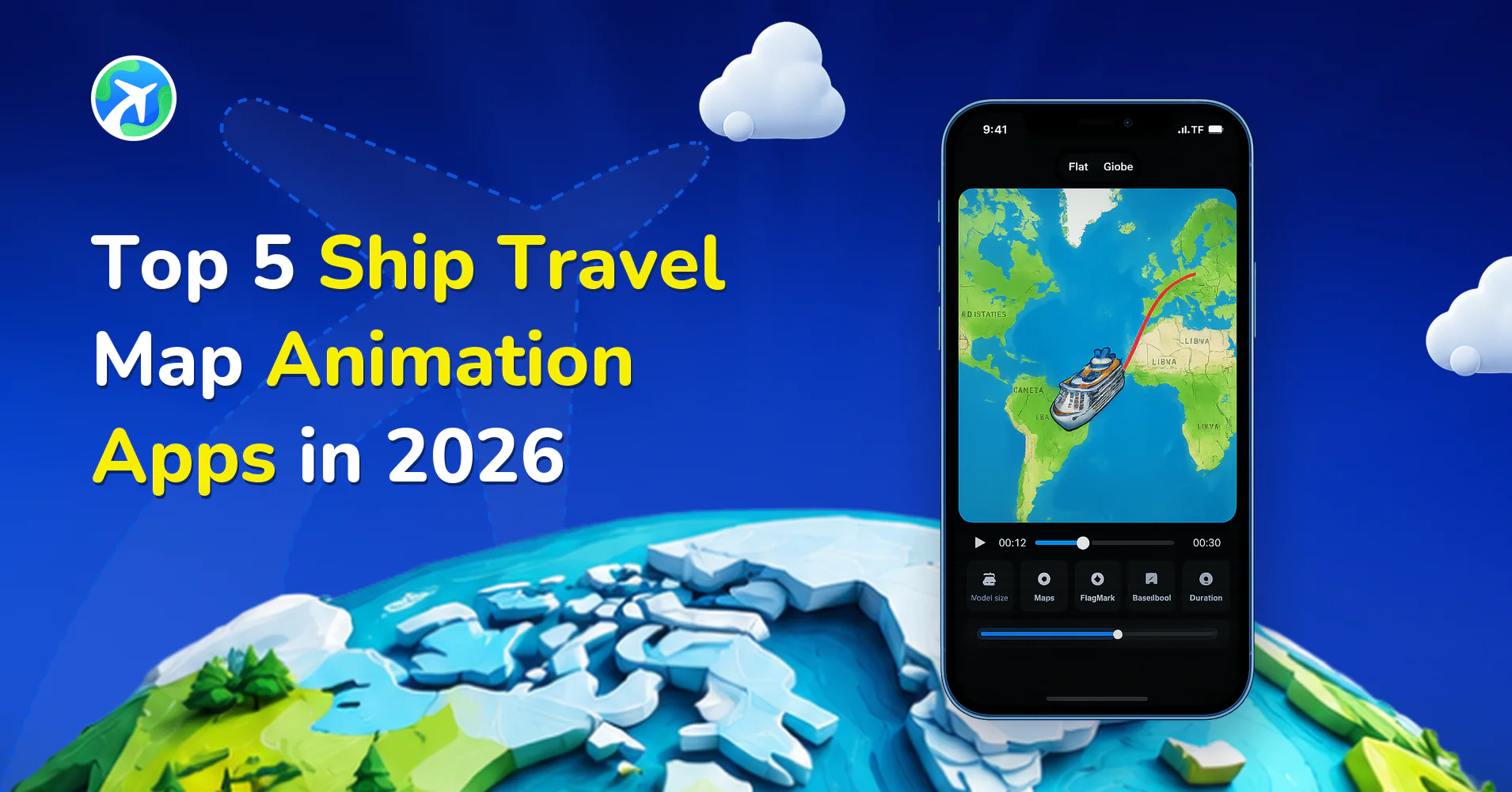
Are you looking for the best tools to create stunning ship travel animations? Whether you’re documenting a cruise, a coastal journey, or a multi-country sea route, ship travel map animation apps offer powerful ways to visualize your journey.
Instead of static maps or long travel descriptions, creators now use animated ship routes to show movement across oceans, seas, and waterways. These tools are especially popular among cruise travelers, travel vloggers, marine enthusiasts, and social media creators.
If you’re searching for the best ship travel map animation apps in 2026, this guide gives you a clear comparison of features, strengths, and limitations so that you can choose the right cruise map animation creator for your needs.
What Are Ship Travel Map Animation Apps?
Ship travel map animation apps are tools that convert sea routes into animated videos. These animations typically show a ship or boat moving across a map between ports or destinations.
Instead of manually animating routes in complex tools, these apps simplify the process. They are ideal for creating boat trip animation maps, cruise itineraries, or maritime storytelling content.
Best Ship Travel Map Animation Apps in 2026
| App / Tool | Short Description | Platform | Free Plan |
|---|---|---|---|
| TravelAnimator | Advanced cruise travel map animation app with real routes, 2D/3D maps, and ship models | Android, iOS | Yes (limited) |
| TravelBoast | Simple animation app with ship and boat models for quick route videos | Android, iOS | Yes |
| Pictramap | Web-based cruise map animation creator with photo integration | Web | Yes (limited) |
| Anim8Map | Lightweight tool for basic boat trip animation maps | Web | Yes |
| Mult.dev | Developer-focused platform for custom ship route animation apps | Web | Limited |
TravelBoast
TravelBoast is widely used for quick and simple travel animations. It includes ship models that allow users to create basic cruise route videos with minimal effort.
Key Features
- Multiple vehicle options, including ships and boats
- Simple route input
- Social media-ready exports
- GPX support
Pros
- Beginner-friendly interface
- Fast animation creation
- Suitable for short travel clips
Cons
- Limited map customization
- Basic animation controls
- Not specialized in cruise storytelling
TravelAnimator
The TravelAnimator app stands out as a powerful cruise travel map animator for detailed storytelling and realistic route visualization.
It is especially useful for users who want to create high-quality animated ship route maps with advanced customization.
Key Features
- 30+ map styles (including ocean-friendly visuals)
- Real Route feature for accurate sea paths
- 300+ models, including ships and boats
- GPX file import for real cruise tracking
- Google Maps link import
- Text and image overlays for storytelling
- HD and 4K export
Pros
- Highly customizable cruise animations
- Ideal for long-distance and multi-stop routes
- Multiple aspect ratios for social media
- Suitable for both beginners and professionals
Cons
- Some features require the Pro version
- No desktop version yet
Pictramap
Pictramap is a browser-based platform that works well as a cruise map animation creator for users who prefer not to install apps.
It allows you to build animated ship routes and attach photos to different ports or destinations.
Key Features
- Drag-and-drop route builder
- Photo integration at stops
- Basic ship animation
- Web-based editing
Pros
- Works on any browser
- No installation needed
- Easy for quick projects
Cons
- Limited customization
- Fewer ship models
- Restricted free plan usage
Anim8Map
Anim8Map is designed for simple route visualization and works well for basic boat trip animation maps.
Key Features
- Custom route drawing
- Basic ship animation
- Quick export
Pros
- Minimal interface
- Fast and lightweight
Cons
- Limited map styles
- Basic animation quality
- Not ideal for detailed cruise content
Mult.dev
Mult.dev is a more advanced platform used for custom route visualization and development projects. While not specifically built for travel creators, it can be used to create ship route animations.
Key Features
- Advanced animation frameworks
- Custom map styling
- Web integration
Pros
- High flexibility
- Suitable for developers
Cons
- Requires technical skills
- Not beginner-friendly
- Not optimized for storytelling
Comparison Overview
| Feature | TravelBoast | TravelAnimator | Pictramap | Anim8Map | Mult.dev |
|---|---|---|---|---|---|
| iOS Support | ✓ | ✓ | Web | Web | Web |
| Android Support | ✓ | ✓ | Web | Web | Web |
| 3D Maps | ✓ | ✓ | ✗ | ✗ | Limited |
| Real Sea Routes | ✗ | ✓ | ✗ | ✗ | ✓ |
| GPX Import | ✓ | ✓ | ✗ | ✗ | ✓ |
| Google Maps Import | ✗ | ✓ | ✗ | ✗ | ✗ |
| HD Export | ✓ | ✓ | ✓ | ✓ | Advanced |
| 4K Export | ✓ | ✓ | ✗ | ✗ | Depends |
How to Create an Animated Ship Route Map (Step-by-Step)
Most ship travel map animation apps follow a similar workflow. Here’s an example using TravelAnimator.
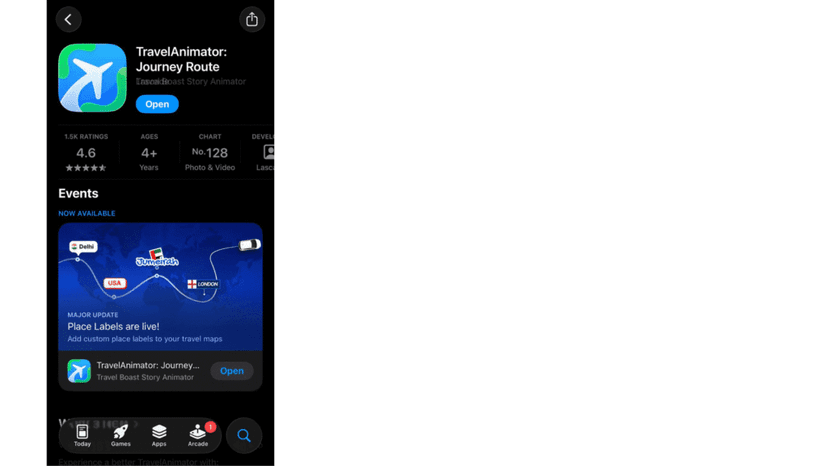
- First, download and open the Travel Animator app on your device.
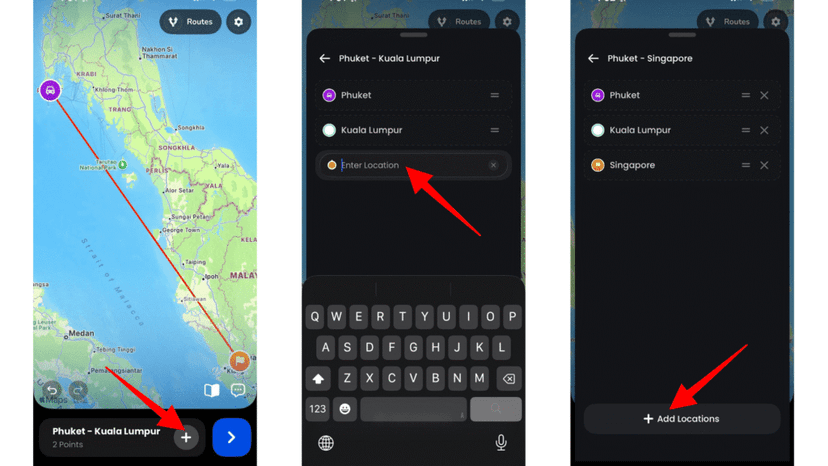
2. Enter your departure port and arrival destination using the search bar from Add Locations.
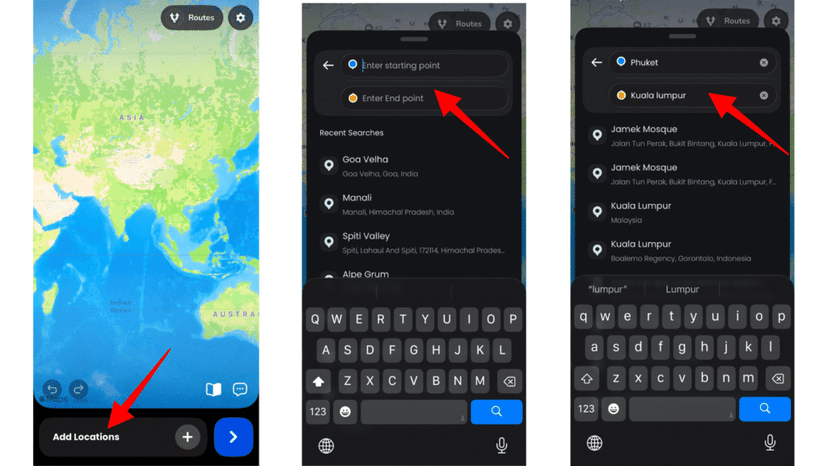
3. Tap the + icon to add additional stops if your cruise includes multiple ports or countries. Arrange them in the correct order.
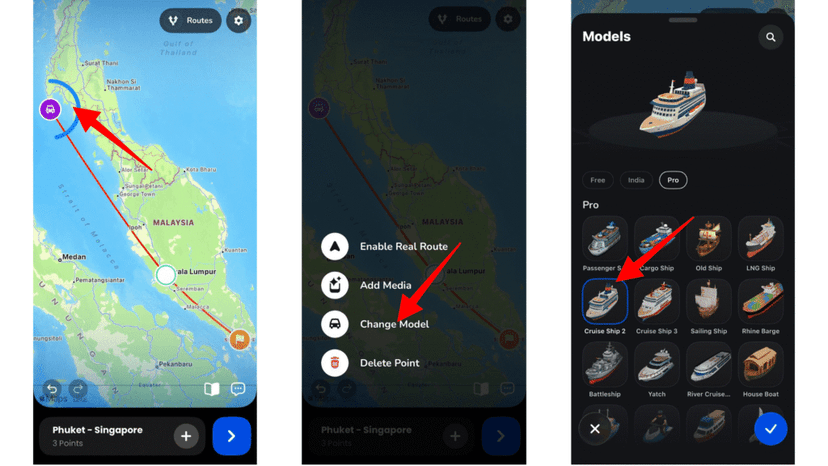
4. Long-press a stop and tap Change Model to select a ship or boat model. This converts your route into a ship animation.
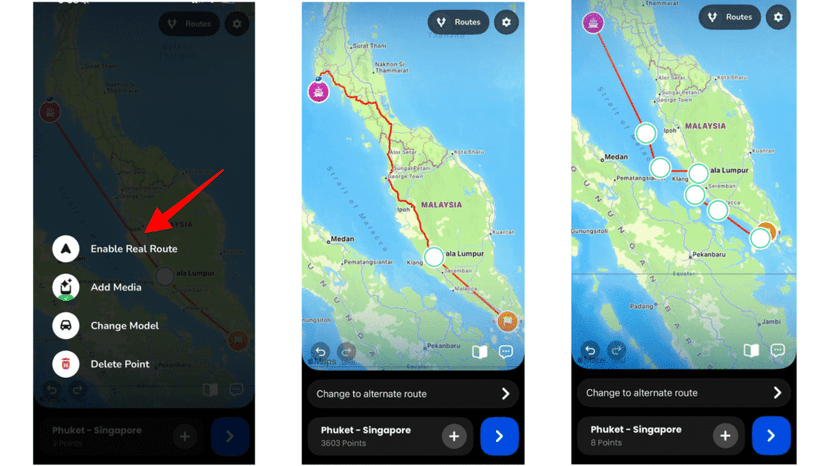
5. Enable real routes for more realistic sea paths, or adjust the points to convert them into a sea route.
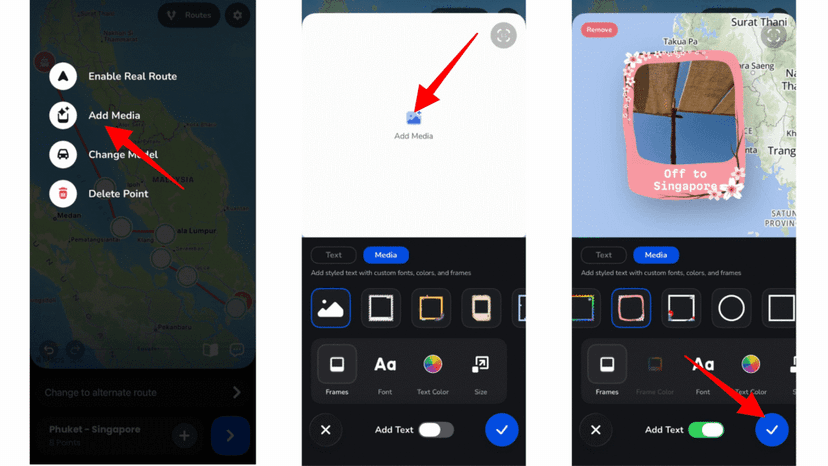
6. Add images or labels to highlight key destinations or experiences.
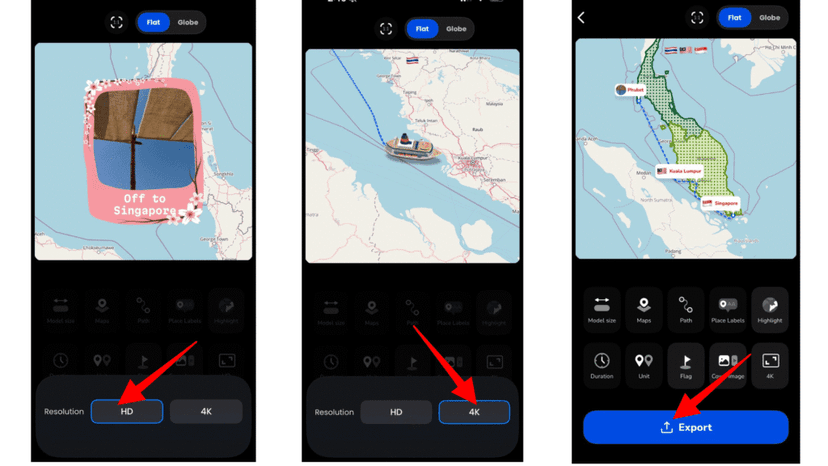
7. Preview your animation and adjust map styles, route lines, aspect ratio, and duration.
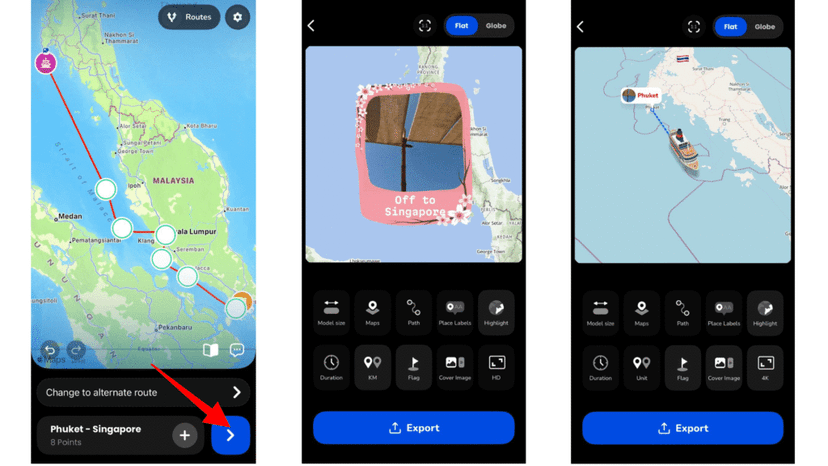
8. Once satisfied, export your video in HD or 4K and share it on social media.
Finding the Best Ship Travel Map Animation Apps
The demand for ship travel map animation apps in 2026 continues to grow as more creators focus on visual storytelling. Whether you’re documenting a cruise, showcasing marine routes, or creating engaging travel content, these tools make it easy to bring your animation to life.
Some apps are designed for quick animations, while others offer deeper customization and professional-quality exports. If you want to create animated ship route maps or produce high-quality cruise videos, exploring multiple platforms will help you find the best fit.
Ultimately, the right tool depends on your needs, whether it’s simplicity, customization, or storytelling depth. Choose wisely and start creating stunning ship travel animations today.