Air Balloon Model in Travel Animator
 Jaseel S6 min read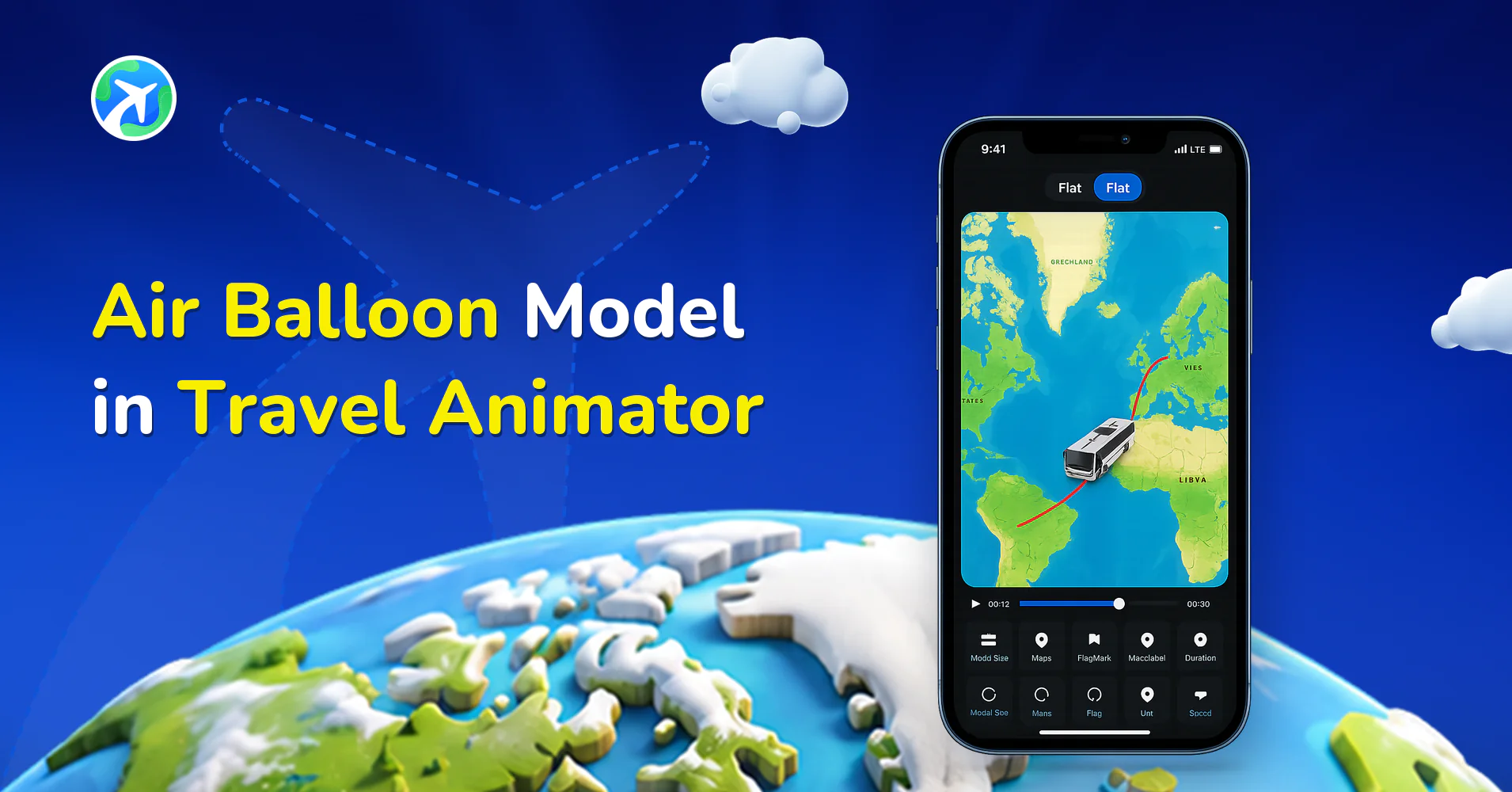
In this article 9 sections
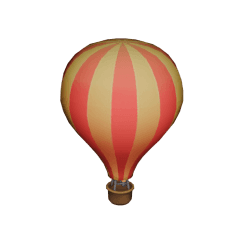
The Air Balloon is one of Travel Animator App’s latest 3D library additions to showcase your travels in a way that feels magical and nostalgic.
Air Balloon Model helps travel bloggers, tourism owners, or anyone who just wants to create and curate travel memories to bring beautiful and engaging videos.
Travel Animator’s latest air balloon model is a unique but simple model to make your visual storytelling more attractive.
Let’s explore everything you need to know about the latest air balloon model in Travel Animator and how to get access to it.
What is the Air Balloon Model in Travel Animator?
In Travel Animator, an Air balloon is a floating air balloon that moves within the selected travel path, giving your video a soft and fairytale feel.
You can customize the balloon’s path, size, add images of the location, and label it with the location name. This animation is perfect for creators who need calm or imaginative content instead of usual travel videos.
Why Use the Air Balloon Model in Your Travel Videos?
- Air balloons are not a typical travel model, which makes the model stand out. It gains viewers’ attention and builds curiosity.
- This model makes the video like a dreamy journey. It increases the excitement of the audience.
- Air balloons are suitable for visual storytelling in a different way. You can communicate feelings like adventure, freedom, and exploration with the balloon, and it works beautifully.
Where Can You Use the Air Balloon Model?
- Creators on Instagram or YouTube can use the air balloon model to present travel areas like valleys, deserts, or European countries.
- Travel agencies or tourist resorts can use the air balloon to showcase a peaceful journey over location attractions and nature experiences.
- Teachers or students can create the video using an air balloon to illustrate historical travel paths in a fun and creative way.
- Use the air balloon to show your honeymoon, childhood memorable spots, or that one solo trip that you enjoyed the most. The calm movement of the balloon makes the video nostalgic or emotional.
Is the Air Balloon Model Free or Premium?
The air balloon is available under the premium plan of Travel Animator. If you are using the free version, you can see it in the model library, but you can’t use it. You can unlock it by upgrading to the premium version, which not only unlocks this model but also activates other features like different map styles, 4K quality export without watermark, unlimited video creation, etc.
How to Get and Use the Air Balloon Model in the Travel Animator App
- Open the Travel Animator App.
- Start a new project or open an existing project that you want to add an air balloon to.
- Find the point you want to use the air balloon.
- Long-press on the point (destination) to open the model menu.
- Scroll down to PRO Models and choose the air balloon.
- Tap on the Select button and use the air balloon model.
- If you didn’t subscribe, tap GET PRO and activate the Pro version of Travel Animator.
- Utilize other features and preview the video.
- Adjust the features in the preview menu and export the video.
Getting the Balloon to Look Like It's Floating
A real balloon drifts slowly, and the video should feel that way too. A few settings make the difference.
- Give it time. A balloon racing across a valley in a few seconds looks like a cartoon. Increase the video duration so the flight feels unhurried.
- Curve the path. Balloons don’t fly in ruler-straight lines. Add a couple of extra points between stops so the route bends gently, as explained in our guide to straight vs curved paths.
- Pick a camera that shows the balloon. In Scene Style, Default, Follow and Lead show the model from an angle, while Atlas looks straight down and puts the focus on the route. Try 2x or 3x Zoom if the balloon looks too small.
- Match the map to the landscape. Natural styles like Terrain suit valley and desert flights better than city-focused maps.
Combining the Balloon With Other Models
Most balloon trips aren’t just the flight. A sunrise ride over Cappadocia usually means a drive to the launch field, the balloon itself, then a drive back to Göreme. Travel Animator lets you set a different model at each stop, so one video can tell the whole morning: a car for the first leg, the balloon over the valleys, and a car again at the end.
The same idea works for a Luxor balloon flight before a Nile cruise, or a Napa Valley weekend that mixes a balloon ride with a road trip between wineries. Keep the balloon for the leg where it actually flies. It stands out more when everything around it moves differently.
Is the Air Balloon Model Worth Trying?
The air balloon model is perfect for those moments when you want your audience to pause and refresh. Whether you’re aiming to share a nostalgic feel, create a fantasy travel experience, or need a change from standard vehicle models, this model makes the video more engaging and shareable on social media.
Travel Animator’s user-friendly interface takes adding the balloon and customizing the video only a few minutes, but makes a significant visual impact on the final output. So, explore Travel Animator today.
Frequently Asked Questions
What is the Air Balloon Model in Travel Animator?
In Travel Animator, an Air balloon is a floating air balloon that moves within the selected travel path, giving your video a soft and fairytale feel. You can customize the balloon’s path, size, add images of the location, and label it with the location name.
Why Use the Air Balloon Model in Your Travel Videos?
Air balloons are not a typical travel model, which makes the model stand out. It gains viewers’ attention and builds curiosity.
Where Can You Use the Air Balloon Model?
Creators on Instagram or YouTube can use the air balloon model to present travel areas like valleys, deserts, or European countries. Travel agencies or tourist resorts can use the air balloon to showcase a peaceful journey over location attractions and nature experiences.
Can I use the air balloon model without a Pro subscription?
The air balloon sits in the PRO Models section, so it normally needs Pro. There’s one exception: new users can claim one Pro model free when they sign in for the first time, and the offer covers the whole Pro library. If you pick the air balloon as that free claim, it stays in your account permanently, even without a subscription.
Why is my air balloon moving too fast in Travel Animator?
The balloon has to cover the whole route within the video duration, so a long route in a short video makes it rush. Increase the duration on the preview screen or shorten the balloon leg. Adding a photo or text at a stop also slows the animation there, which gives viewers a moment to take in the view.