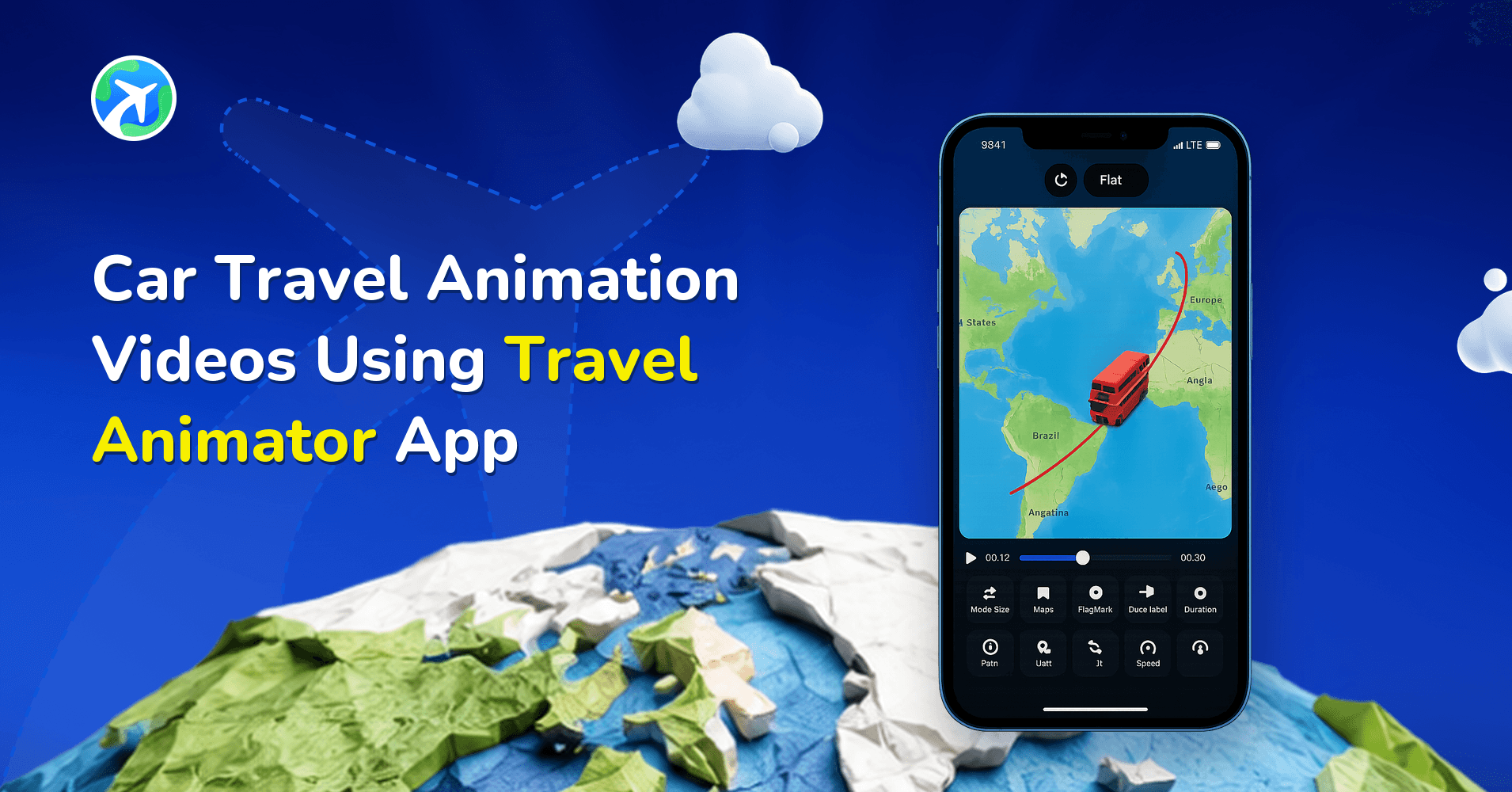
Road Trip Animation Videos Using Travel Animator App
 Jaseel S7 min read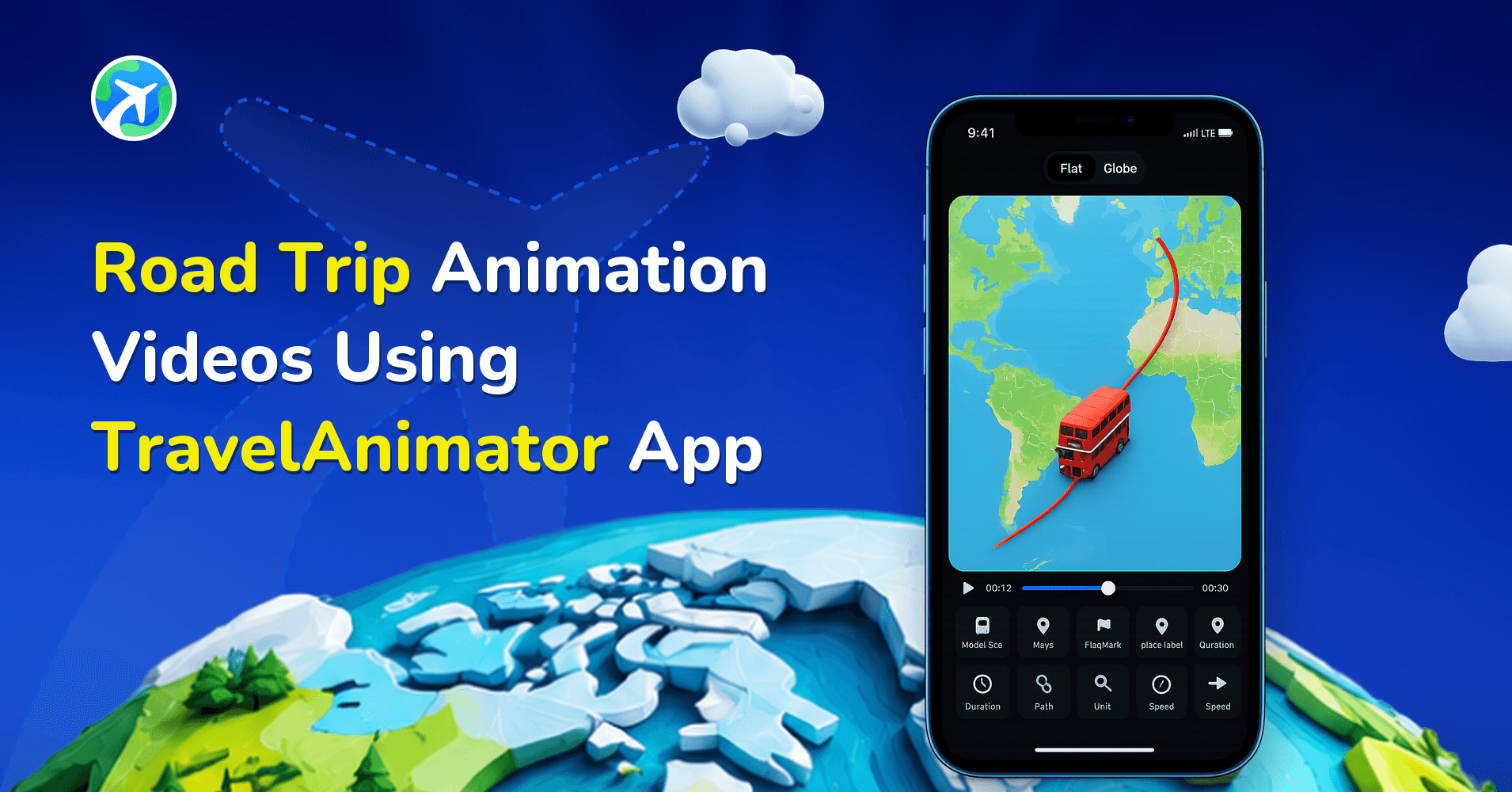
In this article 6 sections
Travel Animator offers free road trip animations you can create quickly and easily, without any editing skills, whether you’re a traveller, content creator, or business.
Photos and videos capture moments from a road trip, but they rarely show the whole journey. A road trip animation does. It’s a video that shows your route on an animated map, with a car or vehicle moving from stop to stop in the correct order, along with labels and images that tell the story. With Travel Animator, you can create one quickly, without any editing skills, and share it anywhere.
In this guide, you will explore how to create a road trip animation using the Travel Animator app to share your travel itineraries on the road.
How to Create a Road Trip Animation Video Using Travel Animator
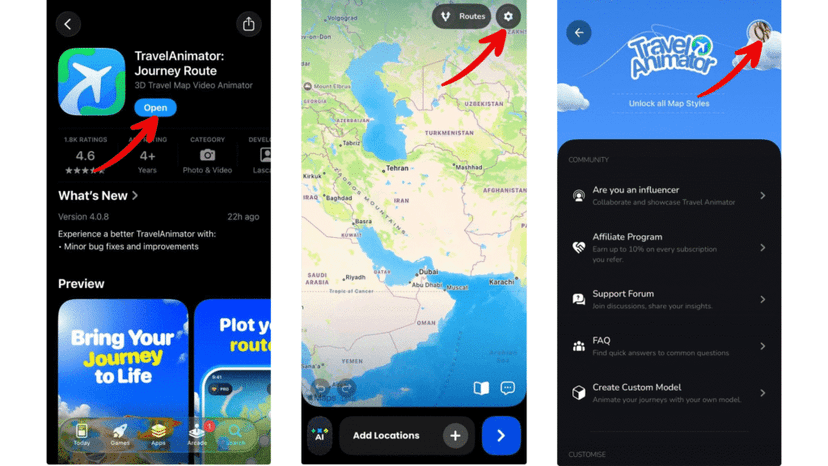
1.Download and Open Travel Animator – Install the Travel Animator app from the App Store or Play Store and sign in using your email.
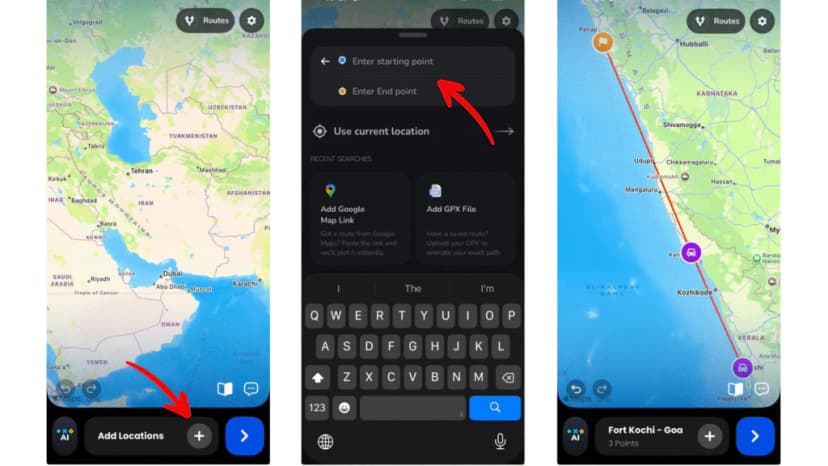
2. Add Your Road Trip Route – Select your starting location and destination. If your road trip includes multiple stops, add each location and arrange them in the correct order. You can also paste a Google Maps route link or import a GPX file for accurate road paths.
3. Choose a Car or Vehicle Model – Select a vehicle model that matches your road trip, such as a car, truck, bus, or bike. The model animates along the route, making the journey feel realistic.
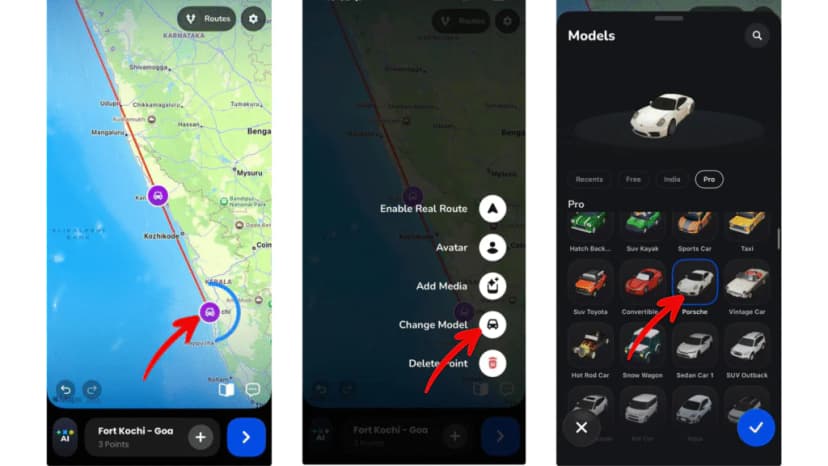
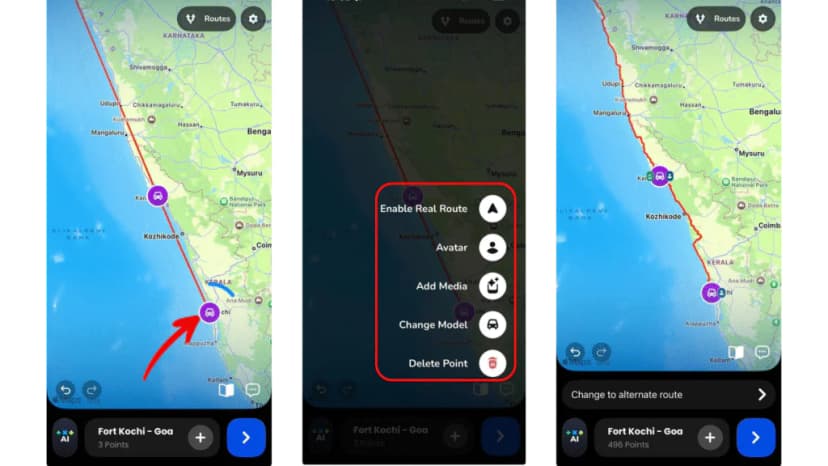
4. Customize the Route – Long-press the point, then enable real routes, add your avatar, add media, change the model and delete the point. Add images from your trip and labels for cities and stops to make the route more personal.
5. Preview and Adjust – Preview the animation to see how the route flows. Adjust the animation speed, model size, aspect ratio, duration and all options as needed.
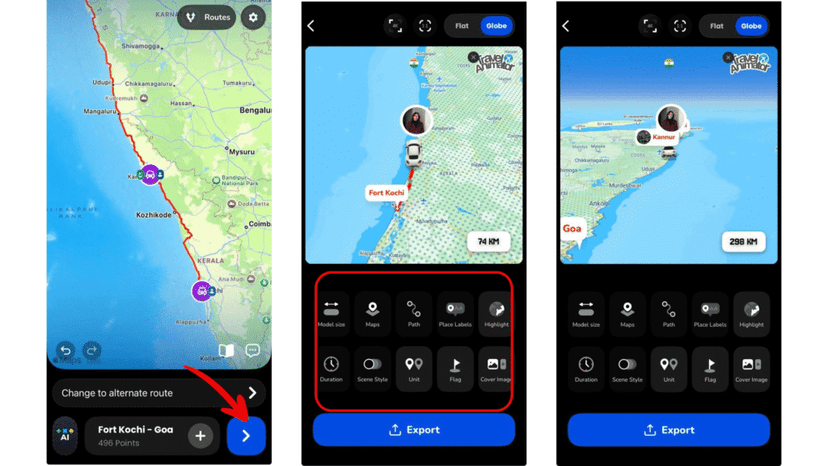
Also, enhance your road trip animation by changing route colour and thickness, selecting route styles (solid, dashed, glowing, etc.) and changing map styles that match your travel theme.
6. Export and Share – Export your road trip animation in HD or 4K quality. Share it on Instagram, YouTube, WhatsApp, or save it as a digital travel memory.
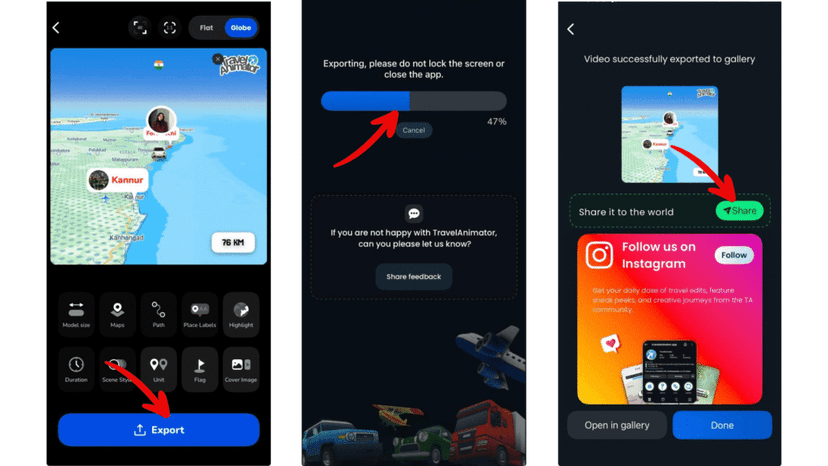
Tip: Choose a route colour that contrasts well with the map. Add images only at meaningful stops to avoid clutter, and keep the duration short and smooth for social media.
Whether it’s a short weekend drive or a long cross-country trip, Travel Animator turns your route into an animated story that’s easy to create and fun to share. Open the app, map your road trip, and start animating.
Making the Route Follow the Roads You Drove
When you add stops by searching place names, TravelAnimator connects them with straight lines by default. That’s fine for a quick overview, but on a road trip the curves are half the story. A coastal drive from Lisbon to Porto looks nothing like a straight line up the map.
To fix it, long-press a stop and tap Enable Real Route. The segment from that stop to the next one switches to a road-based path, and if there’s more than one way to go, you can pick the route you actually took. It works one segment at a time, so repeat it at every stop except the final destination.
Already recorded the drive on a GPS tracker? Import the GPX file instead and you’ll get every bend without touching a single stop. If the line looks shaky, Smoothen Route cleans it up.
One more habit worth building: tap Save Route from the route menu once the path looks right. If you then experiment with models or map styles and don’t like the result, your route is still there to load again. The free version keeps one saved route; Pro lets you save several.
TravelAnimator as a Road Travel App
If you’re looking for a road travel app, it helps to know what kind you need. Navigation apps get you from A to B while you drive. TravelAnimator does a different job: it’s the road travel app you use to plan, map and show off the journey. It doesn’t give turn-by-turn directions, so keep your usual navigation app for the drive itself.
Here is what it covers for road journeys:
- Build the route your way – Add stops by searching, paste a Google Maps route link, or import a GPX file recorded on a GPS tracker.
- Follow real roads – Turn on Real Route for each segment so the line follows the roads you drove instead of a straight line.
- Pick a vehicle that fits the trip – Choose a car, truck, bus or bike from the model library, and switch models at any stop if you changed how you travelled.
- Make it personal – Add photos and labels at the stops that mattered, and change the route colour, style and map look.
- Share it – Export the finished route and post it to Instagram, YouTube or WhatsApp, or send it to friends as a trip plan before you leave. HD export is free (with a watermark), and Pro unlocks 4K.
It’s a good fit for planning a drive with friends, keeping a visual record of a trip, or posting a road trip series, with one short video per day of the drive. The app is free on iOS and Android.
Road Trip Video Ideas That Work Well
- Day-by-day chapters. For a week-long trip, make one short animation per day instead of one long one. A 3-day Kerala drive becomes Day 1: Kochi to Munnar, Day 2: Munnar to Thekkady, Day 3: back to the coast. Post them as a series.
- The loop home. If you ended where you started, add your home town again as the last stop. Our guide to round-trip travel maps shows how to keep the outbound and return legs readable.
- Mixed transport. Road trips often include a ferry crossing or a train leg. Long-press the stop where you switched and use Change Model so viewers can see how you moved, not just where.
- The planning video. Animate the route before you leave and send it to the friends coming with you. It’s a lot easier to agree on stops when everyone can watch the plan.
For one very long drive, the tips in making long-distance routes look engaging help with pacing and labels.
Ready to Animate Your Road Trip?
Using the Travel Animator app, you can turn your road trips into animated stories that are easy to create, fun to watch, and perfect for sharing. Whether it’s a short drive or a long adventure, your route deserves to be remembered.
Download Travel Animator from the App Store or the Play Store, open it, map your road trip, and turn your travel memories into one animated route at a time.
Frequently Asked Questions
Can I animate a road trip with more than two stops?
Yes. Add the locations along your road trip and arrange them in travel order. You can also start from a Google Maps route link or a GPX file.
How do I choose a vehicle for my road trip video?
Choose a car, truck, bus or bike that matches the journey. The selected vehicle moves along the route, so matching it to the trip helps viewers understand how you traveled.
How can I make a road trip route easier to see?
Choose a route color that contrasts with the map, keep photos at meaningful stops, and preview the timing and model size before exporting. This keeps the journey readable without crowding the map.
Why does my road trip route show straight lines instead of roads?
Stops you add by searching are joined with straight lines by default. Long-press each stop and tap Enable Real Route so that segment follows actual roads, and repeat it for every stop except the last. You can also import a GPX file or paste a Google Maps link for a road-accurate path.
How long should a road trip animation be for Instagram Reels?
Short works best on Reels. Roughly 15 to 30 seconds is enough to show the route and a few photo stops without viewers scrolling away. Use the Video duration option in the preview to fit the whole route into that time, and split longer trips into several clips.