How to Present Travel Plans Better Than PDFs Using TravelAnimator
 Jaseel S4 min read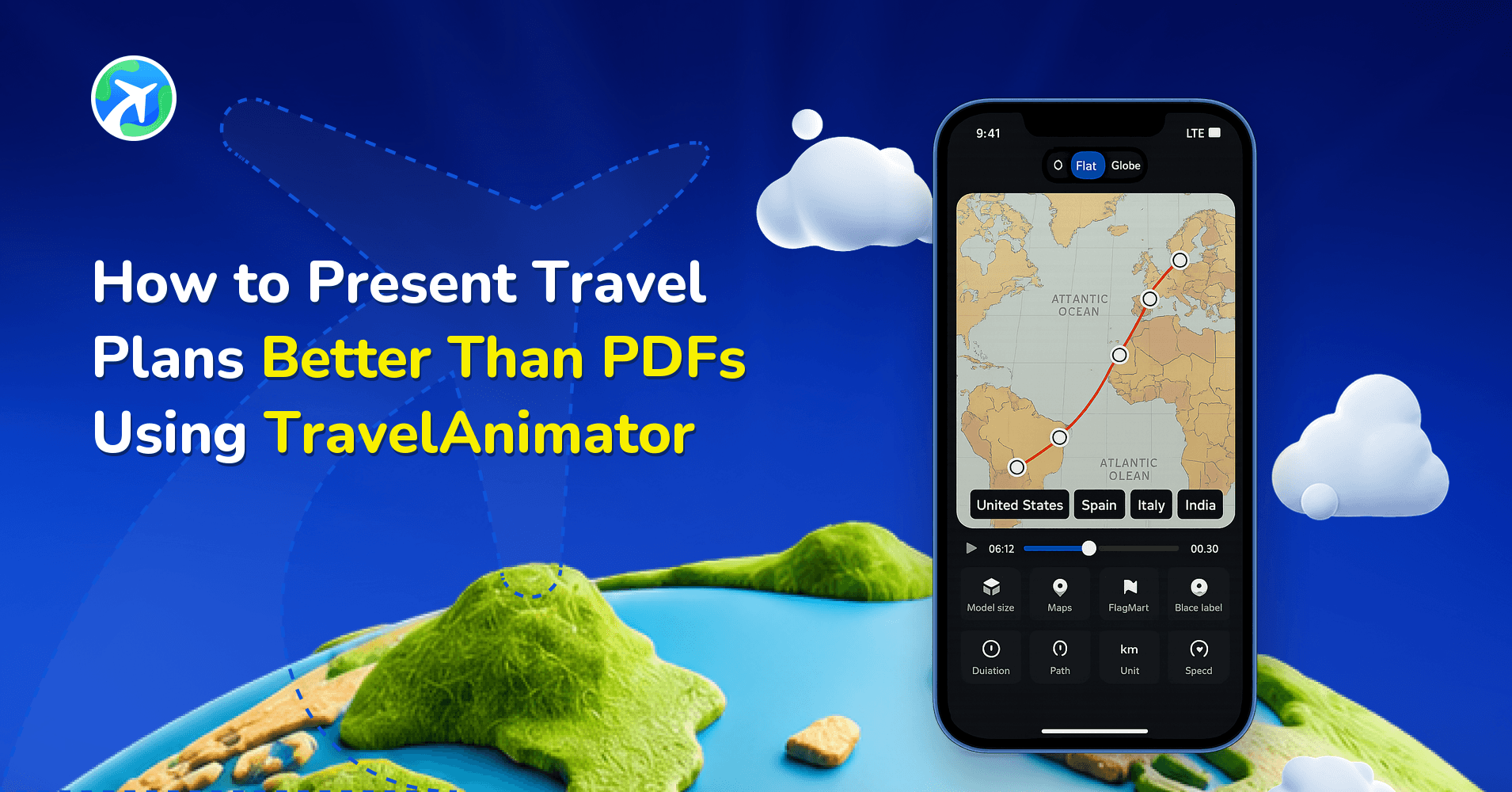
Many travel professionals now combine traditional itinerary details with maps, route visualizations, destination highlights, and travel animations, instead of relying entirely on static documents. This approach helps travellers see the journey before it begins, making travel plans more memorable.
For years, PDFs have been the standard for sharing travel plans. Travel agencies, tour operators, group organizers, and even individual travellers often depend on PDF itineraries to communicate destinations, schedules, accommodations, and activities.
This guide helps you create a step-by-step visual travel plan presentation with the TravelAnimator App.
Step-by-Step: How to Create a Visual Travel Plan Presentation
Creating a visual travel plan is easier than many people think. Instead of building complicated presentations from scratch, you can use Travel Animator to turn destinations and routes into engaging visual experiences.
1. Add Your Destinations
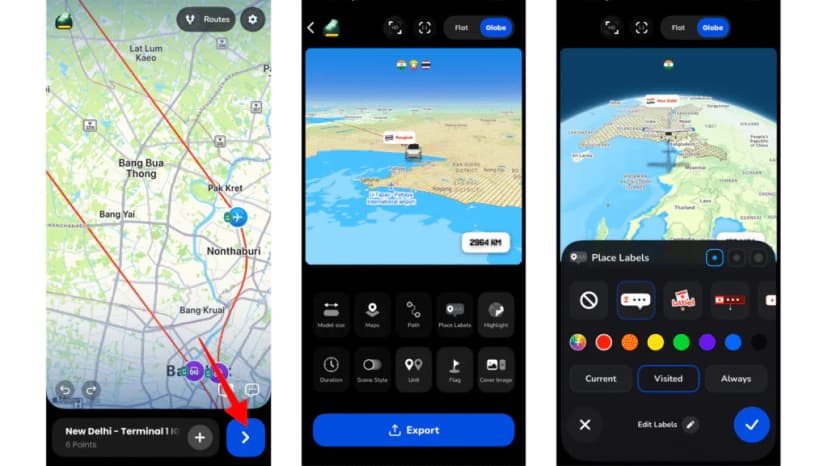
Start by creating your route inside Travel Animator. Add all destinations in the order they will be visited. This creates the foundation of your travel presentation and helps viewers understand the journey from start to finish.
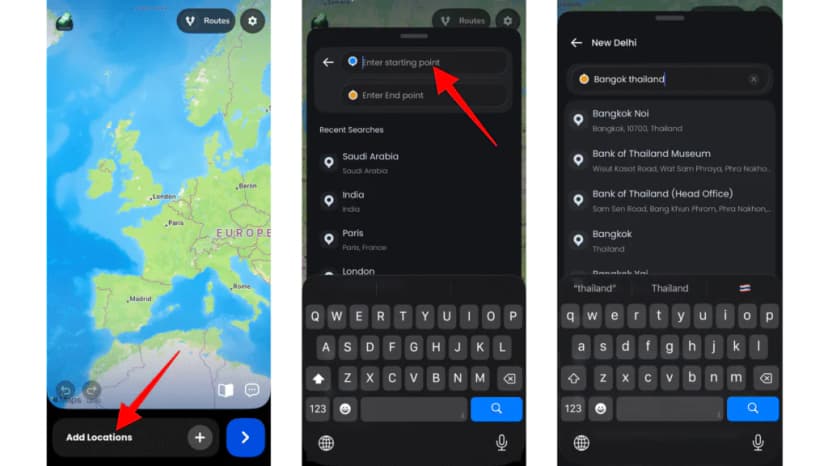
2. Organize the Travel Flow
Arrange destinations in the exact order of the itinerary. This helps create a clear narrative and ensures the route reflects the actual travel experience. Whether it’s a weekend getaway or a multi-country tour, a logical sequence makes the presentation easier to follow.
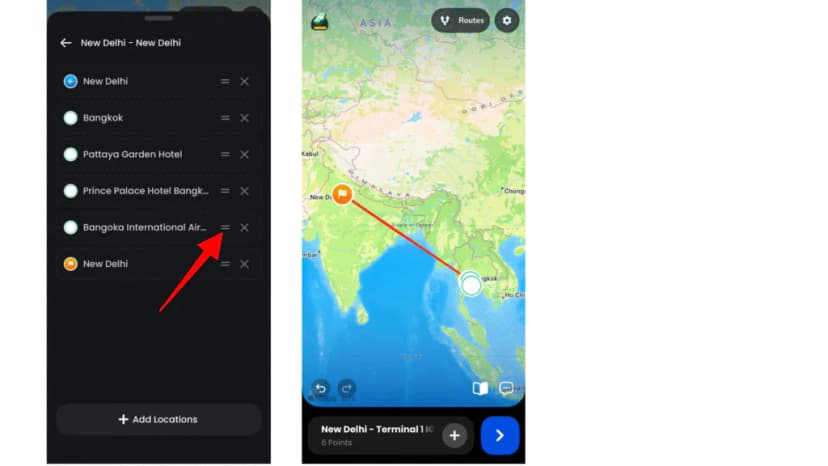
3. Add Transportation Models
Choose transportation models that match the trip. Showing transportation visually helps travellers understand how different parts of the trip connect together.
For example: Planes for international travel, Cars for road trips, Trains for rail journeys, Ships for cruises, Buses for group tours, etc.
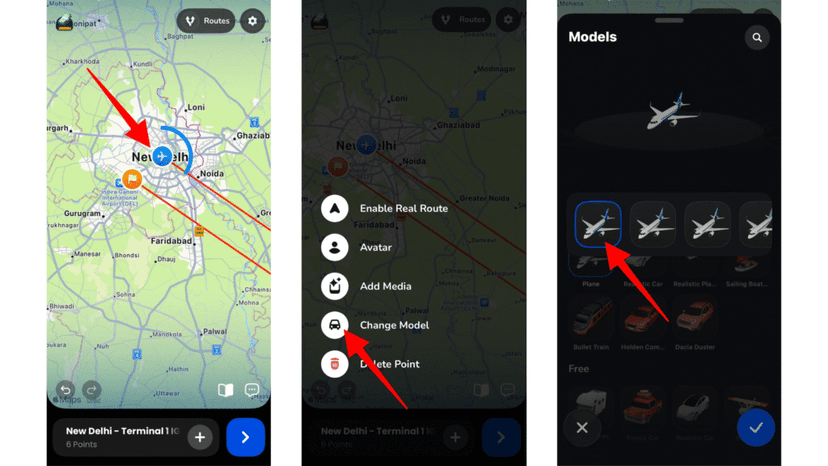
4. Highlight Important Destinations
Use labels, images, and elements to emphasize key locations along the route.
For example: Major cities, Tourist attractions, Hotel locations, Meeting points, Special experiences, etc. These visual markers help viewers quickly identify important stops within the itinerary.
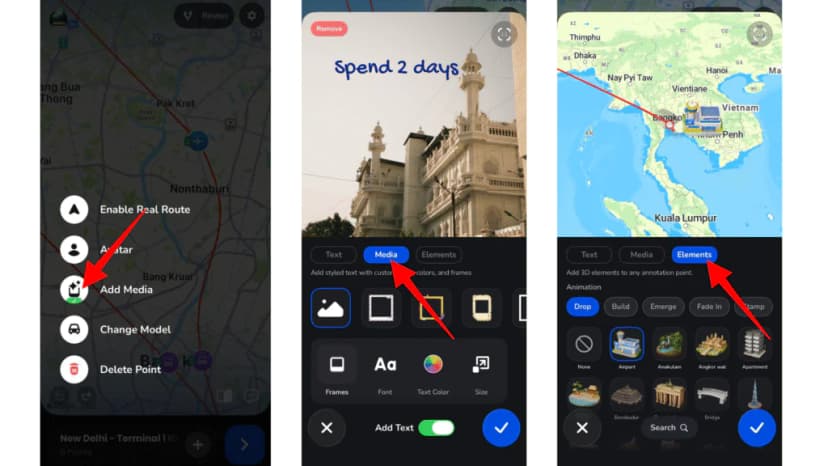
5. Preview and Customize
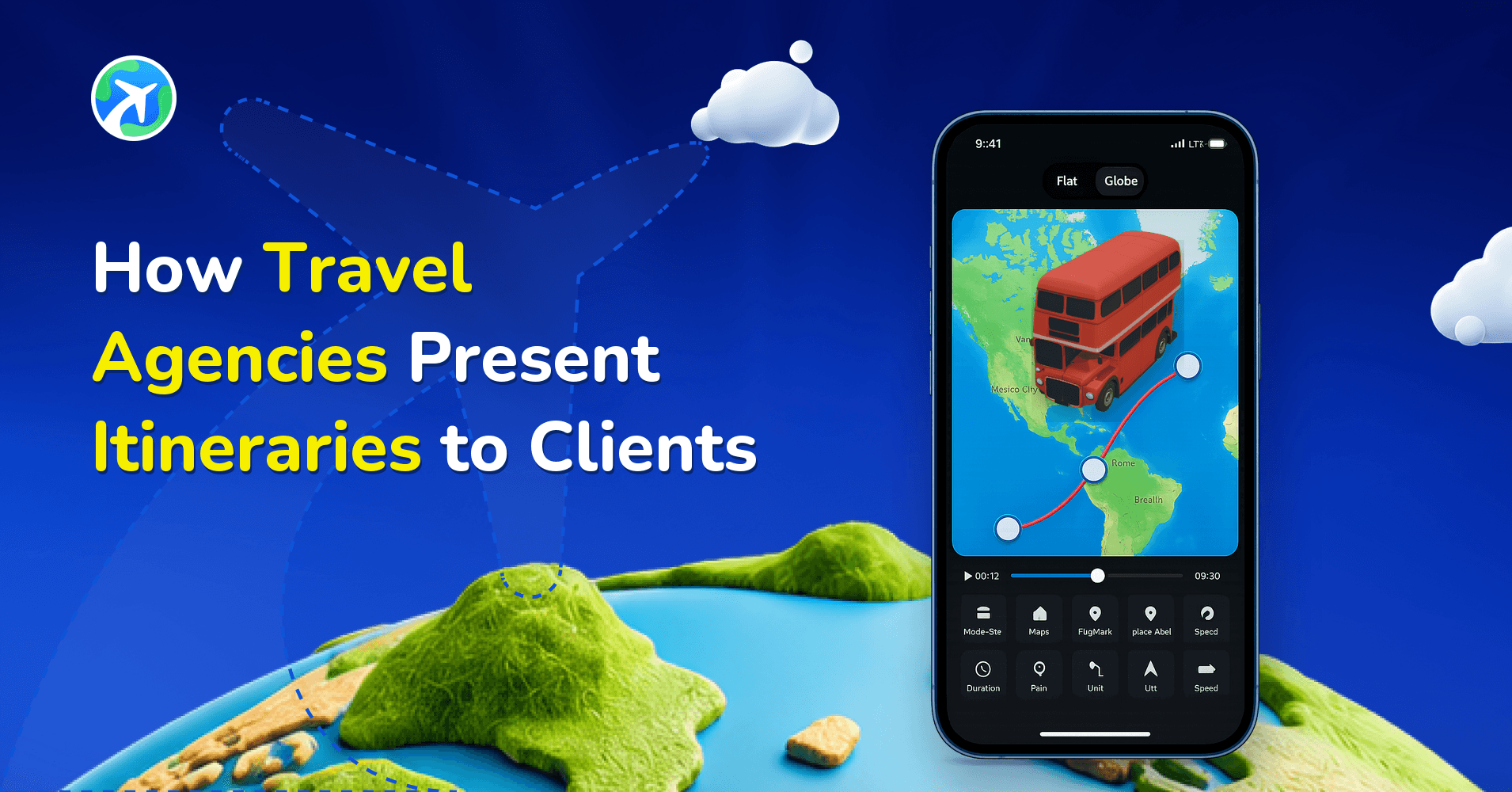
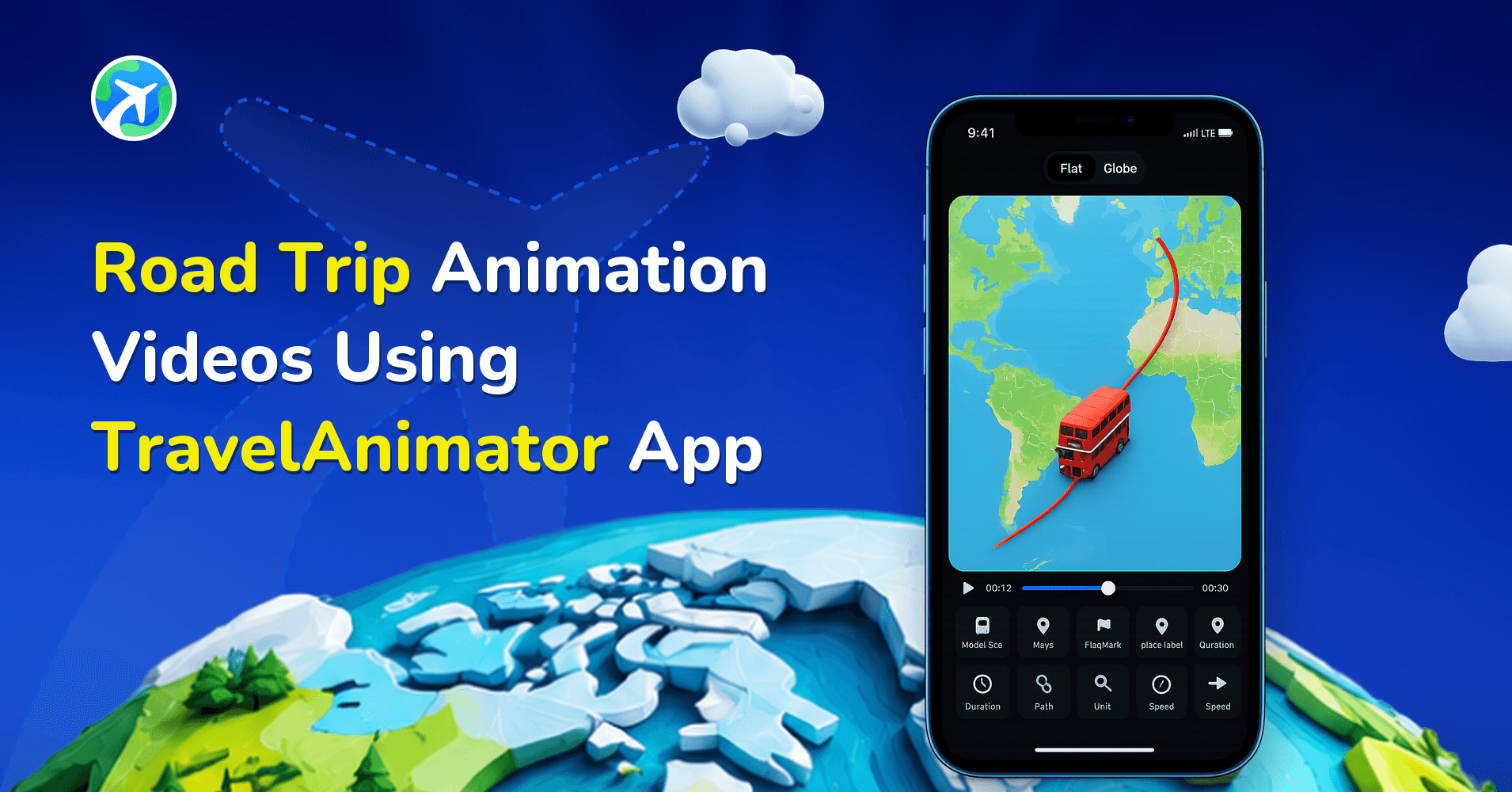
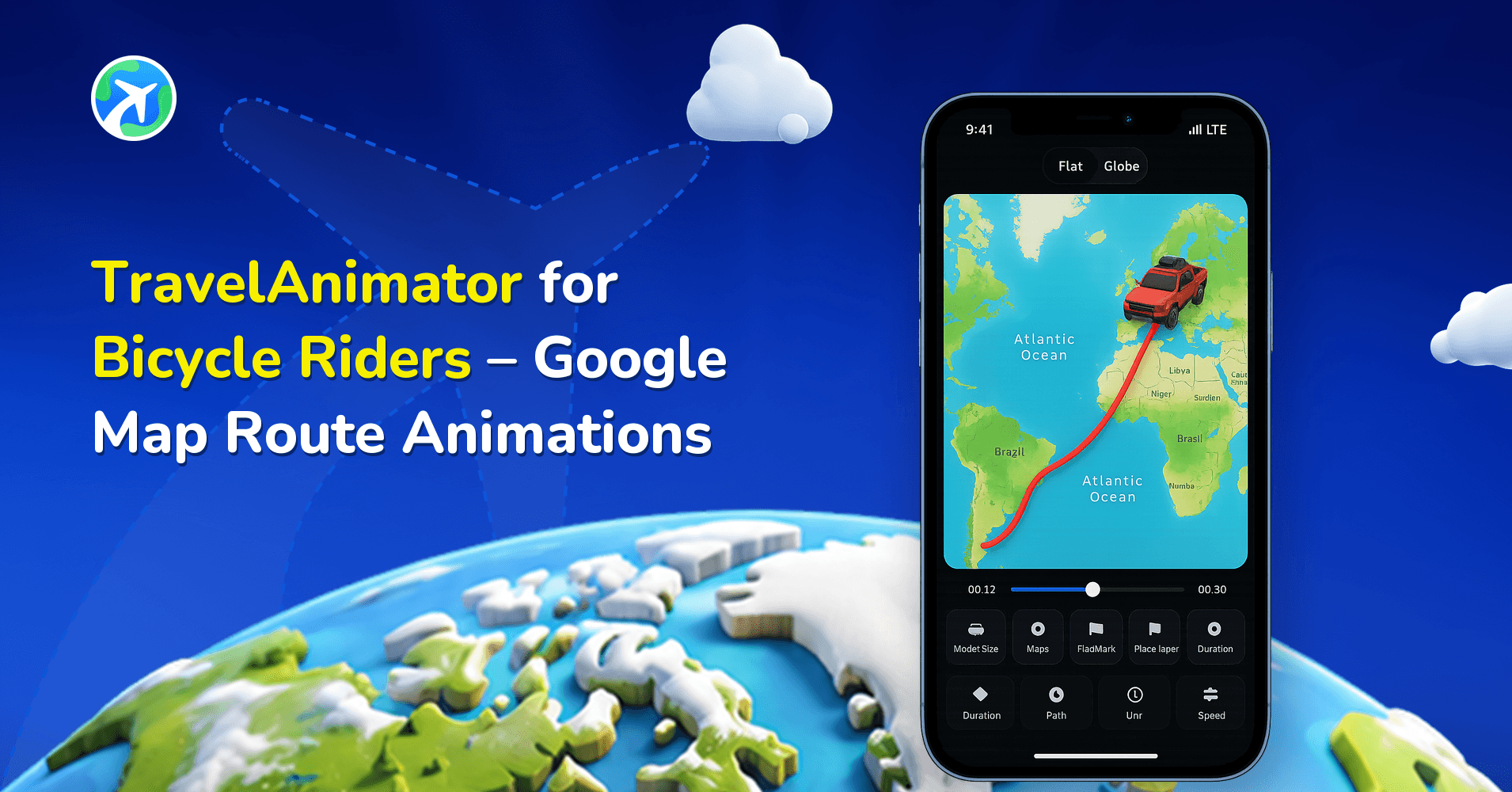
Preview your animation and customize the elements such as export quality, ratio, 2D & 3D, model size, map models, path, place labels, highlight, duration, scenstyle, unit, and flag from the preview screen.
6. Create a Cover Image
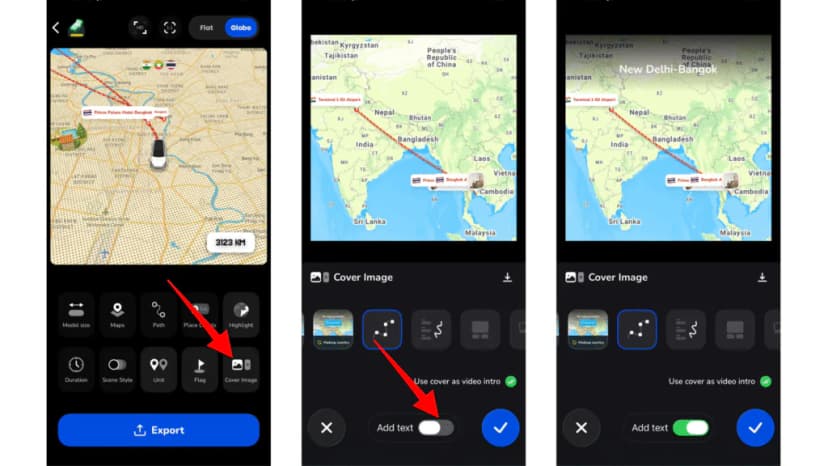
A cover image can instantly make a travel presentation look more professional. Travel Animator lets you create and download cover images that visually represent your journey. These cover images can be used as Travel proposal covers, PDF cover pages, Client presentation covers, Social media thumbnails, Trip overview graphics, etc. A strong cover image creates a positive first impression before viewers even begin exploring the itinerary.
7. Export and Share
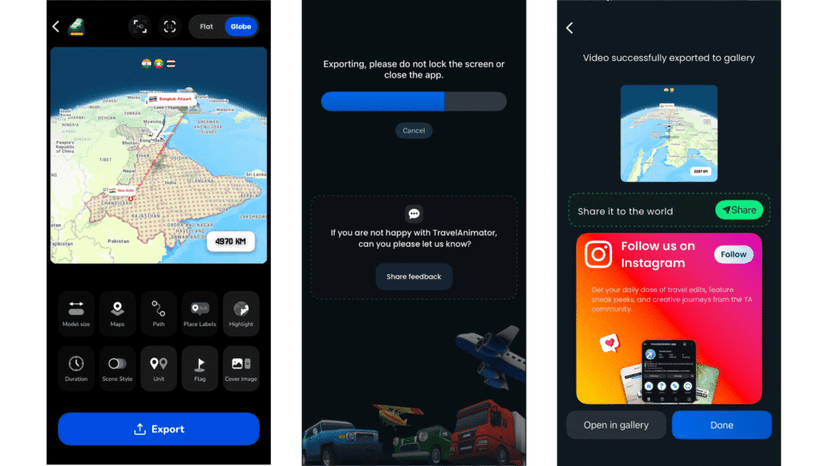
Once the route is complete, preview the animation and make any final adjustments. You can then export the travel animation and share it alongside your itinerary documents, presentations, proposals, or booking materials. This creates a more engaging experience than depending only on text-based documents.
How Travel Route Animations Improve Client Experience
Travel route animations help people understand travel plans faster than traditional documents alone. Instead of reading through multiple pages to figure out where the trip goes, viewers can watch the journey visually. This creates several advantages.
- Better Understanding – Animated routes make it easy to see how destinations connect and how the trip progresses, sp travellers gain a clearer understanding of the overall itinerary within seconds.
- Increased Excitement – People often book experiences based on emotion. Watching a route travel through destinations can generate excitement and anticipation in a way that static documents rarely achieve.
- Professional Presentation – Visual presentations help travel agencies and planners stand out, demonstrating attention to detail and creates a more modern client experience.
- Easier Decision-Making – When travellers understand the route and flow of a trip more clearly, they often feel more confident about moving forward with the booking.
Turn Travel Plans Into Visual Experiences
Travel plans should do more than communicate information. They should help people imagine the experience ahead. While PDFs remain useful for sharing schedules, hotel details, and travel information, they often fall short of conveying the journey itself. By combining visual maps, route animations, destination highlights, transportation models, and cover images, you can create travel presentations that are easier to understand and far more engaging.
Download the Travel Animator app from the App Store or the Play Store and transform destinations into visual travel stories, create downloadable cover images for proposals and presentations, and help travellers see the journey before it begins.