How to Animate Your Christmas Journey with Travel Animator
 Jaseel S7 min read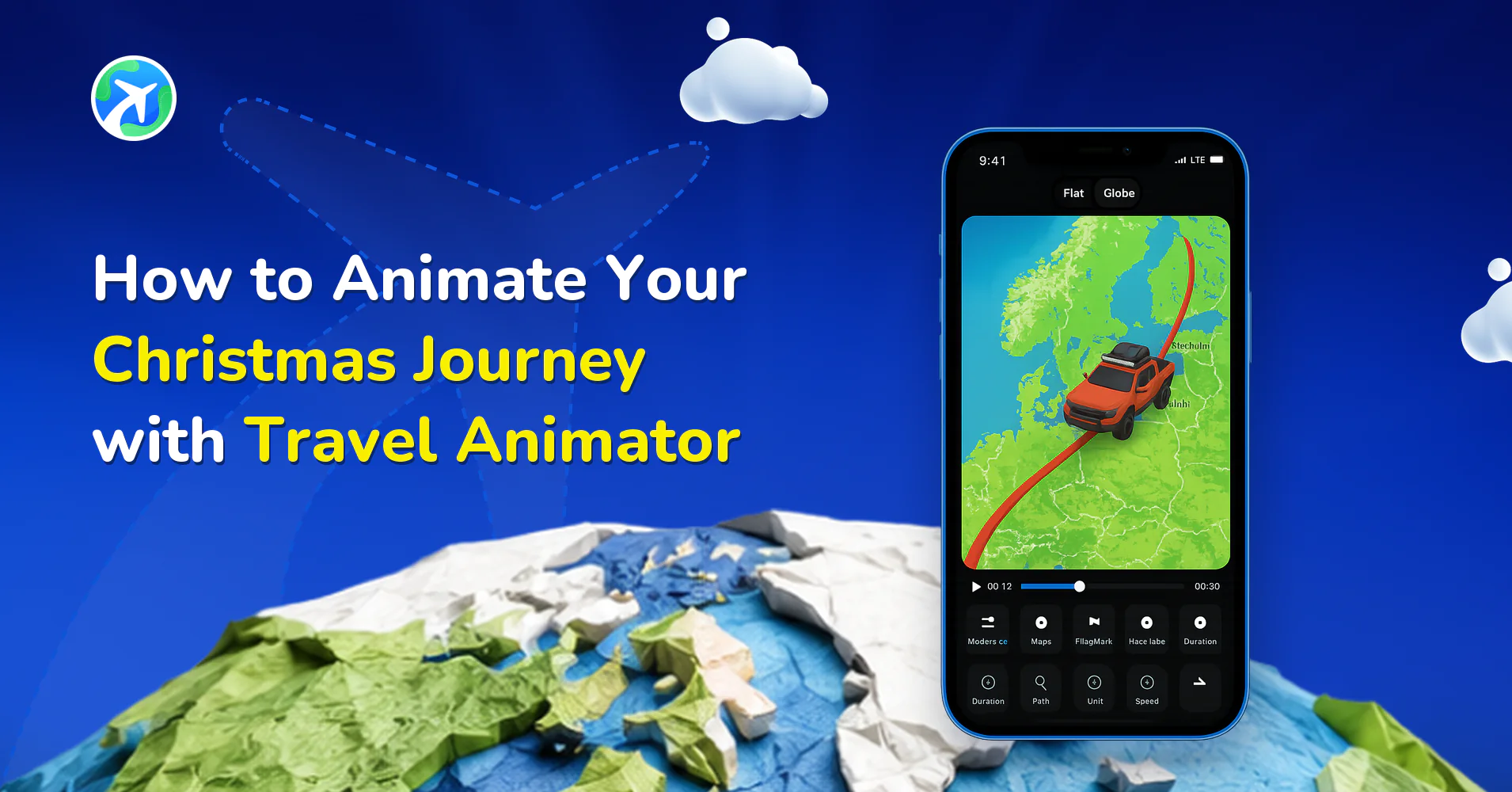
Travel Animator has newly released Winter and Dark Winter maps, along with Christmas-themed models such as the Elf, Snowman, Santa Claus, Reindeer, sleigh, Santa Scooty, and Snow Wagon, allowing you to create joyful, snow-covered routes that evoke different holiday-themed memories.
Whether you’re documenting a family road trip, a snowy flight home, or Santa’s own delivery route, this update turns every Christmas journey into the most memorable animation. With Travel Animator’s brand-new Winter update, you can turn all those festive travels into cinematic animated stories.
This guide will help you create an engaging and most shareable Christmas animation journey with TravelAnimator by exploring the new models and maps released as part of the Christmas season.
What’s New This Christmas in Travel Animator?
Travel Animator’s newest updates bring your travel animation video the warmth and excitement of the Christmas holiday season. This is a whole experience designed to make your routes feel memorable with festive cheer. Take a look at what TravelAnimator has released on Christmas.
Winter & Dark Winter Map Styles in TravelAnimator
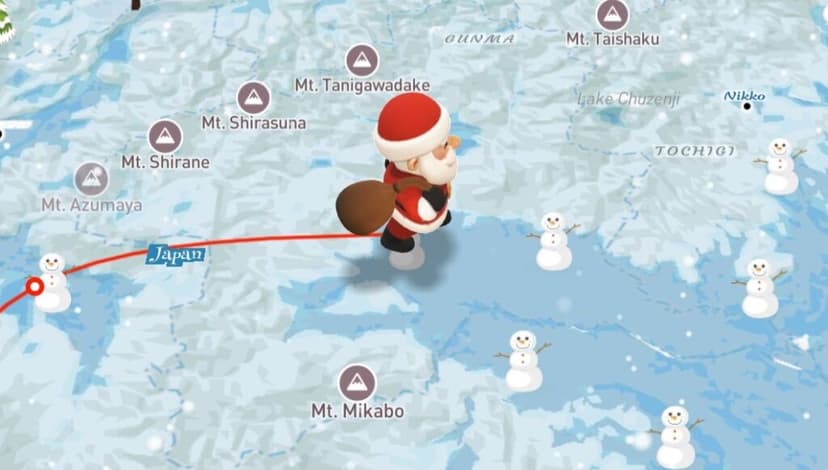

The Winter Map wraps your journey in soft snow textures, frozen blue colors, and adorable snowmen dotting the landscape. It’s bright, cheerful, and perfect for recreating daylight adventures through frosted towns or mountains.
The Dark Winter Map, on the other hand, sets a restful tone. With its night-sky palette and dark shadows, it feels like a candle-lit journey through Christmas Eve.
Both map styles transform your travel video into a winter wonderland, so every drive, flight, or sky route feels like a chapter from a Christmas movie.
Festive Christmas Models in TravelAnimator
No holiday animation feels complete without a touch of Christmas wonder, and the latest Pro-exclusive models in Travel Animator bring that festive spirit to your routes.
You can now choose from a delightful list of new Christmas-themed models, including:


- Elf – Add a playful, magical touch to your routes with Santa’s little helper leading the way.
- Snowman – Bring winter charm to your journey with this cheerful snow companion.
- Santa Claus – Let Santa himself travel across your map, spreading Christmas cheer along every stop.
- Reindeer – Perfect for a classic, storybook-style ride, who is guiding Santa through snow-filled skies.
- Sleigh – A traditional, elegant way to animate your Christmas journeys across the winter map.
- Santa Scooty – A fun, modern twist where Santa rides through cities and towns with gifts in festive style.
- Snow Wagon – Perfect for cozy, snowy routes or winter market adventures.
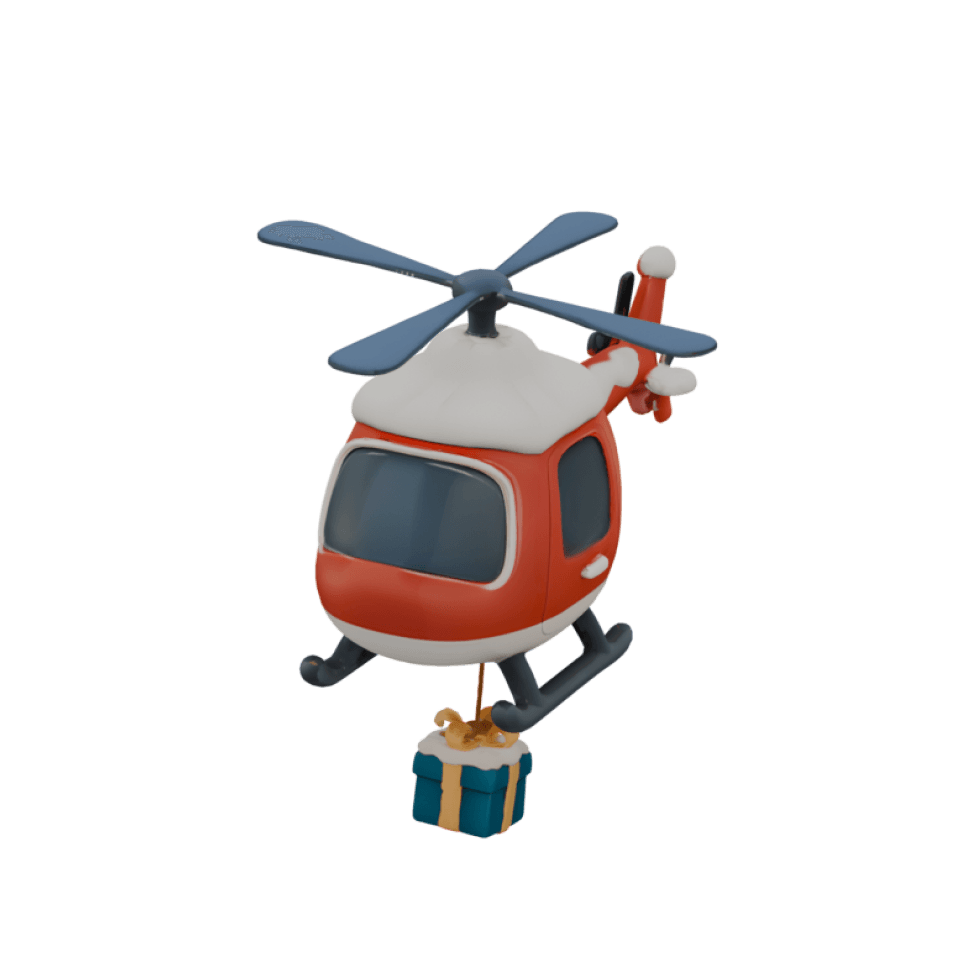
- Christmas helicopter – Take your festive storytelling to new heights with Santa soaring above snowy cities in a brightly lit helicopter.
- Christmas truck – Perfect for road trip-style Christmas routes with a gift-loaded truck cruising across highways and snowy landscapes.
- Christmas boat – Bring holiday spirit to coastal or island journeys with a beautifully decorated boat sailing through winter waters, glowing with Christmas lights.
Each of these models brings a unique animation, allowing you to design animations that feel full of holiday cheer. Whether you’re recreating a real Christmas road trip or animating a magical North Pole adventure, these models make every journey look like a festive one.
2D & 3D Maps
Travel Animator now lets you experience your journeys in both 2D and 3D map styles, giving you complete creative control over how your story is created.
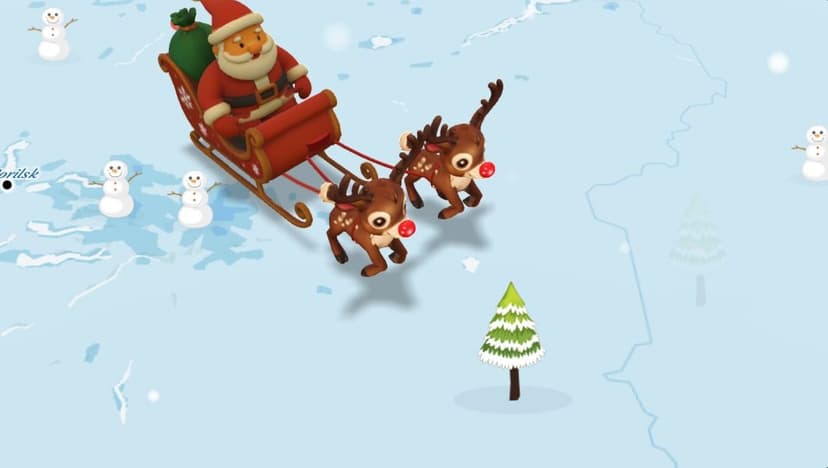

The 2D map is perfect if you love clean, minimal visuals, with simple, flat designs, and is ideal for storytelling that focuses on route clarity and smooth animation.
Switch to the 3D map for a cinematic look, highlighting your journey around the globe. It brings 3D videos of your travel videos, especially when paired with the new winter and Christmas models.
Whether you’re animating a winter holiday road trip or Santa’s sky-high sleigh ride, you can now choose the map style that best fits your story’s mood and aesthetic.
You need a Pro version to access these newly released Winter maps and Christmas models. So upgrade to Travel Animator Pro before creating your Christmas animation.
How to Animate Your Christmas Journey (Step-by-Step Guide)
Open Travel Animator and Start a New Project
Open the app and start creating the new route.
If you’ve never used the Winter maps before, make sure you’ve upgraded to Travel Animator Pro. This activates the new festive map styles and models.Add Your Route on the Map
Add the routes manually by searching for destinations in the search bar or tapping on the map to add your starting and ending points. You can also import the GPX file/Google Map link of your route.
Add midpoints by taping and dragging on the line for curved paths to make your animation smoother and more realistic.Choose Christmas Models
Long-press on the point you need to select your model.
You’ll find new Christmas models like Elf, Snowman, Santa Claus, Reindeer, sleigh, Santa Scooty, and Snow Wagons. You can use multiple models on different routes.Choose one that matches your travel destination if you’re driving through snowy towns, flying home, or delivering presents across the map.
Personalize Your Video
Enhance your Christmas animation with images and labels.
On the top right corner of the models menu, insert photos from your trip at key points and add labels with names like “Home,” “Christmas Market,” or “North Pole” to personalize your animation.Refine and Preview Your Animation
Once your route and models are ready, tap Preview Video to view your route. You can adjust model size, video duration, ratio, units, etc, from here.For smoother animation, add a few extra points and adjust the curves gently. This helps the route flow naturally through the snowy landscape.
Choose a Festive Map Style
Go to Map Style and select between the Winter map and the Dark Winter map style. These new maps add Christmas textures and snow-covered details that instantly transform your route into a holiday animation.Export and Share Your Journey
When you’re satisfied with your animation, tap Export Video to save it in HD or 4 K quality. Or, share your Christmas journey directly on Instagram, TikTok, or YouTube Shorts, or send it to friends and family as a digital Christmas card.
Creative Ideas for Your Christmas Travel Animations
- Animate your family’s drive to the mountains, a cabin getaway, or a visit to grandma’s house. Use snow-covered cars or buses to add the perfect holiday touch.
- Design a Santa-style delivery route that travels across cities or continents, from the North Pole to every friend’s hometown.
- Plan your dream Christmas market tour with different destinations and create it with the Winter map and Christmas models. For example, London → Vienna → Prague → Munich.
- Create both Winter (daytime) and Dark Winter (night) maps differently and share them as a story. It’s a beautiful way to tell a Christmas Eve and Christmas Morning story.
- Combine short clips from all your winter travels into one year-end animation to keep as your own digital Christmas postcard.
Tips to Make Your Christmas Animation Look Beautiful
- Add points and slightly drag them to create soft, natural curves. It makes the animation feel smoother and cinematic.
- Label Key Destinations or mark each stop with fun names like “Santa’s Stop #3” or “Snow Town.”
- Add your Christmas images to the animation to make the video more personal and engaging by sharing travel photos as well.
- Keep the animation 15–30 seconds to make it shareable. These are perfect for Instagram Reels or TikTok videos.
Make This Christmas Journey Memorable with TravelAnimator
Travel Animator’s new Winter maps and Christmas models let you turn your festive travels into beautiful, animated memories. Each route becomes a chapter in your holiday storybook, filled with snow, joy, and adventure. So, upgrade to Travel Animator Pro, choose the Winter Map, and start animating your Christmas journey today. This Christmas, share the story instead of just photos.