How to Create an Easy Travel Map Animation Using Travel Animator?
 Jaseel S6 min read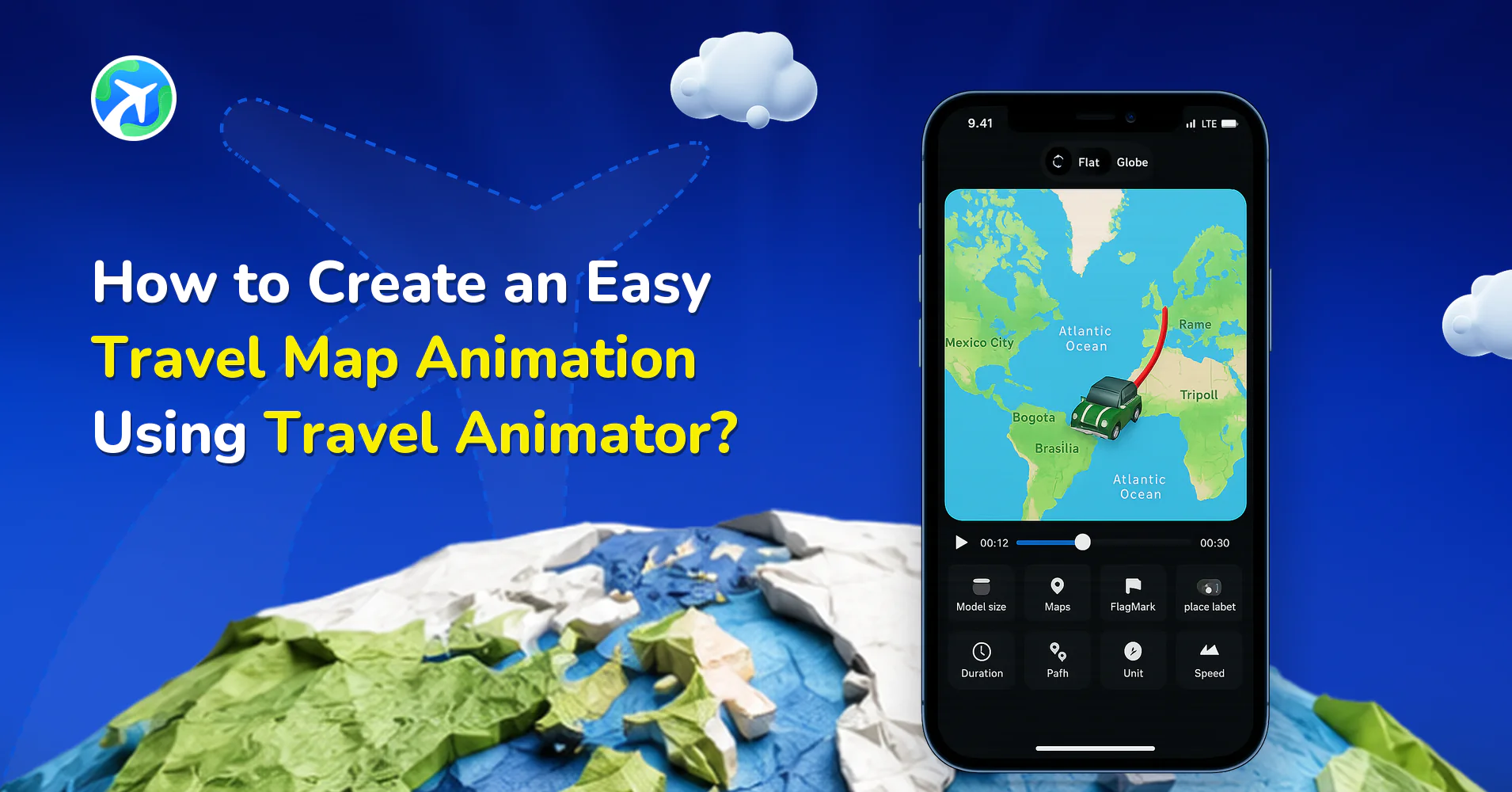
In this article 8 sections
With Travel Animator, anyone can turn their journey into a clean, animated map video with no editing skills, no high-end devices, and no complex software required.
Many travelers struggle with traditional animation tools or advanced editing platforms that demand technical knowledge and hours of effort. Travel Animator was built specifically to solve this problem by offering a simple, guided, and mobile-friendly way to create travel animations in just a few minutes.
In this guide, you’ll learn what a travel map animation video is, why most tools feel difficult, how Travel Animator makes the process easy, and how you can create your own animated travel video step by step, even if you’ve never edited a video before.
What is a Travel Map Animation Video?
A travel map animation video is a dynamic representation of a travel journey or a route on a map. Instead of static screenshots or lengthy explanations, it uses animated maps and models to show how a traveler moves from one destination to another, highlighting locations with different vehicle models, images, labels, and map styles.
Travel map animations are widely used for travel recaps, itineraries, social media stories, educational content, and business presentations because they clearly and visually communicate movement and geography.
Why Creating Travel Animations Feels Difficult with Other Software
- High-end software requirements – Many tools require powerful computers or desktops to run smoothly, making them inaccessible for mobile users or travelers on the move.
- Technical skills are mandatory – Software like After Effects demands knowledge of timelines, keyframes, plugins, and rendering workflows, which can be overwhelming for beginners.
- Dependency on additional plugins – Some platforms require third-party plugins (such as GeoLayers) to create map animations, adding complexity and extra cost.
- Time-consuming workflow – Creating even a simple route animation can take hours, making it impractical for travelers who want quick updates or real-time sharing.
Why Travel Animator Is the Easy Travel Map Animation App
- Travel Animator offers a user-friendly interface that is more familiar to all users. It is easy to access, even for first-time users.
- Creating travel videos using Travel Animator requires no technical or editing skills.
- Adding destinations, adjusting routes, and placing points is done visually by just tapping, dragging, and refining.
- Built-in tutorials and guided steps help you create animations from start to finish.
- You can manually add destinations, search for coordinates, import GPX files, paste Google Maps links, or even draw rough routes directly on the map.
How to Create a Travel Map Animation in 3 Simple Steps
1. Choose the destinations
Start by opening the Travel Animator app on your device. If you haven’t installed it yet, download it from the App Store or Play Store.
You can create routes in multiple ways:
- Add destinations manually using the search bar
- Type coordinates in the search bar
- Upload a GPX file from your journey
- Paste a Google Maps route link
- Tap directly on the map to create rough routes
Once locations are added, you can tap between route lines to add stop points and shape the path naturally.
2. Customize the route with visual elements
Long-press on any stop point to open the travel model menu. From here, you can:
- Choose free or Pro travel models from the real models.
- In the top right corner of the model menu, you can add images taken during your trip.
- Add text labels for clarity
- Customize the image and text to match your journey.
3. Preview, Edit, and Export the Video
Preview your animation to see how it flows. From the preview screen, you can:
- Hide place labels, single or all, and customize the place labels
- Choose map styles (light, dark, winter, black & white, etc.)
- Customize route line color, thickness, and style
- Switch between 2D and 3D maps
- Adjust the video ratio (9:16, 16:9, 1:1)
- Set model size and animation duration
- Toggle distance units (km or miles)
Once everything looks right, export your video in HD or 4K quality. You can save it to your device or share it directly to social platforms.
New Features That Make Travel Animator Even Easier
Travel Animator continues to evolve with user feedback. Recent updates make animation creation even smoother. These updates ensure that even beginners can create professional-looking videos.
- Undo & Redo for routes and points
- 200+ models for different travel cases
- Multiple route line styles (solid, dashed, dotted, glowing, hybrid)
- 3D Earth route animations for long-distance travel
- Seasonal map styles like winter and black-and-white
- Image and label customization for clearer storytelling
- Search by coordinates for finding exact location
Real Use Cases: Who's Using Travel Animator and Why
- Travel vloggers create route animations to introduce destinations or recap journeys on YouTube and Instagram.
- Content Creators use animated maps to make reels, shorts, and stories more engaging.
- Travel agencies showcase itineraries, routes, and destinations visually for clients.
- Professionals and Business travelers use the app to animate flight paths or trip summaries in minutes.
- For Students and educators, visual projects become easier by showing historical routes, geography lessons, or travel timelines.
- Families and casual travelers share trip updates with friends and relatives in a creative way.
Are You Looking for an Easy Travel Animation Tool?
Travel Animator offers a stress-free way to create animated travel videos without technical knowledge or high-end devices. Whether you’re a traveler, vlogger, student, or business user, the app is built to help you tell your travel story quickly and beautifully. Instead of struggling with complex tools, you can focus on what is important in your journey.
Download Travel Animator from the App Store or Play Store today and start creating easy, engaging travel map animations in minutes.
Frequently Asked Questions
What is a Travel Map Animation Video?
A travel map animation video is a dynamic representation of a travel journey or a route on a map. Instead of static screenshots or lengthy explanations, it uses animated maps and models to show how a traveler moves from one destination to another, highlighting locations with different vehicle models, images, labels, and map styles.
How do I choose destinations for my first travel animation?
Start by opening the Travel Animator app on your device. If you haven’t installed it yet, download it from the App Store or Play Store. You can create routes in multiple ways: Add destinations manually using the search bar Type coordinates in the search bar Upload a GPX file from your journey Paste a Google Maps route link Tap directly on the map to create rough routes Once locations are added, you can tap between route lines to add stop points and shape the path naturally.
What should I check before exporting my first animation?
Play the route from start to finish. Check that the destinations are in order, the model matches the trip and the labels remain readable at the chosen video ratio.