How to Add Labels in Travel Animator
To add a text label in Travel Animator, long-press a stop, choose Add Media and enter your text. Adjust its appearance, then tap the blue tick to apply it. Use Place Labels in Preview when you want to edit the location names instead.
 Jaseel S6 min read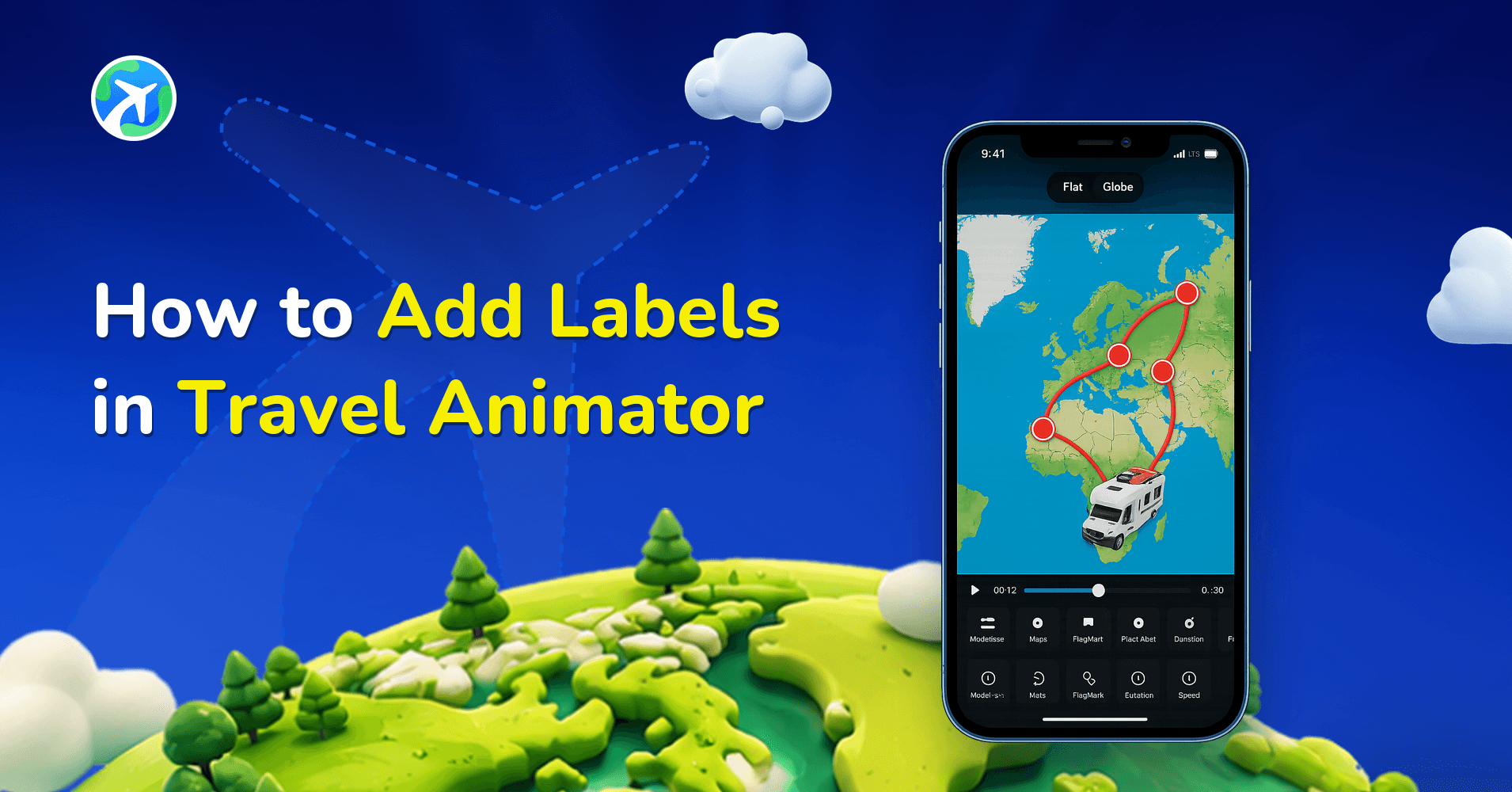
In this article 10 sections
Travel Animator offers a feature to add labels to mark specific locations, indicate where your route begins, etc., now with more natural, customizable, and visually engaging options, helping you guide viewers clearly through your journey.
Whether you’re a travel blogger, tour operator, or creating your travel itinerary, utilising the labels makes your videos more professional and engaging on social media.
This article will explain Travel Animator’s labels, their use cases, and how to remove them.
What is the Label in Travel Animator?
The label represents the text you can place in each destination and stop on your animated map. It appears directly on the animated map, helping viewers understand where your journey begins, where it ends, and what happens in between.
For example, if you are traveling from Spain to Paris, you can add labels to mark both locations or include context such as Starting Point and Final Destination.
Labels are fully customizable and can be used not just for decoration but also for storytelling, making your animation more informative and engaging.
What’s New in Label Feature (2026 Update)
The latest updates have significantly improved the label feature, making it more flexible and creative.
- You can now customize text color to match your theme or branding.
- Choose from different font styles to enhance visual appeal.
- Add frames or backgrounds around text for better visibility.
- Adjust the label duration to control how long they appear in the animation.
- Resize labels easily using improved size controls.
- Enjoy a cleaner, faster label-editing interface with real-time preview.
These improvements allow you to create more polished and professional-looking travel videos.
What Can You Label in Travel Animator?
- Destinations – You can add labels to highlight cities, countries, or specific places you visit during your journey.
- States or Regions – Labels can be used to show broader geographical areas when your route covers multiple regions.
- Transportation Type – Describe your travel mode using labels such as “Flying to Dubai” or “Road trip to Goa.”
- Travel Services – Travel agencies can use labels to showcase routes and transport options for clients.
- Custom Notes – You can add creative or fun notes like food experiences, travel highlights, or personal comments to make your video more engaging.
Steps to Add a Label in Travel Animator
1.Open the Travel Animator app and load your saved route or start a new project.
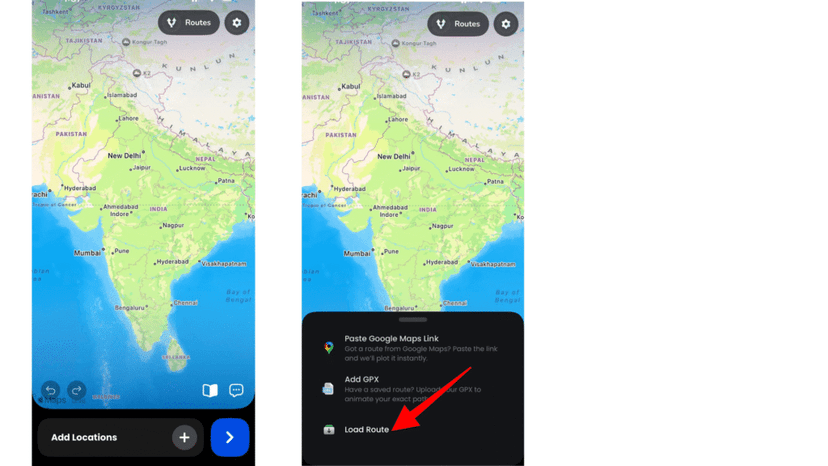
2. If you are starting from scratch, add your destinations manually, import a GPX file, or paste a Google Maps link.
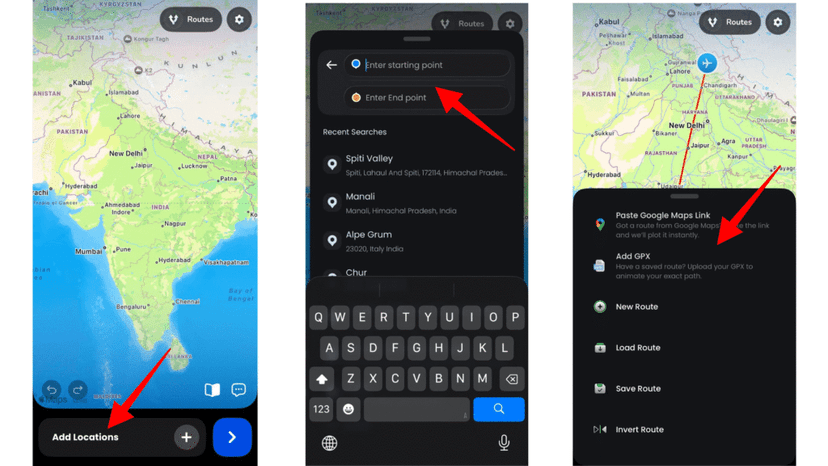
3. Choose the stop or destination to which you want to add the label.
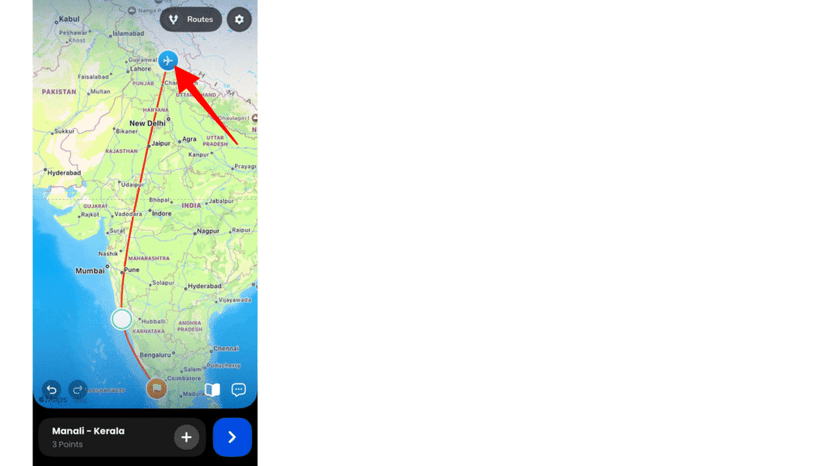
4. Long-press the stop and tap Add Media from the options.
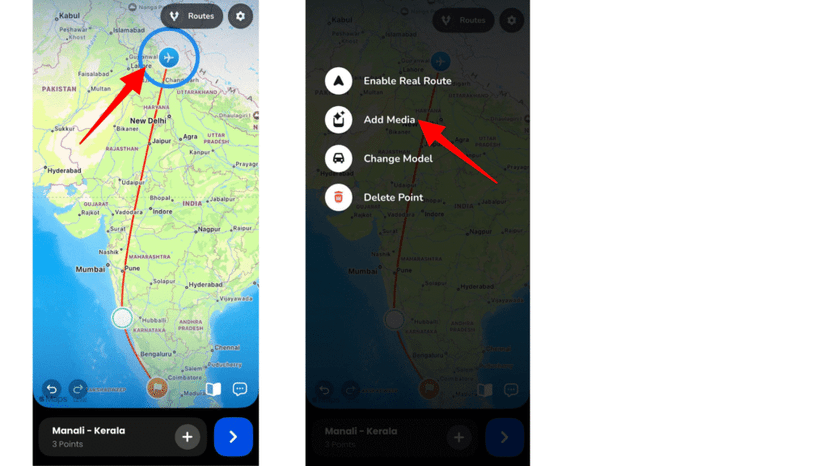
5. Enter your text and optionally add an image.
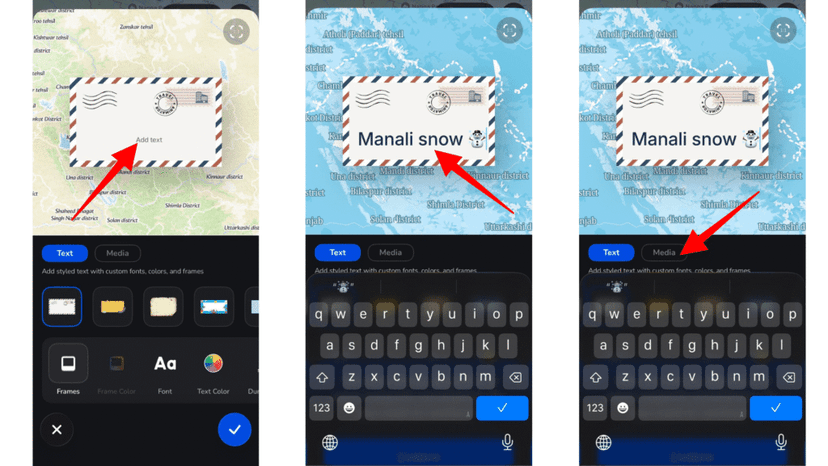
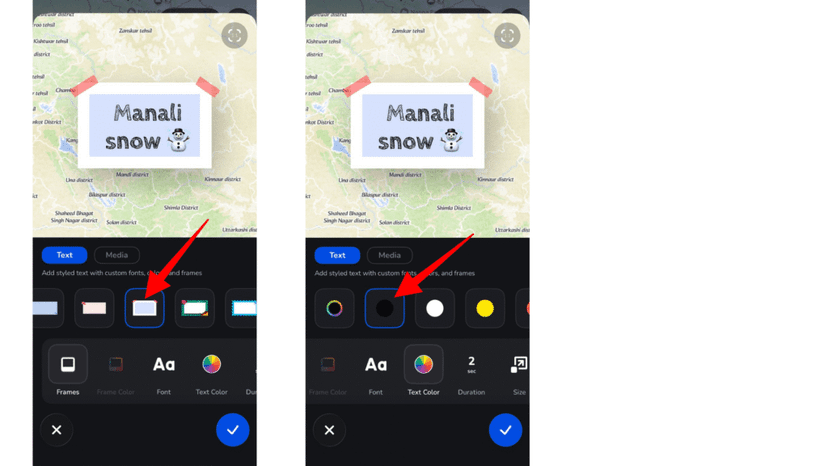
6. Customize the label by adjusting text color, font, size, frame, and duration.
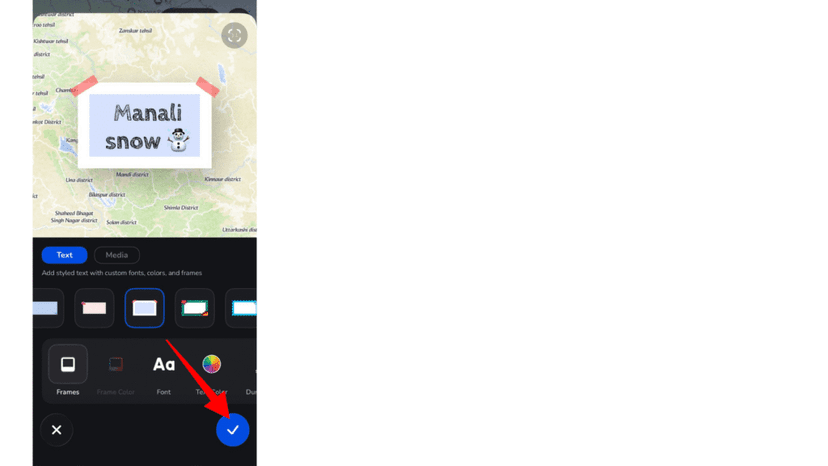
7. Click the blue tick to apply the label to your destination.
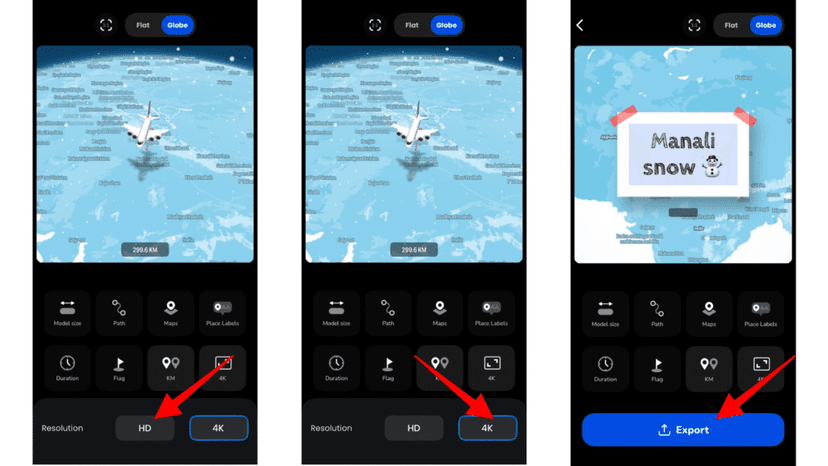
8. Preview your animation and adjust elements such as map style, ratio, model size, and duration as needed.
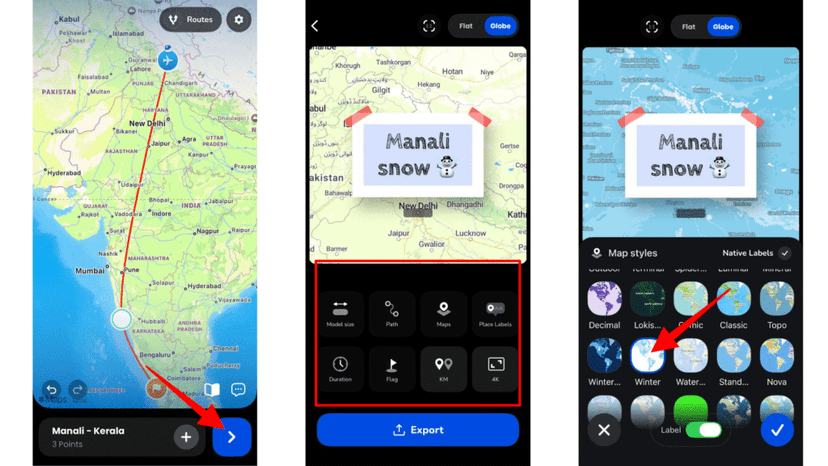
9. Export your animated video in HD quality or upgrade to Pro for 4K export and advanced features.
Tips for Better Labelling
- Avoid placing labels too close to each other, as it can make the animation difficult to read.
- Maintain a consistent format throughout the video, such as using only city names or a specific style of text.
- Use labels as part of your storytelling instead of just adding random text.
- Ensure labels do not overlap by keeping enough spacing between stops.
- Always preview your animation before exporting to make sure everything looks clean and readable.
Labels, Place Labels and Location Names: What's the Difference?
Three features put text on your map, and it’s easy to edit the wrong one.
- Labels, covered in this guide, are custom text you add at a stop through Add Media. Use them for notes and context: “Day 2”, “Ferry to Capri”, “Best pasta of the trip”.
- Place labels are the location names the app creates automatically for each stop. You turn them on or off and style their frames from the preview screen. See how to customize place labels.
- Location names are what those place labels say. If an imported stop shows up as “Roma Termini Railway Station”, edit the location name to “Rome” instead of adding a second label on top.
Doubling up is a common source of clutter: a place label reading “Paris” and a custom label that also says “Paris”. Let place labels handle the names and use your own labels for everything else.
How to remove labels in Travel Animator?
- Long-press the destination point with a label to open the add media menu.
- Go back through the steps to set up the label.
- Once you have reached it, remove the text and click the blue tick.
- The label will be removed from your animation.
When a Label Doesn't Look Right
- It flashes past too fast. Text shows for 1 second by default. Raise the duration for labels people need to read, and keep throwaway ones short. Our guide to reading pauses explains how timing works.
- It covers the route or a photo. Make it smaller, cut a few words, or move the note to a nearby stop with more space around it.
- It’s hard to read against the map. Add a frame or background and pick a text colour that contrasts with the map style. Pale text on a light map won’t survive a phone screen.
- It fits in landscape but not vertical. A label that sits comfortably in 16:9 can crowd a 9:16 Reel, so preview in the ratio you’ll actually export.
- It never appeared. Check that you tapped the blue tick to apply it, then preview again.
Make Your Travel Story Clearer with Labels
Travel Animator can customise the text for each destination or stop. By using them effectively in the Travel Animator app, you can create animations that are not only visually appealing but also easy to understand and engaging to watch.
If you want to unlock advanced customization options, better visuals, and 4K export quality, upgrading to the Pro version will give you everything you need to create professional-level travel animations.
Frequently Asked Questions
What is the Label in Travel Animator?
The label represents the text you can place in each destination and stop on your animated map. It appears directly on the animated map, helping viewers understand where your journey begins, where it ends, and what happens in between.
What Can You Label in Travel Animator?
Destinations – You can add labels to highlight cities, countries, or specific places you visit during your journey. States or Regions – Labels can be used to show broader geographical areas when your route covers multiple regions.
How to remove labels in Travel Animator?
Long-press the destination point with a label to open the add media menu. Go back through the steps to set up the label. Once you have reached it, remove the text and click the blue tick. The label will be removed from your animation.
Can I add a label and a photo at the same stop in Travel Animator?
Yes. When you long-press a stop and tap Add Media, you can enter your text and add an image in the same step. Keep the text short so it doesn’t compete with the photo, and consider a slightly longer duration for that stop, since viewers need time to look at the picture and read the caption.
Can I edit a label after adding it?
Yes. Long-press the stop with the label, open Add Media and go back to the text. Change the wording, colour, font, frame, size or duration, then tap the blue tick to save the change. Preview the animation afterwards to check the edited label still fits next to the route and any photos.