Download TravelAnimator Now from the Play Store or App Store and upgrade the app.
Loki’s World Map in Travel Animator
 Jaseel S6 min read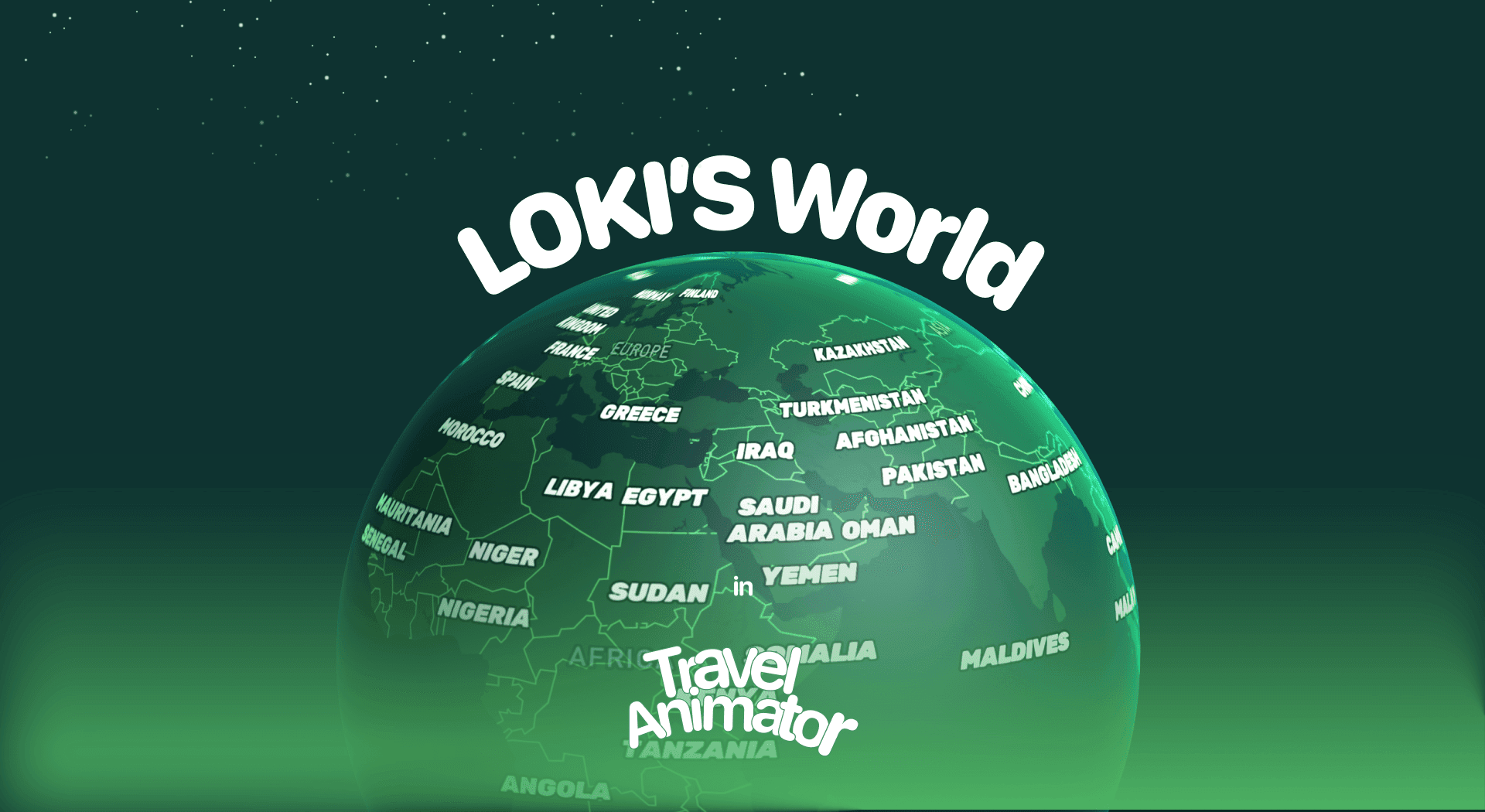
In this article 8 sections
Loki’s World is a newly released Map Style in Travel Animator that is used to create cinematic, dramatic, and visually striking travel animations.
Imagine you are preparing a cinematic travel video of your road trip across tall mountains and busy cities. Instead of using a plain, standard map, Loki’s World transforms your route into a dramatic, movie-like sequence, instantly making your video feel more engaging, professional, and unforgettable.
This guide will introduce you to Loki’s World, a new map style in Travel Animator, covering its features, use cases, and how to incorporate it into your travel videos.
What Is Loki's World Map Style in Travel Animator?
Loki’s World is a newly released map style that uses a dark, mysterious color scheme with bright place labels. It feels like a scene from a movie or a video game. The contrast makes both land and sea areas stand out, highlighting your journey with a strong visual impact.
This map is designed to bring energy and drama to your animation. This is perfect for animations that need a powerful, modern age. Whether you’re creating a travel vlog, a gaming-inspired video, or a presentation, the Loki’s World map style transforms your story into something unique and engaging.
Is Loki's World Map Style Free or Premium?
Loki’s World map style is free to use for the first 30 days from the release of the map. This allows you to use Loki’s World Map within the free version of Travel Animator.
Loki’s World map style is included in the premium version of the Travel Animator App. By activating the premium version, you can personalize your animation by utilizing every premium feature with Loki’s World Map. It makes your route animation look more attractive and professional.
Steps to Use Loki's World Map Style in Your Project
- Open the Travel Animator App and sign in with an email address. Sign-in is mandatory to upgrade the app.
- Upgrade the Travel Animator to use Loki’s World map style in your animation video.
- Add destinations, stops, images, and labels. You can add different images and labels in each destination or stop.
- Tap on the Maps and select Loki’s World Map style to use.
- Adjust the model size, video duration, and other features if needed.
- Export the video without watermarks in Travel Animator Pro and share directly to social media.
Styling Your Route for a Dark Map
Loki’s World does a lot of the dramatic work for you, so the rest of your settings should support it rather than compete with it. A few adjustments make a big difference.
- Pick a route line that glows. Dark backgrounds swallow thin, dark lines. The glowing line style or a solid line in a bright colour (white, gold, a light cyan) keeps the path readable on a phone screen. You’ll find both in the route line settings.
- Decide who does the labelling. Loki’s World already shows bright place labels. If you’re also adding your own text at each stop, try toggling Place Labels off so the two don’t fight for attention.
- Give the camera time. Dramatic maps feel cheap when the vehicle races across them. Stretch the video duration a little so the route draws in at a steady, cinematic pace.
- Keep photos to the big moments. Two or three images on a dark map stand out far more than one at every stop.
For a mountain road trip, a car model with a white glowing line and labels only on the major towns is a reliable starting point. Preview it, then tweak from there.
Who Should Use Loki's World Map Style?
- Content creators can make cinematic videos using Loki’s World Map style.
- Gamers can use this style to create map animations that look straight out of a video game.
- It is perfect for storytelling, especially for YouTubers and travel vloggers.
- Students and professionals can use it for their school projects or travel presentations to add professionalism and uniqueness.
When Loki's World Isn't the Right Fit
Loki’s World is a strong look, and strong looks don’t suit every video. A family holiday recap or a client itinerary usually reads better on a Classic or Standard map, where viewers focus on the places rather than the mood. If you want a dark theme without the fantasy feel, the Dark map is the calmer option.
For something futuristic, the Terminal map style uses neon lines on a digital grid, and the Pixel map leans fully into a retro game look. Since you pick the map style from the preview screen, you can try Loki’s World against one or two of these on the same route and keep whichever tells your story best.
Is Loki's World Map Style Suitable for You?
Loki’s World map is perfect for creators looking to add a unique, modern, and cinematic touch to their travel videos. Whether you’re a content creator, gamer, vlogger, or someone making presentations, this map style brings energy and impact to your stories. Utilize free trial days to check whether Loki’s Map style is suitable for your map animation and upgrade the app to get every advanced feature.
Frequently Asked Questions
What Is Loki's World Map Style in Travel Animator?
Loki’s World is a map style that uses a dark, mysterious color scheme with bright place labels. It feels like a scene from a movie or a video game.
Is Loki's World Map Style Free or Premium?
The article describes a 30-day introductory offer measured from the map’s release date, not a fresh trial for each user. Check the map’s current availability and access requirement in the app before using it.
Who Should Use Loki's World Map Style?
Content creators can make cinematic videos using Loki’s World Map style. Gamers can use this style to create map animations that look straight out of a video game.
Why is my route hard to see on the Loki's World map?
Loki’s World uses a dark colour scheme, so dark or thin route lines tend to disappear. Open the route line settings and switch to a bright colour or the glowing line style, and make the line slightly thicker if needed. Preview on your phone before exporting, since that’s where most people will watch.
Do I need to rebuild my route to try Loki's World?
No. The map style is chosen from the preview screen, so you can switch an existing project to Loki’s World and back again without re-adding stops. Save the route first if you want a safe copy, then compare map styles and keep the one that suits your video.