Vintage Map in Travel Animator
 Jaseel S6 min read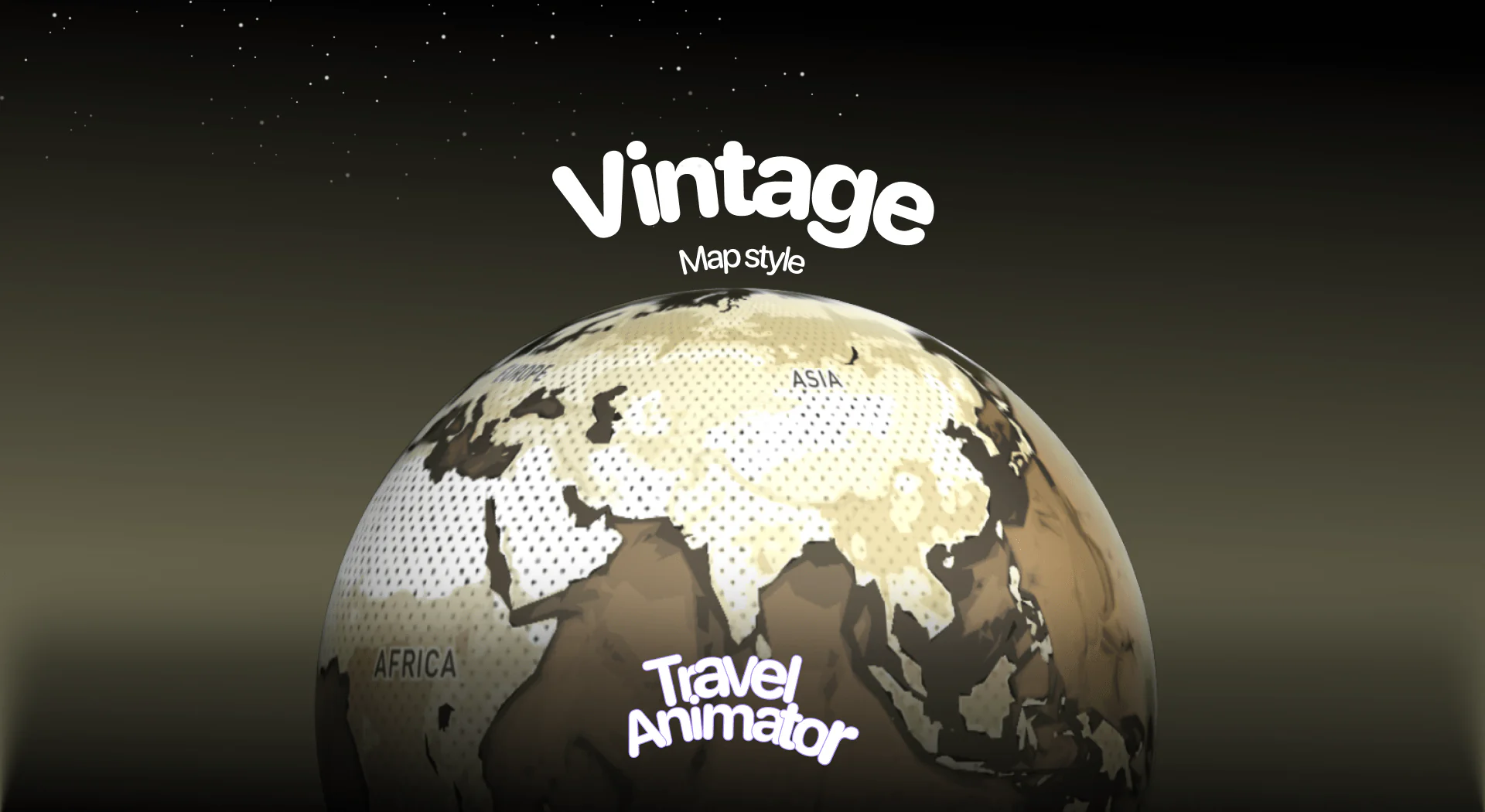
In this article 8 sections
Vintage Map Style is a newly released Map Style in Travel Animator that adds an old-world look, making it look classic and cinematic, to your travel videos.
Imagine you are a travel vlogger seeking to infuse your journey with an ancient experience feel, and you’re looking for a suitable map from Travel Animator’s collection.
This blog will help you to know about the newly released Vintage Map Style in Travel Animator, how to use it in your travel video, and its use cases.
For vintage with an adventure twist, try the Pirates map style.
What Is the Vintage Map Style in Travel Animator?
A Vintage Map Style is designed to make your map look like old paper maps with faded tones, soft textures, and classic fonts. The land and sea areas are depicted in earthy colors, such as brown, beige, and cream, lending your animation a historic appearance.
This style is inspired by history books and ancient stories, making the map animation feel like they’re living in an old adventure journal or an old period.
Is the Vintage Map Style Free or Premium?
The Vintage World Map style is available as a premium map. You need to upgrade the Travel Animator app to use the Vintage Map in your travel videos. You can create a professional travel video, including other premium features like the 4K quality export without watermarks, with the Vintage Map.
Vintage Map Style is free to use for the first 30 days after its release. Through that, you can decide to upgrade your video for this map or not. This makes it a great entry point for creators who want to explore premium aesthetics without an immediate commitment.
How to Use the Vintage Map Style in Your Animations?
- Open the Travel Animator App and upgrade the app after signing in.
- Start your new animation by adding different destinations, stops, images, and labels.
- Preview the video and navigate to the map selection screen.
- Scroll through available maps and select Vintage Map.
- Toggle the place name button on and off to control whether every location name is visible.
- Take a look at how your animation looks after adding the Vintage Map.
- Save and export your animation in your desired format (HD/4K).
- Share your animation directly from the app.
Who Should Use the Vintage Map Style?
- Perfect for travel vloggers who want to showcase their journeys with a classic, documentary-style touch, making their travel videos feel cinematic and timeless.
- It helps teachers and students to add depth to history and geographic presentations, making lessons more engaging while giving maps a rich, heritage-inspired look.
- An excellent choice for YouTubers, content creators, or storytellers making themed videos about exploration, culture, or heritage, where the vintage effect enhances the narrative.
- Wonderful for families who want to turn simple vacation videos into memorable ones, with a unique style that feels both warm and nostalgic.
Matching Models and Routes to the Vintage Look
A vintage map sets a mood, and a modern sports car racing across it can break it. Pick vehicles that feel at home on old paper: a ship for a sea voyage, a hot air balloon for a slow scenic hop, or a classic train for a rail trip. You can mix several in one video by long-pressing each stop and choosing a different model.
The route line matters as much. Warm tones like a deep red or orange sit naturally on the beige and brown palette, while a bright neon colour will look pasted on. Curved paths also suit the hand-drawn feel better than ruler-straight lines. Our guide to straight vs curved paths explains when each one works.
Here’s an example. Say you’re recreating your grandparents’ sea voyage from Southampton to Sydney. Use a ship model, a warm red line, a few short labels for the ports, and an old family photo at the first stop. That photo also gives viewers a natural pause before the voyage begins.
Vintage, Ancient, Pirates or Classic?
Travel Animator has several old-world styles, and they’re easy to mix up:
- Vintage looks like a faded paper map in beige, brown and cream with classic fonts. It’s the most neutral of the group and suits family trips and documentary-style recaps.
- Ancient uses warm browns, muted yellows and textured backgrounds, so it reads as centuries old. It works best for heritage sites and history content.
- Pirates is an antique treasure-map look with old-fashioned place names. Use it for coastal, island or adventure stories.
- Classic is a vintage-style 2D and 3D map for historical videos and old travel routes.
If you’re unsure, build the route once and switch between them in Preview. For a story-driven treasure hunt, the Treasure map style is another option.
Is the Vintage Map Style the Right Choice for Your Story?
The Vintage Map is suitable for various audiences in different use cases, particularly those seeking an old film or an antique style. With its 30-day free trial, you can experiment and see how it improves your storytelling before upgrading the Travel Animator to enhance its animation quality and professional appearance, utilizing its advanced features alongside the Vintage Map.
Frequently Asked Questions
What Is the Vintage Map Style in Travel Animator?
A Vintage Map Style is designed to make your map look like old paper maps with faded tones, soft textures, and classic fonts. The land and sea areas are depicted in earthy colors, such as brown, beige, and cream, lending your animation a historic appearance.
Is the Vintage Map Style Free or Premium?
The Vintage World Map style is available as a premium map. You need to upgrade the Travel Animator app to use the Vintage Map in your travel videos.
How to Use the Vintage Map Style in Your Animations?
Open the Travel Animator App and upgrade the app after signing in. Start your new animation by adding different destinations, stops, images, and labels. Preview the video and navigate to the map selection screen. Scroll through available maps and select Vintage Map. Toggle the place name button on and off to control whether every location name is visible. Take a look at how your animation looks after adding the Vintage Map. Save and export your animation in your desired format (HD/4K). Share your animation directly from the app.
Which route line colour works best on the Vintage map?
Warm, deep colours such as red, dark orange or a rich brown usually sit best on the Vintage map’s beige and cream tones. They stand out without looking out of place. Avoid neon shades, which clash with the old-paper look. Change it in Preview with Path Colour, then watch the full animation to check the line stays visible throughout.
Is the Vintage map style good for a school history project?
Yes. The old-paper look suits history and geography presentations, like tracing an explorer’s voyage or an old trade route. Add short labels for the key places, a photo or note at important stops, and export in the ratio your presentation uses. Our guide to school project travel maps covers the rest of the setup.