Ancient Map in Travel Animator
 Jaseel S6 min read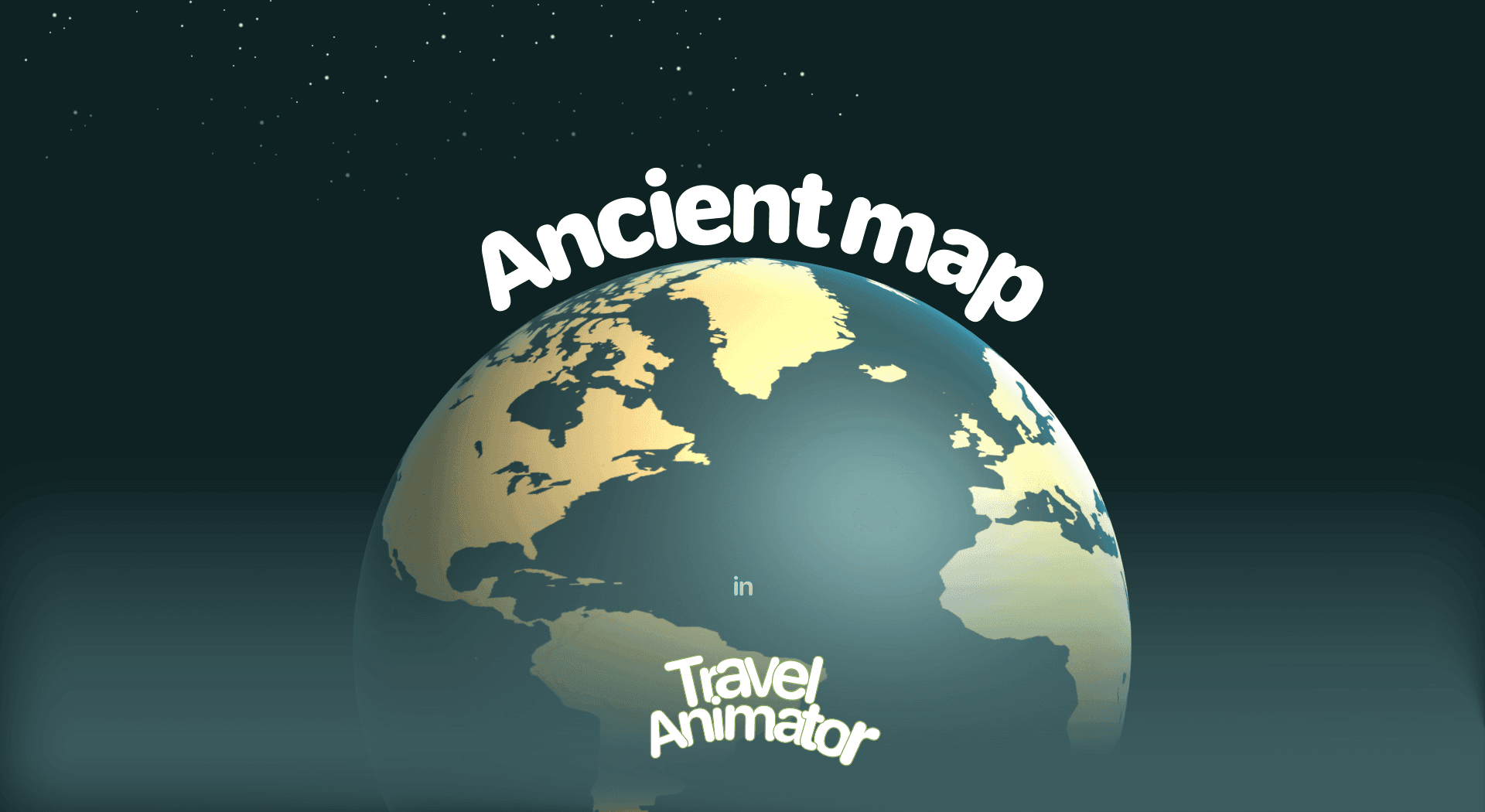
In this article 8 sections
Ancient Map is a newly released map style that gives your travel videos a classic, vintage look and is perfect for storytelling with a historical touch.
Imagine your travel agency needs to showcase a package of historical places using Travel Animator. To match the theme and attract the travelers who love history and culture, a suitable map is needed.
Let’s explore the Ancient Map style in Travel Animator, its use cases, and how to use it.
Loki’s World pushes that storytelling further into fantasy.
What Is the Ancient Map Style in the Travel Animator?
The Ancient Map Style in Travel Animator is a newly released map style that makes your travel animation look like it came from centuries ago. Instead of bright visuals and modern map styles, this style employs warm browns, muted yellows, and textured backgrounds to evoke the look of antique paper maps.
For a modern take on the same bold cartography, see the Military map.
This map is designed to create travel stories with a historical, heritage, and cultural vibe in a unique way. You will get the same destinations and other features, but a different map.
Is the Ancient Map Style Available as a Free or Premium Option?
You will receive the Ancient Map Style for free for the first thirty days after the map’s release, but with limited features, including fewer models, watermarks in exported videos, and reduced export quality.
The Ancient Map is available under the premium plan of the Travel Animator. You will get unlimited access to 2D and 3D Ancient maps with a premium subscription without watermarks.
Steps to Use the Ancient Map Style in Your Project
- Open the Travel Animator App and sign up with an email address.
- Upgrade to Travel Animator Pro to activate the Ancient map Style. You will get 30 days of free trial from the day the map is released.
- Add your locations, models, images, and labels.
- Preview the video and choose the Map style to use the ancient map.
- Tap on the Ancient from the map menu.
- After selecting, you can toggle between 2D and 3D if you need a change.
- Export the video in HD or 4K quality, or share it directly to different platforms.
Who Should Use the Ancient Map Style?
- Students can enjoy a more visually attractive way to learn geography and history.
- Perfect for sharing a visit experience to historical sites, old cities, and other cultural attractions.
- It adds an early touch to storytelling about the ancient cultures and past journeys.
- Travel Agencies can use this map to showcase the journey to an ancient place, including the vehicles used, their names, and images of the destination.
- Travel Vloggers can give a classic touch to their adventure videos.
Perfect for mapping family stories or migration routes in a vintage style.
Ancient, Vintage, Pirates or Treasure: Picking the Right Old-World Map
TravelAnimator has several map styles that look old, and they’re easy to mix up. They do feel different on screen, though.
- Ancient uses warm browns, muted yellows and a textured, antique-paper background. It’s the most “museum piece” of the group, which suits heritage tours, history lessons and migration stories.
- Vintage is softer, with faded brown, beige and cream tones and classic fonts. It reads more like an old travel journal than an artefact.
- Pirates keeps the warm brown but adds old-fashioned lettering and a hand-drawn feel. Good for coastal trips and anything with a boat in it.
- Treasure switches to a soft blue sea and handwritten text, so it feels more like a storybook than a historical record.
A quick rule: if the video is about history, go Ancient. If it’s about adventure, try Pirates or Treasure. Preview your route on two of them before you commit, because the same stops can feel very different.
Tips for Getting the Ancient Look Right
Picture a Golden Triangle heritage tour: Delhi to Agra to Jaipur. Here’s what makes it feel authentic rather than like a modern route dropped onto a brown background.
- Give the route line some contrast. Pale or yellow lines can sink into the muted paper tones. A darker, richer colour stands out better. Solid lines suit roads; a dashed line fits sea voyages and old trade routes. See how to customise the route line.
- Match the vehicle to the era. A sleek modern car looks odd on an antique map. Vintage vehicles from the Pro library, a classic steam train or a ship sit much better.
- Add one landmark, not ten. A 3D element like the Taj Mahal at the Agra stop says “heritage” instantly. Fill every stop and the old-map feel gets lost.
- Try the Atlas scene style. Its flat, top-down camera looks like someone tracing a route on a real paper map.
- Keep labels short. “Agra” reads better than a full address against a textured background.
Will You Try the Ancient Map Style for Your Next Project?
The Ancient Map style in Travel Animator can be used in various ways to cater to different audiences, including casual users, travel vloggers, content creators, and travel agencies. If you’re narrating the story of a historical place, showing cultural heritage sites, or simply need your video to have a unique touch, this map style helps your animation stand out. Upgrade to Travel Animator Pro today and try the ancient map style.
Frequently Asked Questions
What Is the Ancient Map Style in the Travel Animator?
The Ancient Map Style in Travel Animator is a map style that makes your travel animation look like it came from centuries ago. Instead of bright visuals and modern map styles, this style employs warm browns, muted yellows, and textured backgrounds to evoke the look of antique paper maps.
Is the Ancient Map Style Available as a Free or Premium Option?
The article describes a 30-day introductory offer measured from the map’s release date, not a fresh trial for each user. Check the map’s current availability and access requirement in the app before using it.
Who Should Use the Ancient Map Style?
Students can enjoy a more visually attractive way to learn geography and history. Perfect for sharing a visit experience to historical sites, old cities, and other cultural attractions.
What's the difference between the Ancient and Vintage map styles in TravelAnimator?
Both look old, but Ancient leans harder into history. It uses warm browns, muted yellows and a textured background that looks like antique paper. Vintage is lighter and softer, with faded brown, beige and cream tones and classic fonts, closer to an old travel journal. Pick Ancient for heritage and history content, Vintage for nostalgic trip recaps.
What route line colour works best on the Ancient map?
Pick a colour that clearly contrasts with the warm brown and yellow tones. Light or yellowish lines tend to disappear into the textured background, especially on a phone screen. A darker, richer shade usually holds up better. Preview the full route at your final aspect ratio, and adjust the line thickness if it still looks faint.