Decimal Map in Travel Animator
 Jaseel S6 min read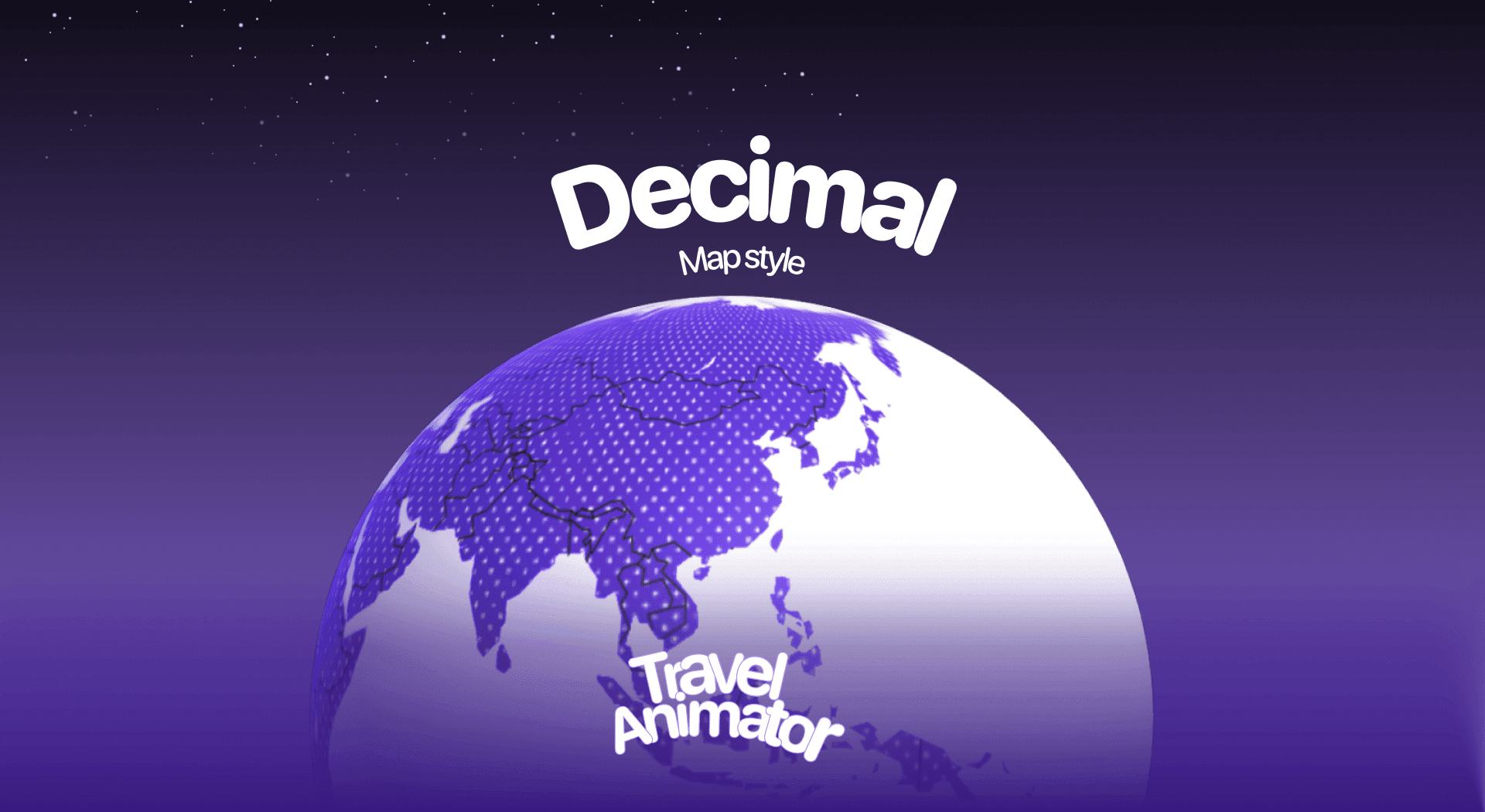
In this article 8 sections
Decimal Map is the newly released map style of Travel Animator designed for tech-related projects, data-driven travel stories, and presentations that demand clarity and professionalism.
Imagine you’re creating a travel vlog or presentation and want your routes to look futuristic and interesting. You are looking for the best Map style that instantly adds a digital, modern vibe to your animation.
This guide will help you know about the Decimal Map, its use cases, and how to use the map in your travel videos.
For something brighter, the Nova map takes a bolder, glowing approach.
What Is the Decimal Map Style in a Travel Animator?
The Decimal Map Style is a vibrant, digital-inspired design that focuses on simplicity and clarity. Decimal uses a modern color scheme that makes every route and landmark pop on screen. This makes it perfect for projects where clarity and impact are more important than realism.
This map is designed to take your travel animation out of the traditional map world and place it into a futuristic digital playground.
Is the Decimal Map Style Free or Premium?
The Decimal Map is included in the premium subscription of Travel Animator. Premium access ensures that you always have the Decimal map style and other premium features to create your animation video.
The Decimal Map is now available for free for the first 30 days from the map’s release day. This means you can experiment with this map for free before upgrading.
How to Use the Decimal Map Style in Your Project - Step-by-Step
- Open the Travel Animator App and sign in with an email address.
- Upgrade to Travel Animator Pro to get the Decimal Map in your route animation.
- Mark destinations and routes, then add the necessary images and labels to each destination for your animation.
- Preview the video and navigate to the Map style section.
- Scroll through the available map styles and choose Decimal.
- Turn on or off the Place Labels option based on your preference.
- Click Select to apply the style and preview the video to check.
- Export the video in 4K/HD quality and share directly on social media.
Use Cases of the Decimal Map Style
- The futuristic color scheme makes it an excellent fit for tech-theme creators focusing on digital trends, innovation, or data-driven storytelling.
- It is perfect for YouTubers or Instagram reels with its bold, modern colors that help highlight journeys with a fresh and digital vibe.
- With its pixel-inspired look, this style resonates well with gaming audiences and tech-driven storytelling.
- Teachers or trainers can use it to make geography, history, or data presentations more engaging with clear visual routes.
- Its simple yet striking look can turn a family road trip or vacation video into something memorable and fun to watch.
The Terminal map pushes the same technical feel into neon.
Styling Your Route to Match the Decimal Look
Decimal works best when everything on screen feels as clean and deliberate as the map itself. A few settings make a big difference.
- Route line. A solid line keeps things crisp and professional, while the glowing line suits a high-energy reel. Pick a colour from Path Color that clearly separates the route from the map, and preview it at the size people will actually watch it. Our guide to route line styles shows all six options.
- Model. For a data-style animation where the path itself is the story, try the blank model so only the line moves. For a travel reel, a plane or car still reads well against the digital background.
- Labels and flags. Keep place labels to the key stops. Country flags can work nicely for a multi-country route, but don’t stack both on every stop.
- Units. If you show distance, set km, mi or nm to match your audience before exporting.
The goal is a video that looks designed rather than decorated. When in doubt, take something away and preview again.
Example: Using Decimal in a Presentation
Decimal is a natural fit for slides, so here’s a setup that works well for a talk, a client pitch or a classroom lesson. Picture a product team showing a five-city launch tour: Berlin, Amsterdam, London, Madrid and Milan.
- Add the five cities in order using search, then curve the lines slightly so the flights don’t overlap.
- Use the blank model or a plane, and add a short text label at each stop, like “Launch day 1”.
- In preview, choose Decimal, set the ratio to 16:9 for a widescreen slide, and lengthen the duration so the audience can read each label.
- Add a cover image with a title so the video opens cleanly instead of starting mid-route.
- Export in 4K if it will be shown on a projector or large screen.
Travel Animator exports MP4, which drops straight into most presentation software as a video. Test it once on the screen you’ll present on, since projectors can wash out colours that looked sharp on your phone.
Is the Decimal Map Style Worth Trying?
The Decimal Map Style in Travel Animator is perfect if you’re looking for a bold, modern, and digital-inspired way to showcase your travel routes. With its vibrant colors and futuristic look, it works exceptionally well for creators who want to stand out, whether you’re making travel vlogs, presentations, or storytelling projects. If your goal is to add a unique, tech-driven aesthetic to your journeys, the Decimal Map Style is definitely worth exploring. Download TravelAnimator Now from the Play Store or App Store to create your animation with Decimal Map.
Frequently Asked Questions
What Is the Decimal Map Style in a Travel Animator?
The Decimal Map Style is a vibrant, digital-inspired design that focuses on simplicity and clarity. Decimal uses a modern color scheme that makes every route and landmark pop on screen.
Is the Decimal Map Style Free or Premium?
The Decimal Map is included in the premium subscription of Travel Animator. Premium access ensures that you always have the Decimal map style and other premium features to create your animation video.
Is the Decimal Map Style Worth Trying?
The Decimal Map Style in Travel Animator is perfect if you’re looking for a bold, modern, and digital-inspired way to showcase your travel routes. With its vibrant colors and futuristic look, it works exceptionally well for creators who want to stand out, whether you’re making travel vlogs, presentations, or storytelling projects.
Can I still use the Decimal map after the free 30 days?
Yes, with Travel Animator Pro. The free period runs for 30 days from the map’s release date, not from when you first open it. After that, Decimal sits with the other premium map styles, so you’ll need a Pro subscription to keep using it in new exports.
Can I use a Decimal map animation in PowerPoint or Keynote?
Yes. Export the animation from Travel Animator as an MP4 in 16:9, which matches standard widescreen slides, then insert it as a video. Export in 4K if you’ll present on a large screen or projector, and add a cover image or title so the clip has a clear starting frame.